64 57 498 D3543
D3543.201.01.05.02 08.2016
221
Sirona Dental Systems GmbH 5Care, cleaning and maintenance by the practice team
Operating Instructions INTEGO 5.3Instruments and instrument hoses
båÖäáëÜ
1. Press the
Torque control/purge
key.
The
Purge
operating context is shown on the EasyPad display.
2. Press favorite key 3.
The
AutoPurge
operating context is shown.
3. Press the favorite key
2 / Setup
.
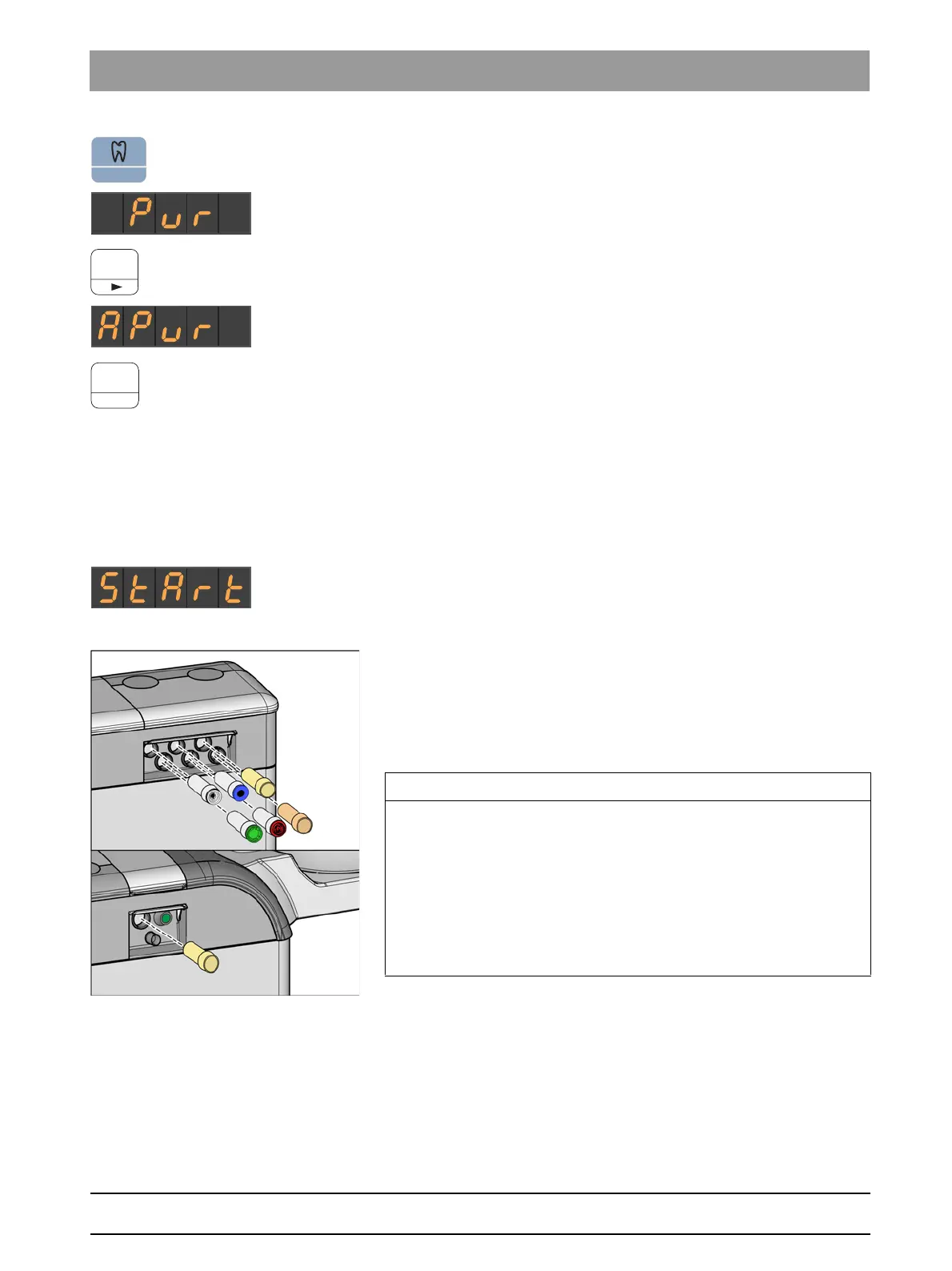
Inserting water-carrying instruments into the cleaning adapters of the
water unit.
Cleaning adapters for water-carrying instruments are integrated into the
Comfort and Ambidextrous (with INTEGO pro) water units. These enable
all instruments to be purged with water. For this purpose, water-carrying
instruments must be inserted into adapters on the water unit.
✔ The "Start" text is shown on the EasyPad display.
1. Remove the SPRAYVIT sleeves from the valve bodies and the
straight and contra-angle handpieces from the water-carrying
instruments.
2. If the adapters are not yet located in the receptacles of the water unit,
insert them into the receptacles until they lock into place. The
SPRAYVIT adapters can be inserted only into the two receptacles on
the right side of the dentist element with the guide rib facing upward.
Similarly, a SPRAYVIT adapter must be inserted into the assistant
element side. The adapters always remain in the water unit.
IMPORTANT
Arrangement of adapters
The adapters for the instrument couplings are color coded:
Yellow = SPRAYVIT E, water on right button
Orange = SPRAYVIT E, water on left button
White = highspeed handpiece
Green = Motor BL E
Blue = Motor BL ISO E (ISO interface)
Red = SIROSONIC L scaler



 To Next Page