The Snap-on® Cloud Using the Snap-on Cloud
214
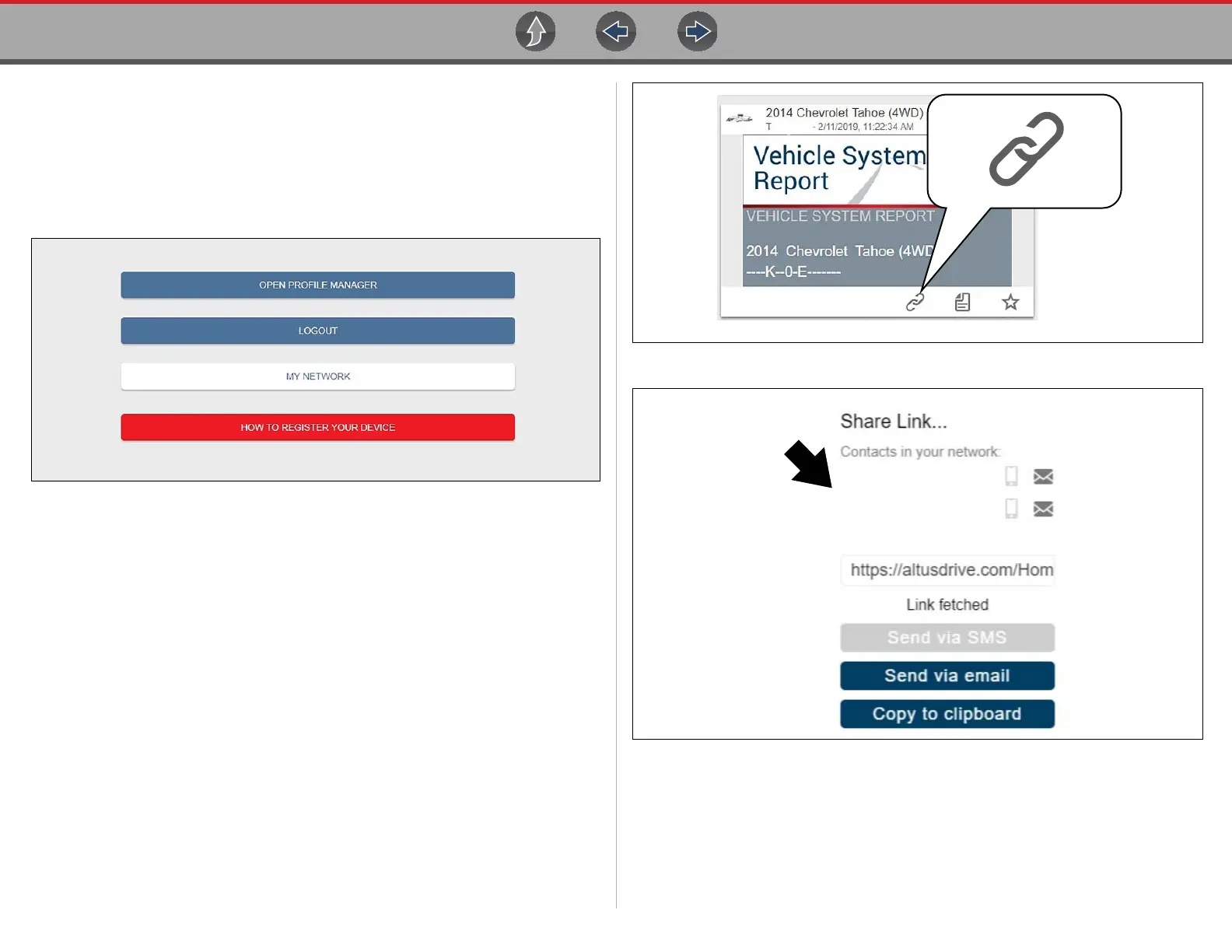
The Profile Manager Menu screen (Figure 17-24) allows you to:
• Open Profile Manager, see Using Profile Manager on page 215
• Logout of the Snap-on Cloud, see Logging Out of the Snap-on Cloud on
page 217
• Add others to your Network, see Logging Out of the Snap-on Cloud on page 217
• Open online Help, to assist in Registering Your Device
Figure 17-24
My Network
Selecting My Network (Figure 17-24) allows you to add others to your file sharing
network. Enter the contacts name, phone number and/or email at the prompt. Add as
many contacts as you need.
The Contact Names you enter will appear in the “Share Link” pop-up screen
(Figure 17-26) when you select the Link icon (Figure 17-25).
Figure 17-25
Figure 17-26


 To Next Page