1.
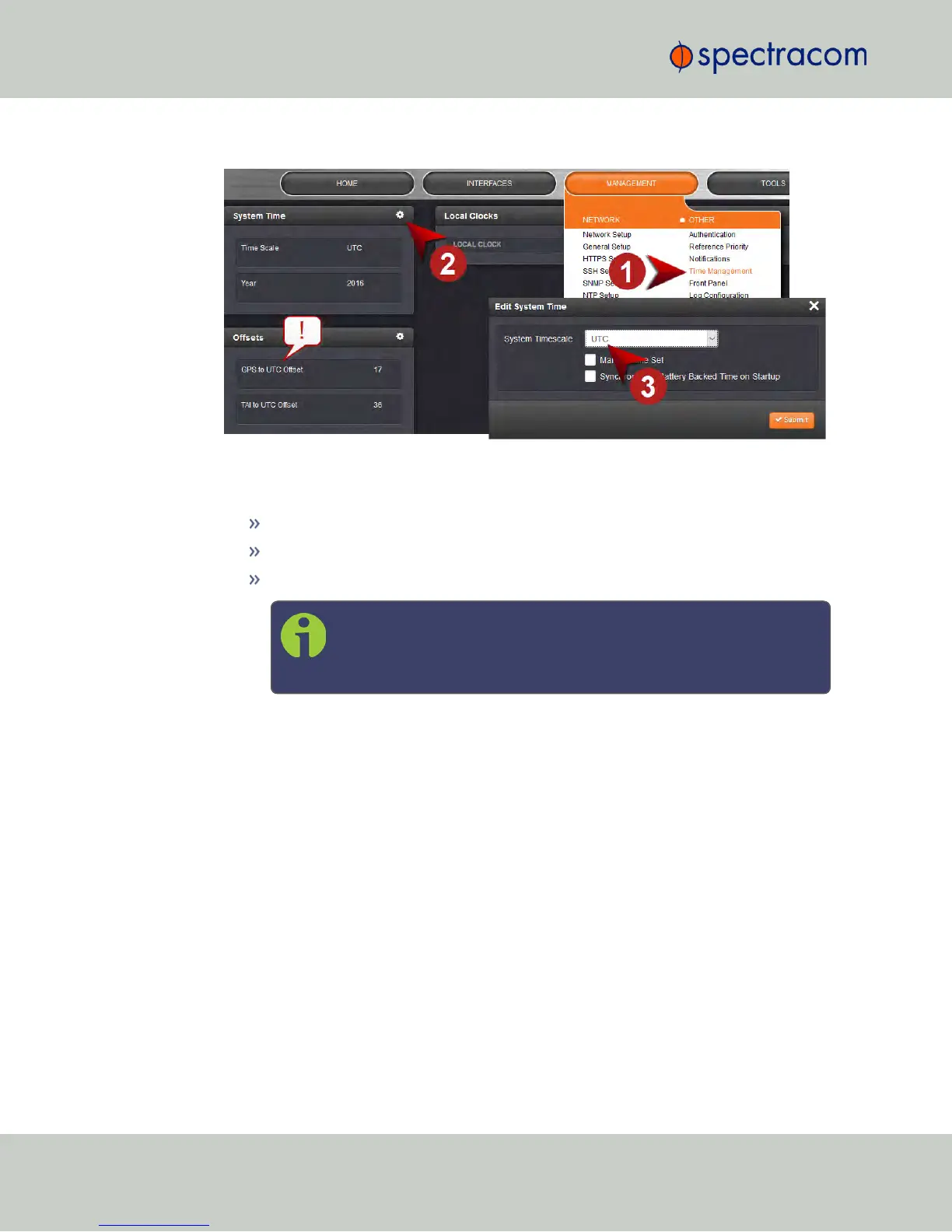
Navigate to MANAGEMENT > OTHER: Time Management:
2.
In the System Time panel, click the GEAR icon.
3.
In the Edit System Time window, select the System Timescale NetClock will be in:
UTC: The network PCs will receive UTC time via NTP.
TAI: The network PCs will receive TAI time via NTP.
GPS: The network PCs will receive GPS time via NTP.
Note: When the Timescale is set to “GPS”, the GPS to UTC Offset
must be set correctly. As of July 2015, the offset between UTC and
GPS is 17 seconds.
102
CHAPTER 2 • NetClock User Reference Guide Rev. 16
2.15 Configuring NTP



 To Next Page