Certificate Chain
It is possible to upload a X.509PEM Certificate Chain file. Note that there should be no char
acter between the Certificate texts.
2.14.7 SSH
The SSH, or Secure Shell, protocol is a cryptographic network protocol, allowing secure
remote login by establishing a secure channel between an SSH client and an SSH server. SSH
uses host keys to uniquely identify each SSH server. Host keys are used for server authen
tication and identification. A secure unit permits users to create or delete RSA or DSA keys for
the SSH2 protocol.
Note: Only SSH2 is supported due to vulnerabilities in the SSH1 protocol.
The SSH tools supported by NetClock are:
SSH: Secure Shell
SCP: Secure Copy
SFTP: Secure File Transfer Protocol
NetClock implements the server components of SSH, SCP, and SFTP.
For more information on OpenSSH, please refer to www.openssh.org.
To configure SSH:
1.
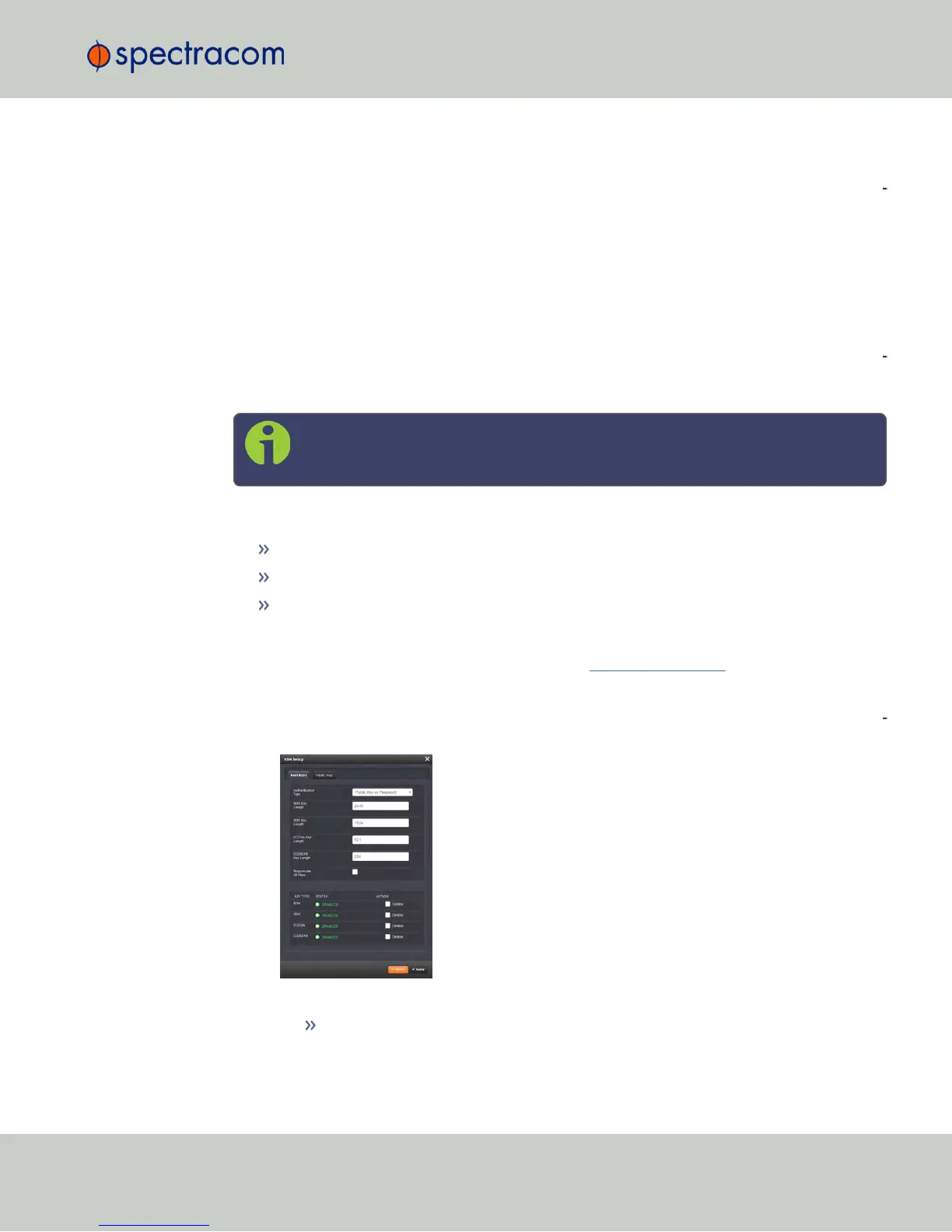
Navigate to MANAGEMENT > NETWORK: SSH Setup. The SSH Setup window will dis
play.
The window contains two tabs:
Host Keys: SSH uses Host Keys to uniquely identify each SSH server. Host keys
are used for server authentication and identification.
2.14 Configuring Network Settings
CHAPTER 2 • NetClock User Reference Guide Rev. 16
77



 To Next Page