3.3.3.7 Resetting the GNSS Receiver
The Reset Receiver command causes the GNSS receiver to execute a cold start: All data will be
erased from the volatile receiver memory. Only non-volatile memory is preserved.
Caution: Resetting the GNSS receiver may become necessary in the rare event of
internal communication issues, and is typically ONLY required if Spectracom Tech
nical Support advises you to execute this command.
Note that resetting the GNSS receiver is not the same as "Deleting the GNSS Receiver Position"
below.
To reset the GNSS Receiver:
1.
Navigate to Interfaces > References: GNSS Reference
2.
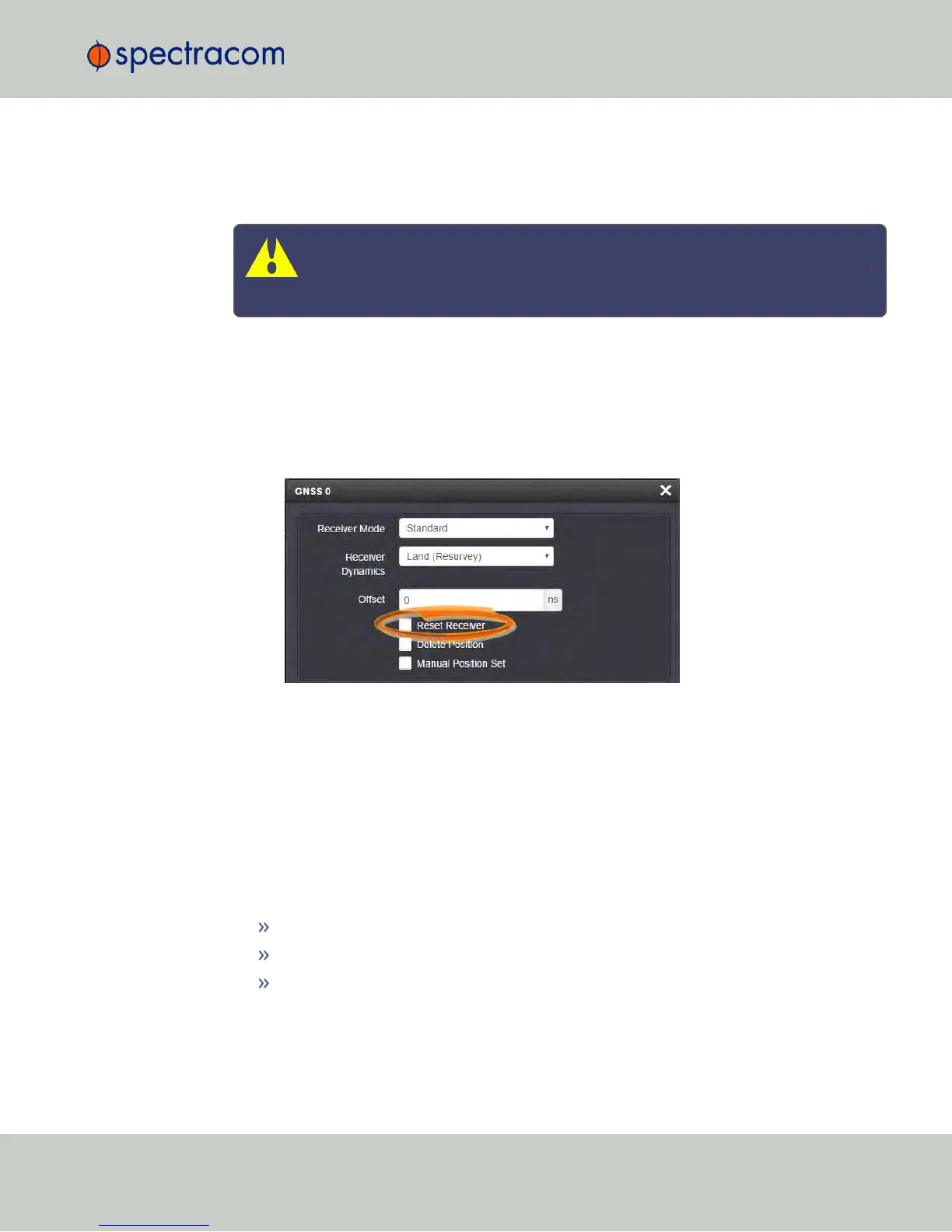
Click on the GEAR button next to the GNSS Reference. The GNSS0 window opens:
3.
Locate the Reset Receiver box, check it, and click Submit.
3.3.3.8 Deleting the GNSS Receiver Position
The NetClock timing system requires the exact geographic position in order to calculate the
exact system time from the GNSS signal.
The Delete Position command deletes the GNSS antenna position data that is stored in the non-
volatile memory of the GNSS receiver.
The deletion of the position data will automatically initiate a new GNSS self survey, provided:
a GNSS antenna is connected to NetClock
the GNSS receiver can track at least four satellites continuously
and the GNSS receiver it is configured to operate in Standard Mode.
The objective of the GNSS Survey is to re-discover the current antenna position.
3.3 Managing Input References
CHAPTER 3 • NetClock User Reference Guide Rev. 16
197



 To Next Page