4.
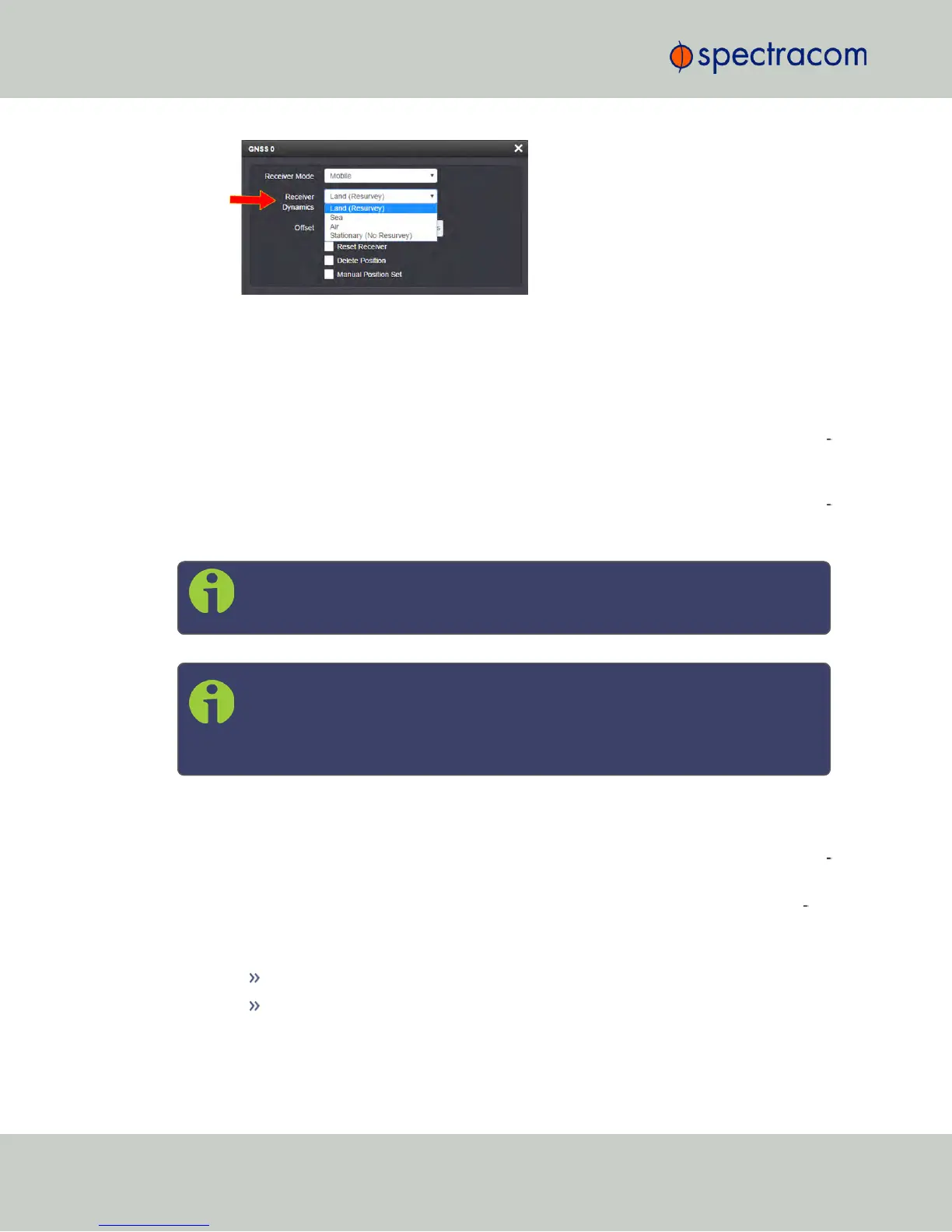
Select a setting and click Submit.
3.3.3.5 Performing a GNSS Receiver Survey
When NetClock's integrated GNSS receiver performs a survey, it tries to determine or verify its
geographic position with high accuracy. An accurate geographic position is required to cal
culate a precise system time from the GNSS reference.
During a GNSS survey, the position will be iteratively recalculated while gradually increasing
the position accuracy. A survey can take up to 33minutes, but typically NetClock will syn
chronize earlier, i.e. offer a valid Timeand 1PPS reference, once it has obtained a sufficiently
accurate preliminary position.
Note: In Mobile receiver mode NO surveys will be carried out since the position
status is updated in near real-time.
Note: In Standard receiver mode and Land Dynamics, RES-SMT GG receivers and
u-blox M8T receivers will automatically re-survey on reboot after the system has
been moved. In Standard mode and Stationary Dynamics, the unit will survey only
once, and will not re-survey on reboot.
Initiating a GNSS Survey
Depending on the GNSS receiver model installed in your NetClock, the standard default beha
vior is either:
a.
that the GNSS receiver detects if the NetClock has been relocated, and hence will ini
tiate a GNSS survey to determine the new position
b.
or that a power cycle, or a reboot will automatically initiate a GNSS survey.
To reboot your unit, navigate to TOOLS > SYSTEM: Reboot/Halt.
While a (re-)survey is crucially important if a NetClock unit has been relocated,
e.g. when commissioning a new unit, it is normally not required if a stationary
unit is rebooted for other reasons. To turn off this functionality, see "Setting
GNSS Receiver Dynamics" on page192.
194
CHAPTER 3 • NetClock User Reference Guide Rev. 16
3.3 Managing Input References



 To Next Page