4.3.7 Unlocking the Keypad via Keypad
The front panel keypad can be locked via the Web UI, under MANAGEMENT > OTHER: Front
Panel.
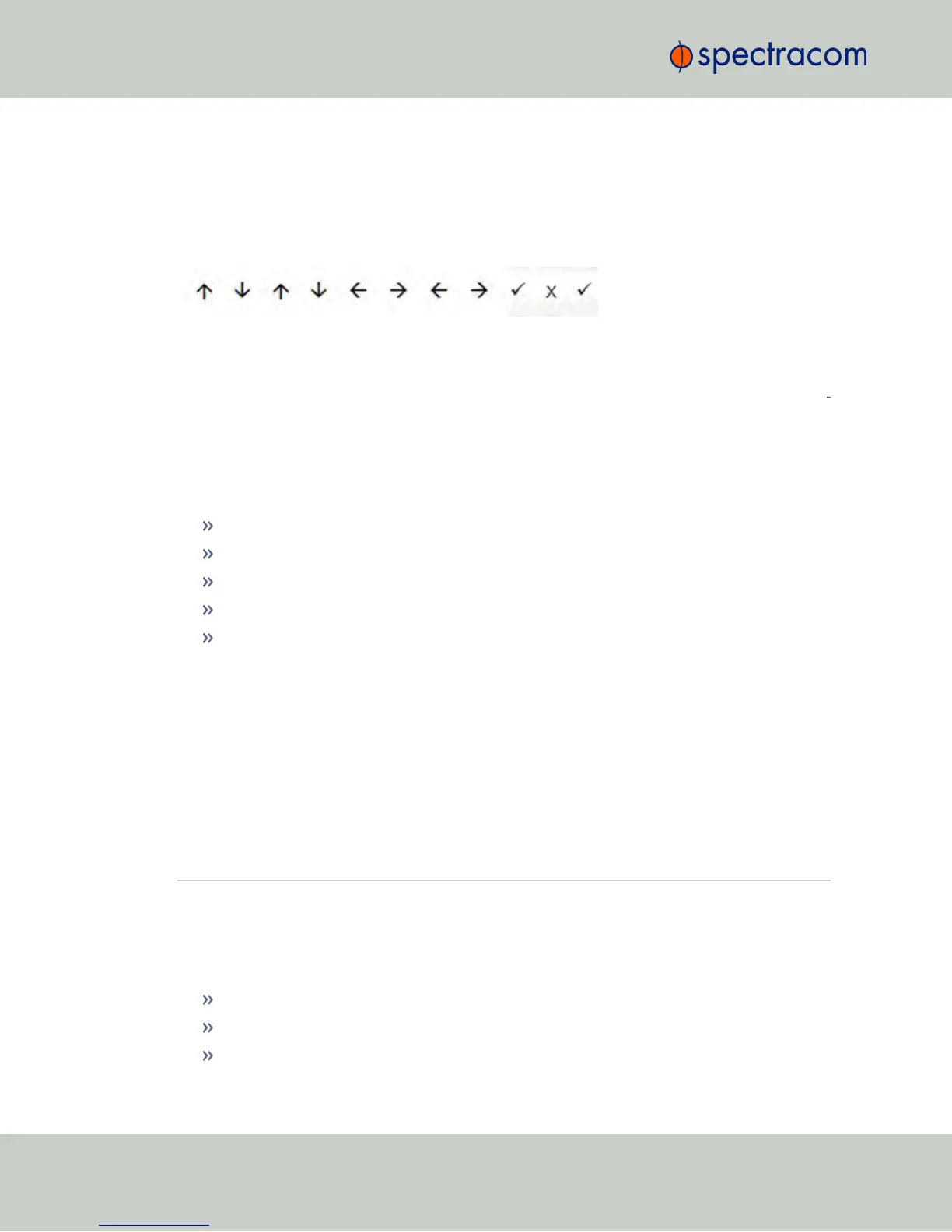
If the front panel keypad is locked, and you do not have access to the unit's Web UI to unlock
it, press the following key sequence to locally unlock the keypad for use:
4.3.8 If a Secure Unit Becomes Inaccessible
Spectracom assumes that you are responsible for the physical security of the product. Spec
tracom secure products are recommended to be locked in a secure enclosure, cabinet or room.
Unauthorized persons are not to be given access to the product nor should a serial cable and
terminal program be attached unless the system administrator is configuring or performing
maintenance.
A secure NetClock may become inaccessible if:
your company disables HTTPS
you lose the system passwords
you allow the Certificate to expire
someone deletes the Certificate and Private Keys and deletes the Host Keys
you forget the Passphrase.
To regain access to the NetClock unit, you must utilize the front panel keypad and LCD in order
to restore the
spadmin
account’s default password.
The
spadmin
account can then be used to enable HTTPS using the “defcert” command. The
“defcert” command generates a new self-signed SSL certificate.
Refer to "Front Panel Keypad, and Display" on page6 for information on using the keypad
and LCD information display.
4.4 Miscellanous Typical Configuration Tasks
4.4.1 Web UI Timeout
For security reasons, the WebUI will automatically timeout after a set number of minutes, i.e.
you will be logged out by the system, regardless of activity, and need to actively login again.
Minimum timeout duration: 10minutes
Maximum timeout duration: 1440 minutes (24hours)
Default timeout duration: 60minutes.
256
CHAPTER 4 • NetClock User Reference Guide Rev. 16
4.4 Miscellanous Typical Configuration Tasks



 To Next Page