The Remote Log Server panel, which is where you set up and manage logs on one or more
remote locations. See also: "Setting up a Remote Log Server" on page306.
4.5.2.4 Displaying Individual Logs
Next to displaying a Logs overview (see "The Logs Screen" on page299), it is also possible to
access individual NetClock logs:
1.
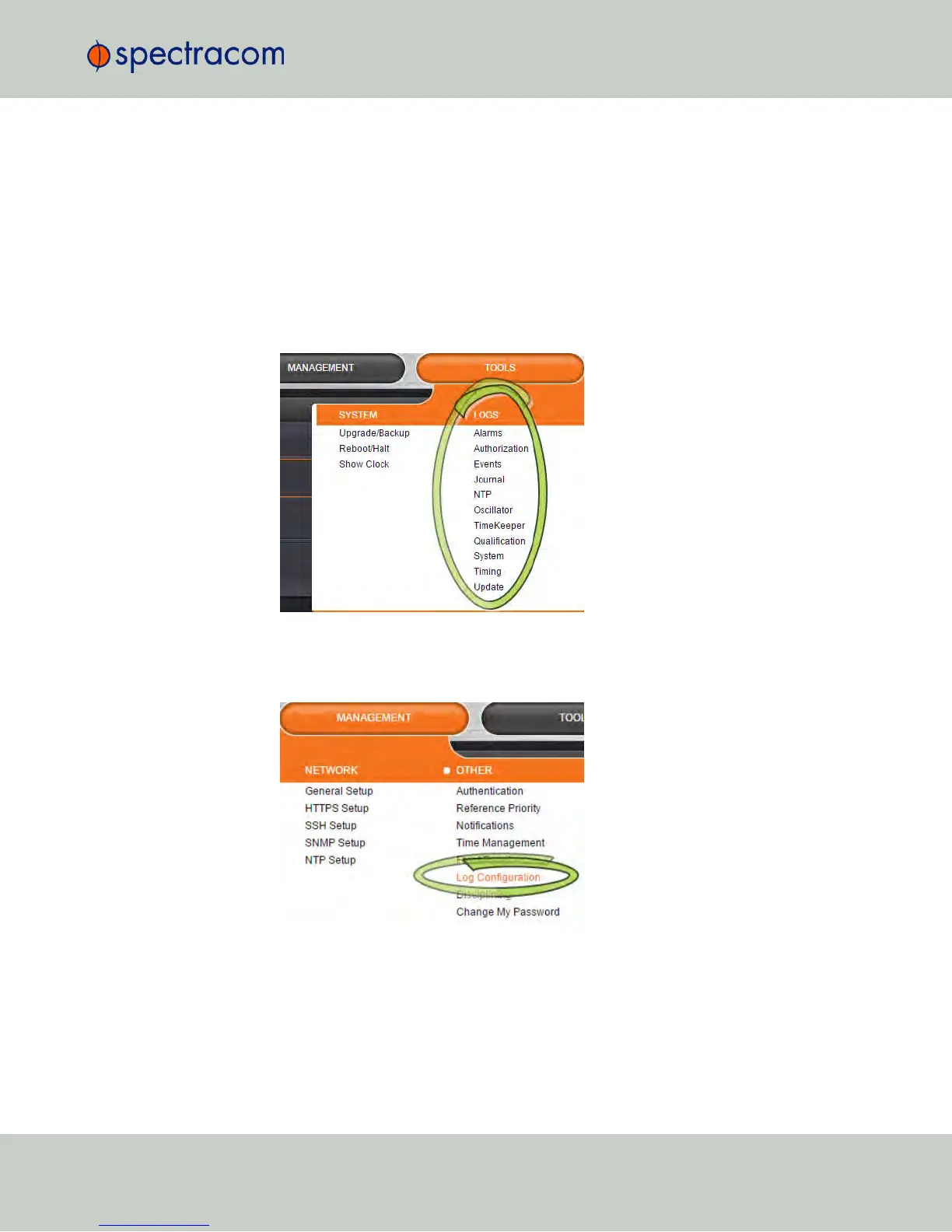
From the TOOLS drop-down menu, select the desired Logs category (for example,
“Alarms”, or “Events”) from the right-hand column.
– OR –
1.
Access the Logs screen through the MANAGEMENT > OTHER: Log Configuration drop-
down menu:
4.5 Quality Management
CHAPTER 4 • NetClock User Reference Guide Rev. 16
301



 To Next Page