System Time Message: Setup a once-per-second time message to be sent to
receivers via multicast. For details, see "System Time Message" on page93.
The Network Services panel is used to enable (ON) and disable (OFF) network services,
as well as the Web UI display mode, details see: "Network Services" on page62.
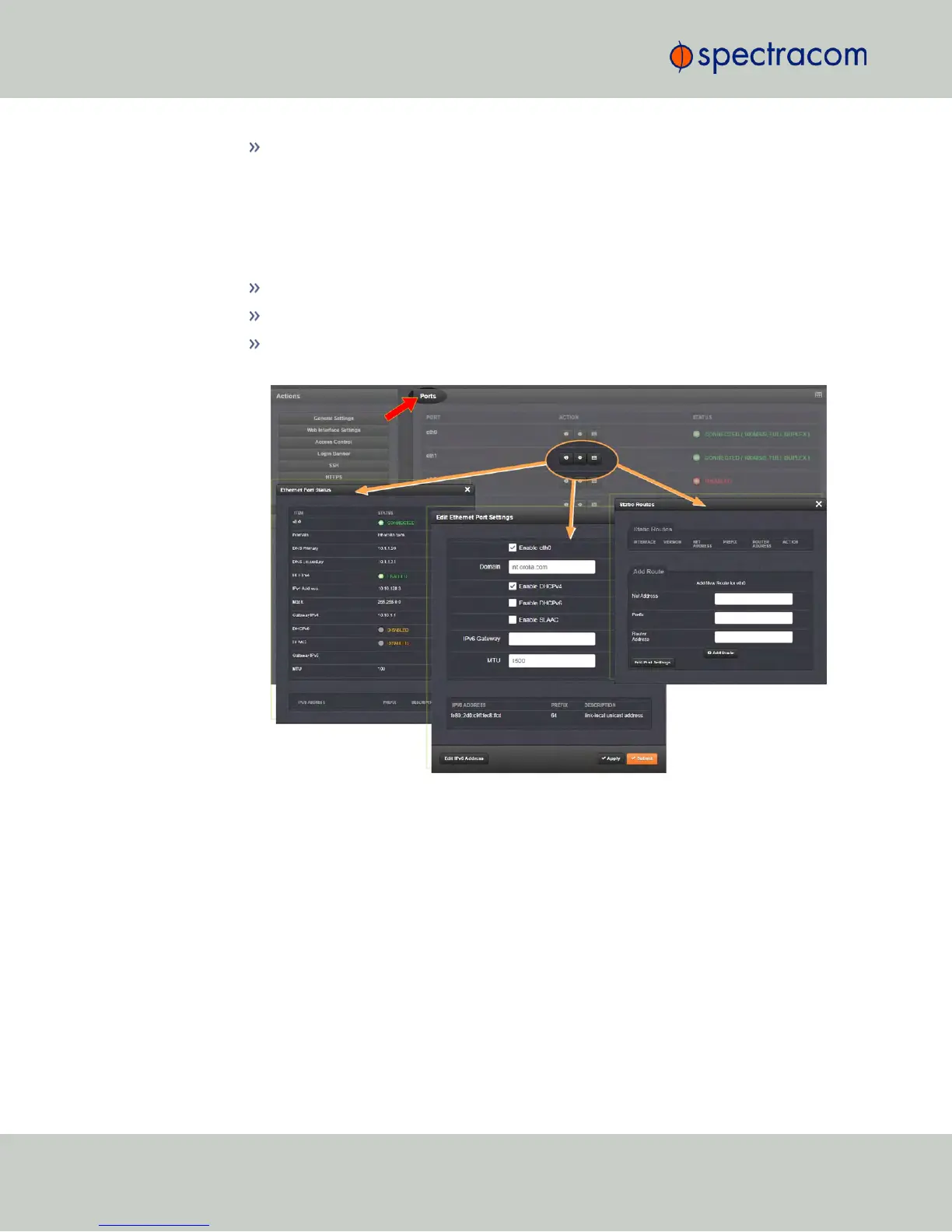
The Ports panel not only displays STATUS information, but is used also to set up and
manage NetClock’s network ports via three buttons:
INFO button: Displays the Ethernet port Status window for review purposes.
GEAR button: Displays the Ethernet port settings window for editing purposes.
TABLE button: Displays a window that allows adding, editing, and reviewing
Static Routes.
2.14.1 General Network Settings
To expedite network setup, NetClock provides the General Settings window, allowing quick
access to the primary network settings.
To access the General Settings window:
1.
Navigate to MANAGEMENT > Network Setup. In the Actions Panel on the left, click
General Settings.
58
CHAPTER 2 • NetClock User Reference Guide Rev. 16
2.14 Configuring Network Settings



 To Next Page