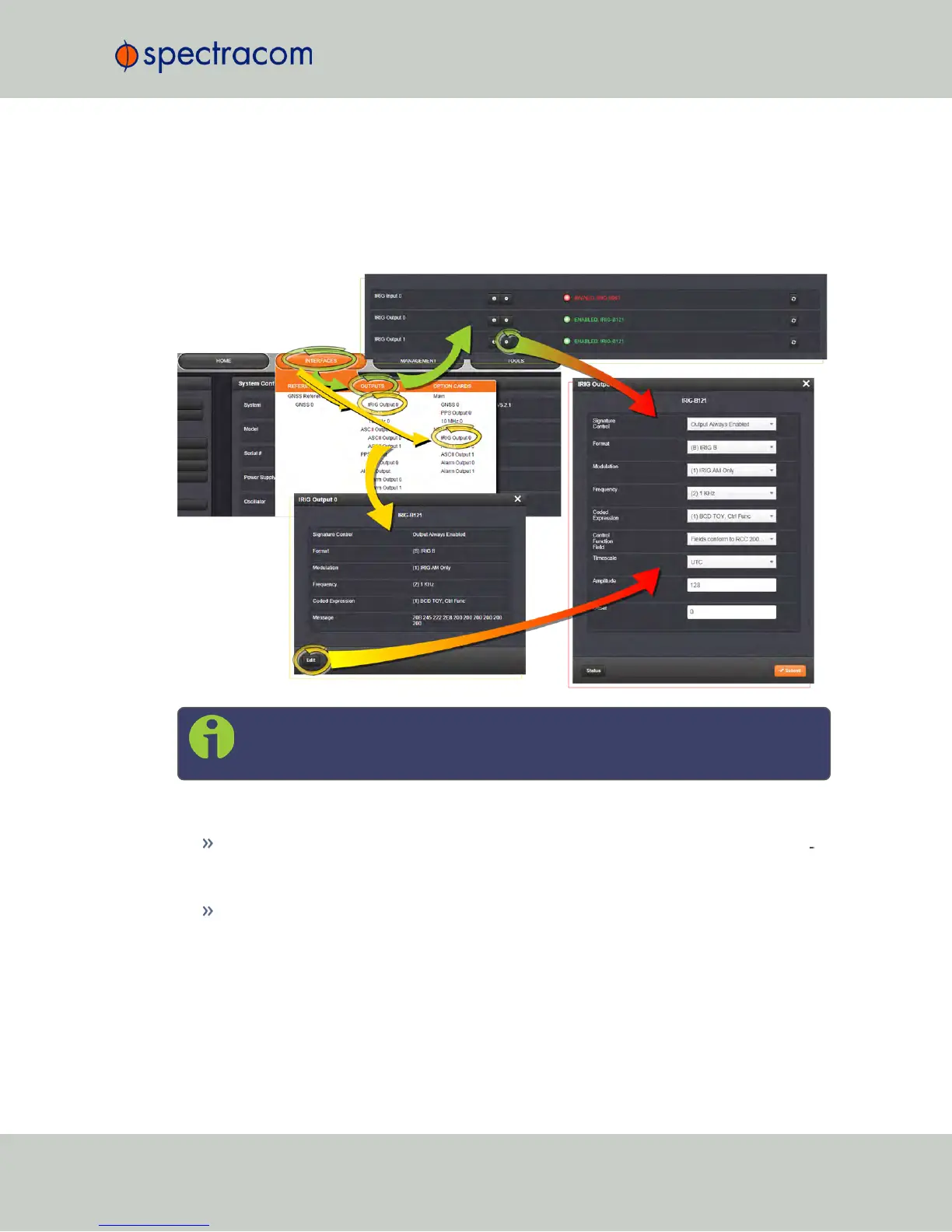
5.2.4.5 Configuring the IRIG Time Code Output
Via INTERFACES > OUTPUTS [ or : INTERFACES > OPTIONCARDS ], navigate to IRIG
Output0. Depending on which path you take, you will need to click the GEAR button, or the
Edit button in order to open the Edit window.
Note: If you have only one input or output of any type, NetClock will number that
input or output 0. Additional inputs or outputs will be numbered 1 or above.
The IRIGoutput Edit window offers the following configuration fields:
Signature Control: Used to control when the IRIG modulation will be present. This func
tion allows the modulation to stop under certain conditions;see also "Signature Control"
on page141.
Format: Defines the desired IRIG output formatting. Available options include: IRIG A, B,
G, NASA-36, IRIG E (100Hz or 1kHz)
NetClock User Reference Guide 353
APPENDIX



 To Next Page