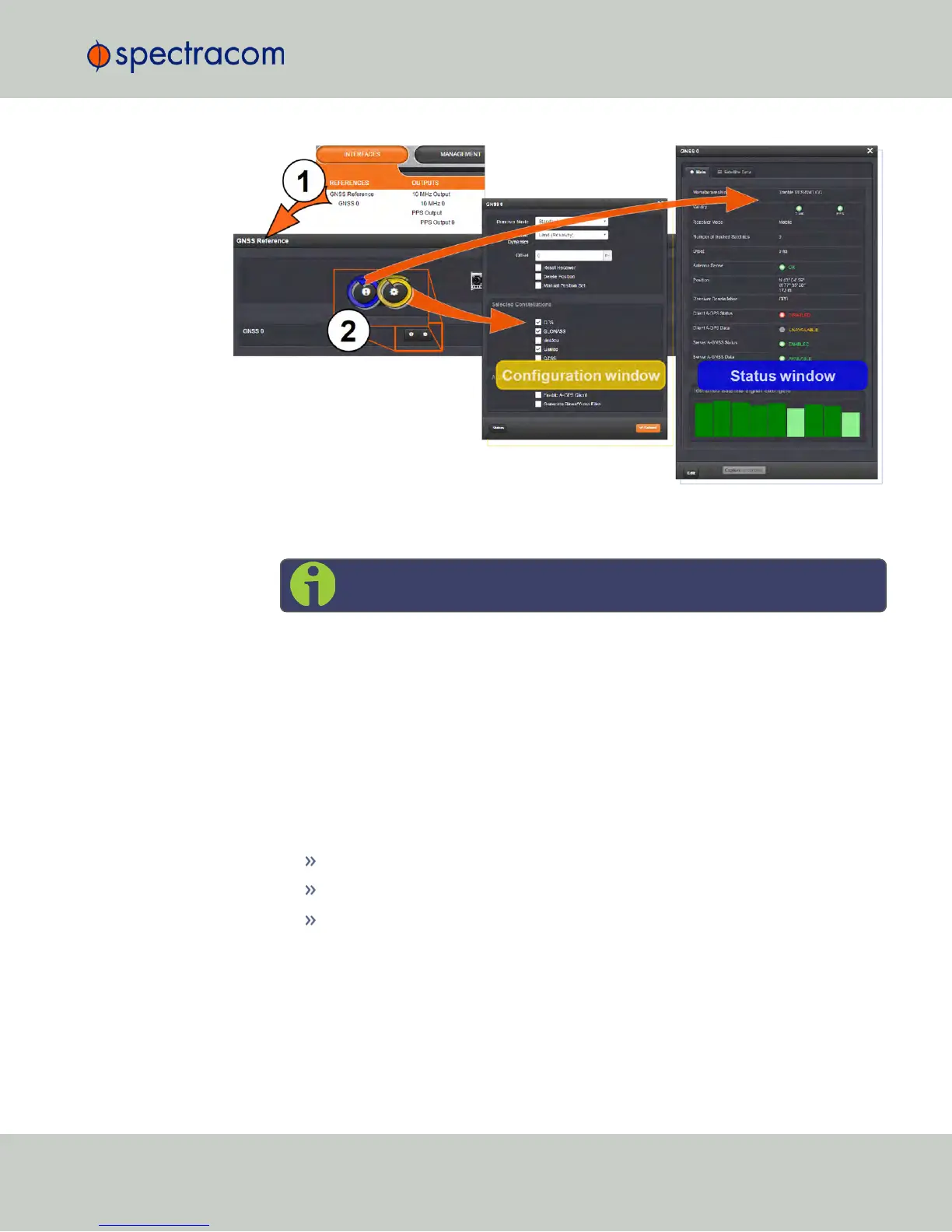
To access the GNSS Receiver settings:
1.
Navigate to INTERFACES > REFERENCES: GNSS 0.
Note: Typically, there will be only one GNSS reference, numbered "0".
2.
The GNSS 0 status window will open. To open the configuration window, click Edit in
the bottom-left corner.
OR:
1.
Navigate to INTERFACES > REFERENCES: GNSS Reference.
2.
Click on the INFO button, or the GEAR button to configure the GNSS settings, or review
GNSS reference status information.
Note that the configurable settings displayed in the configuration window are highly
dependent on superordinate settings, as well as receiver manufacturer and type in your
NetClock unit:
Trimble Resolution-T
®
Trimble Res–SMT GG
®
u-blox M8T
®
.
3.3.3.1 Reviewing the GNSS Reference Status
To view the current status of your GNSS reference:
3.3 Managing Input References
CHAPTER 3 • NetClock User Reference Guide Rev. 16
183



 To Next Page