1.
Navigate to INTERFACES > REFERENCES: GNSS Reference.
2.
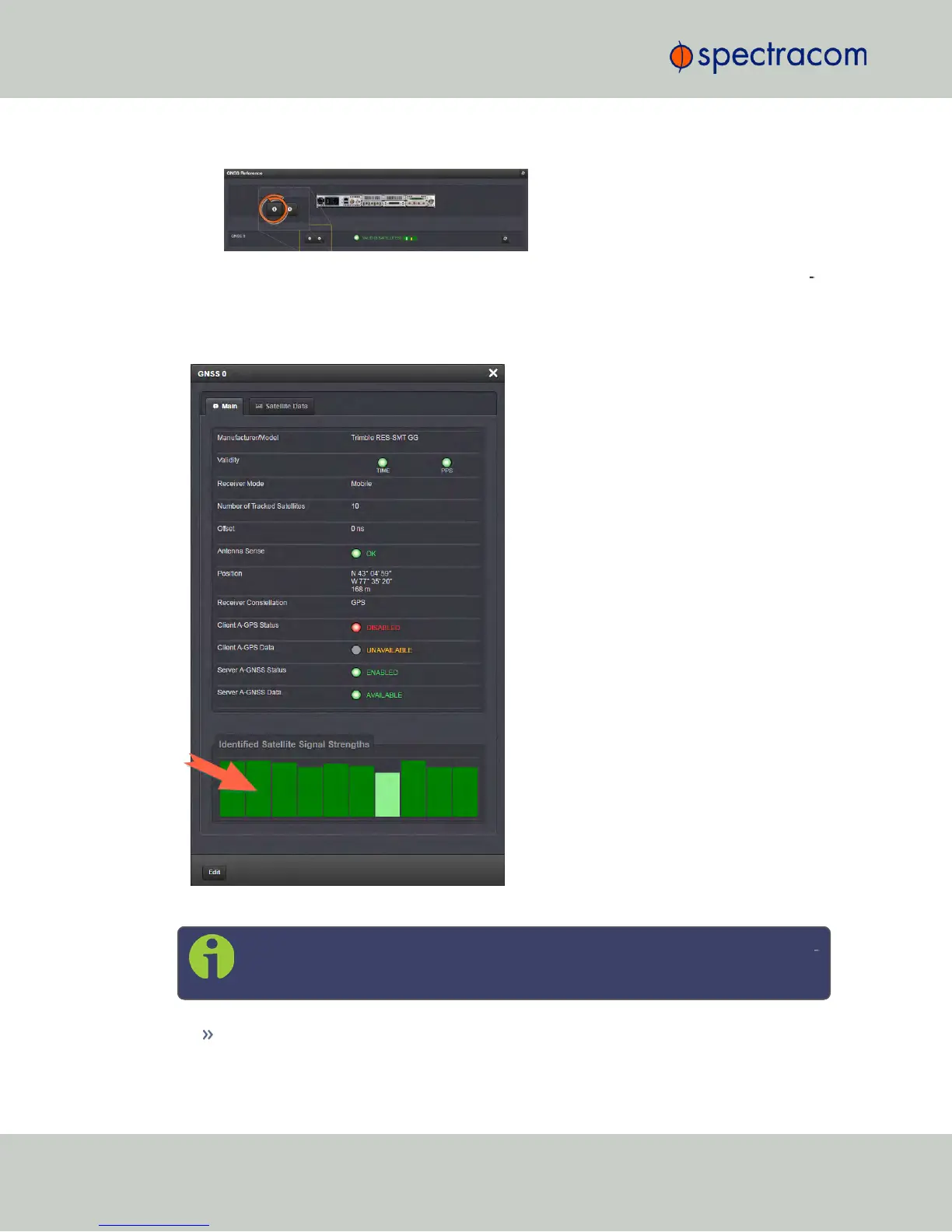
Click the INFO button next to GNSS 0. The GNSS 0 status window will display; it con
tains two tabs, explained in detail below: Main [= default], and Satellite Data.
The "Main" tab
Under the Main tab, the following information will display:
Note: Detailed information on the different parameters can be found in the sub
sequent GNSS topics.
Manufacturer/Model: The manufacturer and/or model of the GNSS receiver in your
NetClock unit.
184
CHAPTER 3 • NetClock User Reference Guide Rev. 16
3.3 Managing Input References



 To Next Page