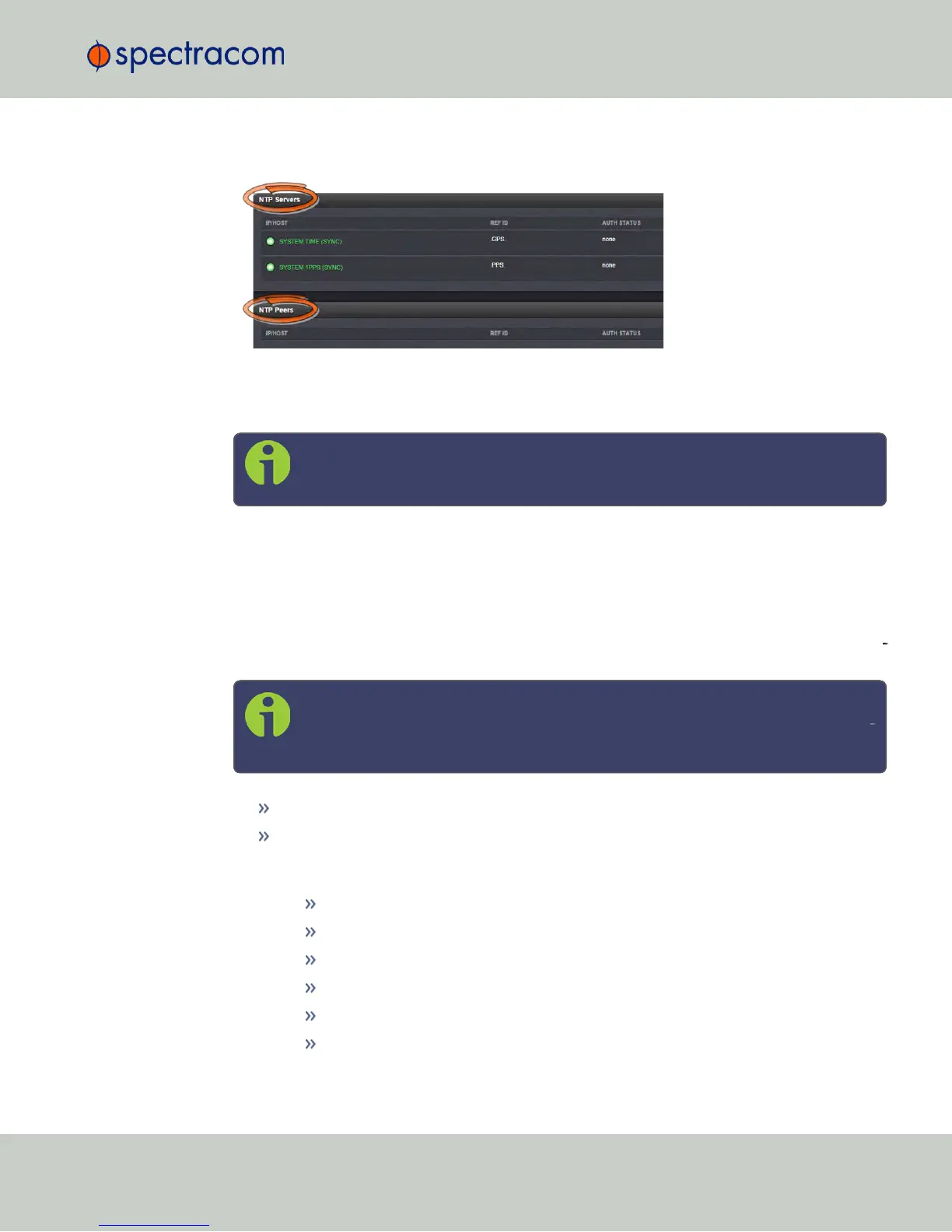
2.15.8.1 The NTP Servers and NTP Peers Panels
The NTP Servers and NTP Peers panels display which servers in the network are set up at
higher or equal Stratums (Servers or Peers, respectively), and their configurations. These panels
are also used to add, configure, or remove NTP Servers and Peers.
Note: For information on how to view NTP Clients, see "Viewing NTP Clients" on
page100.
The NTP Servers and NTP Peers panels are part of the NTP Setup screen (see "The NTP Setup
Screen" on page96), which can be accessed via MANAGEMENT > NETWORK: NTP Setup.
Information provided in the NTP Servers and NTP Peers panels
The following columns are used to break down the status information for recognized NTP Serv
ers and NTP Peers.
Note: Servers will be displayed in the Status view only if they can be resolved.
They will, however, always be displayed in the Setup view in order to recon
figure them, if necessary.
IP/HOST: Name and real-time status (color-coded)
REF ID: Identifies the type of Input REFerence e.g., GPS indicates the reference can use
GPS for its synchronization. Below is a list of potential REF IDs reported by the NetClock
Timing System (otherNTP Servers and Peers may report different references):
GPS: GNSS reference
IRIG: IRIG reference
HVQ: HAVE QUICK reference
FREQ: Frequency reference
PPS: External 1PPS reference
PTP: PTP reference
2.15 Configuring NTP
CHAPTER 2 • NetClock User Reference Guide Rev. 16
107



 To Next Page