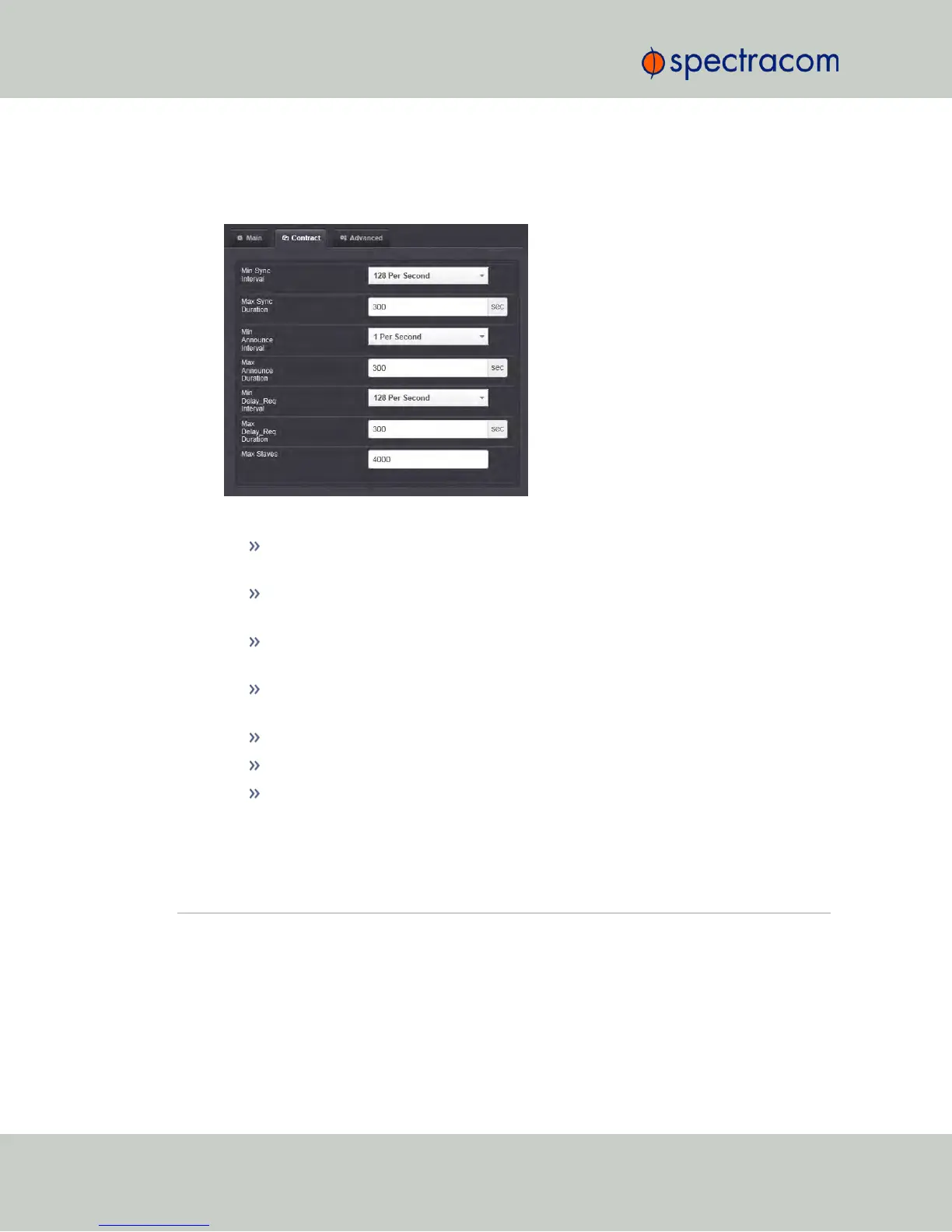
Configuring PTP Contracts
1.
Navigate to the Contract tab of the GB PTP Edit window.
2.
Under the Contract tab of the GB PTP Edit window, make the following settings:
Min Sync Interval: The minimum value of Sync interval granted by the Master
Clock. In packets per second.
Max Sync Duration: The maximum value of Sync interval granted by the Master
Clock. In seconds.
Min Announce Interval: The minimum value of the Announce interval granted by
the Master Clock. In packets per second.
Max Announce Duration: The maximum value of the Announce interval granted
by the Master Clock. In seconds.
Min Delay_Req Interval: In packets per second.
Max Delay_Req Duration: In seconds.
Max Slaves: The maximum number of slaves to be served. The 1204-32 module
can serve up to 4000 slaves (unicast contracts).
5.3 Command-Line Interface
A terminal emulation program is used to emulate a video terminal, so as to access NetClock's
CLI (Command-Line Interface) remotely via a serial cable. This may be required if no other
380 NetClock User Reference Guide
APPENDIX



 To Next Page