5.2.3.2 Viewing Input/Output Configuration Settings
The configurable settings of any NetClock input or output interface can be viewed in its Status
window. The Status window can be accessed in several ways; the procedure below describes
the standard way:
1.
Identify the name of the option module, (e.g., NENA) and the name of the input or out
put you want to configure (e.g., ASCII Output 0).
Note: If you have only one input or output of any type, NetClock will num
ber that input or output0. Additional inputs or outputs will be numbered1
or above.
2.
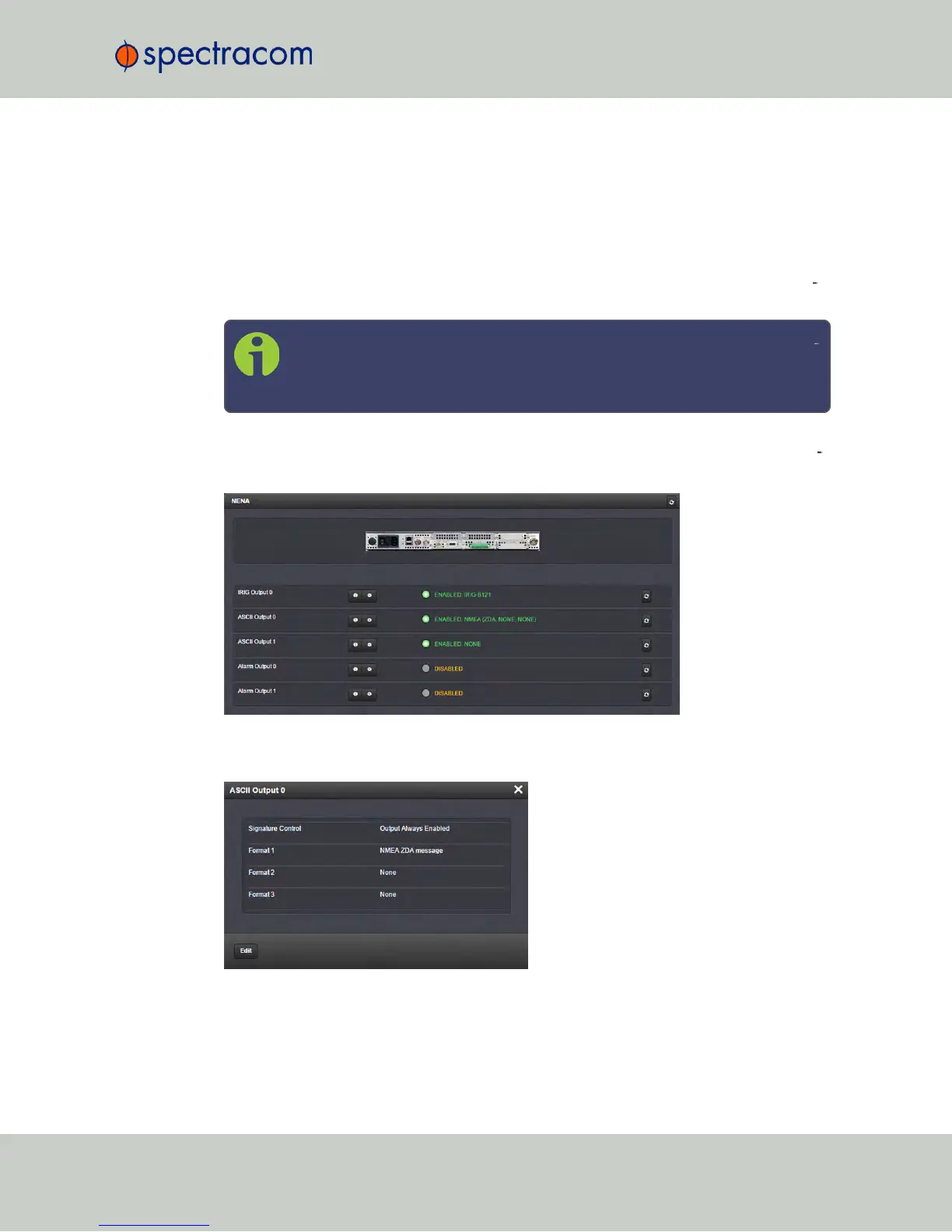
Navigate to INTERFACES > OPTION CARDS, and click the list entry of the option mod
ule identified above. The option module’s Status Summary panel opens:
3.
Click on the INFO button next to the input or output whose settings you wish to review.
The Status window will open:
NetClock User Reference Guide 343
APPENDIX



 To Next Page