correction.
3.2.4.1 Adding a Local Clock
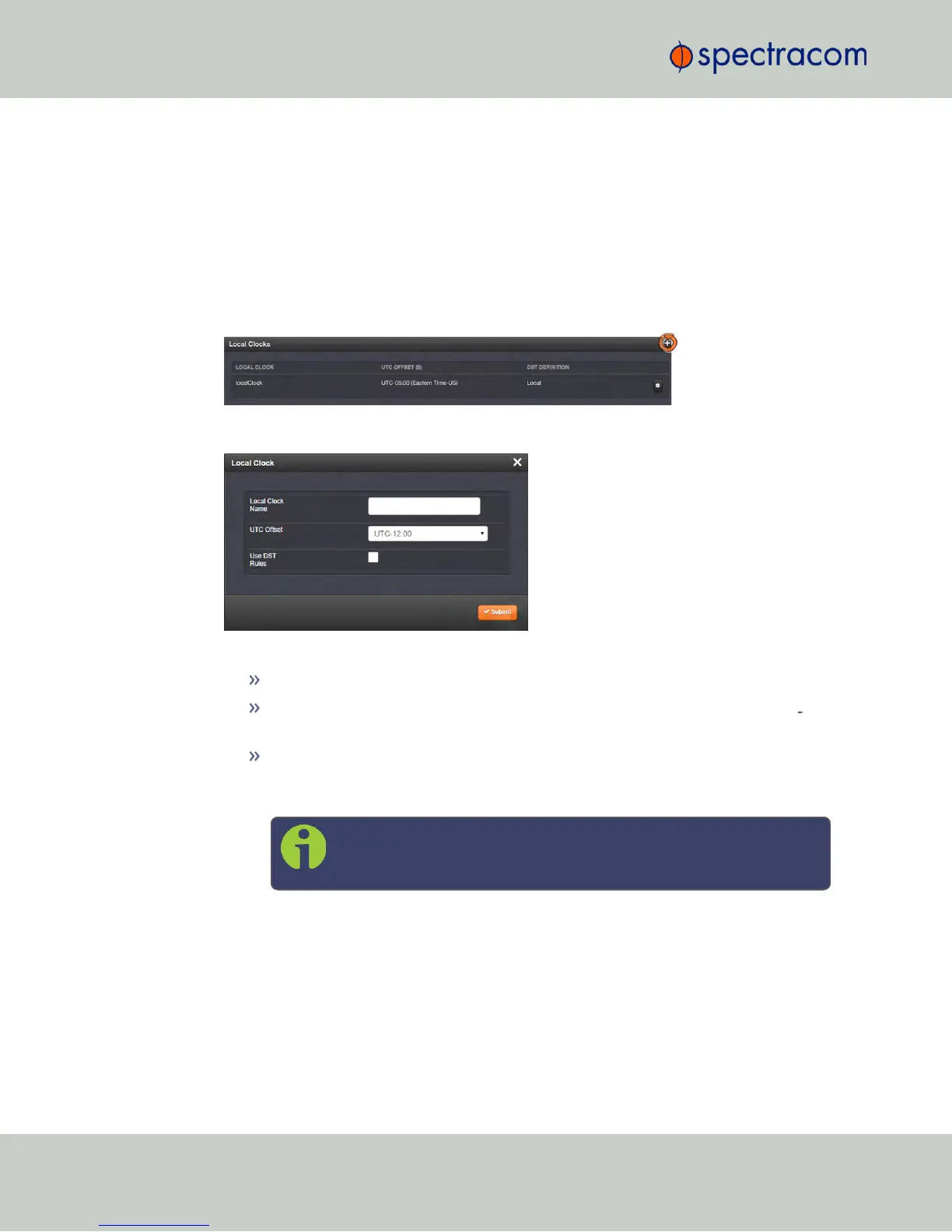
To add a Local Clock:
1.
Navigate to MANAGEMENT > OTHER: Time Management.
2.
Click the PLUS icon in the Local Clocks panel in the Time Management screen.
3.
The Local Clock pop-up window will display.
4.
Enter a Name for your local clock.
The name must be between 1 and 64 characters long; spaces are allowed.
The name can be any meaningful name that helps you know your point of ref
erence (for example: “NewYork”, “Paris” or “EasternHQ”, etc.).
This name will be used as cross-reference drop-down in the applicable Input or
Output port configuration. Please note the following limitations apply to this
option:
Note: Acceptable characters for the name include: A-Z, a-z, 0-9, (-
+_) and space.
5.
In the UTC Offset field, choose a UTC Offset from the drop-down list.
158
CHAPTER 3 • NetClock User Reference Guide Rev. 16
3.2 System Time



 To Next Page