reference transition has occurred, however, the counts between each PPS output pulse
will return to exactly 10million counts.
Like other types of NetClock's signal outputs, a 1PPS output can be configured in several ways:
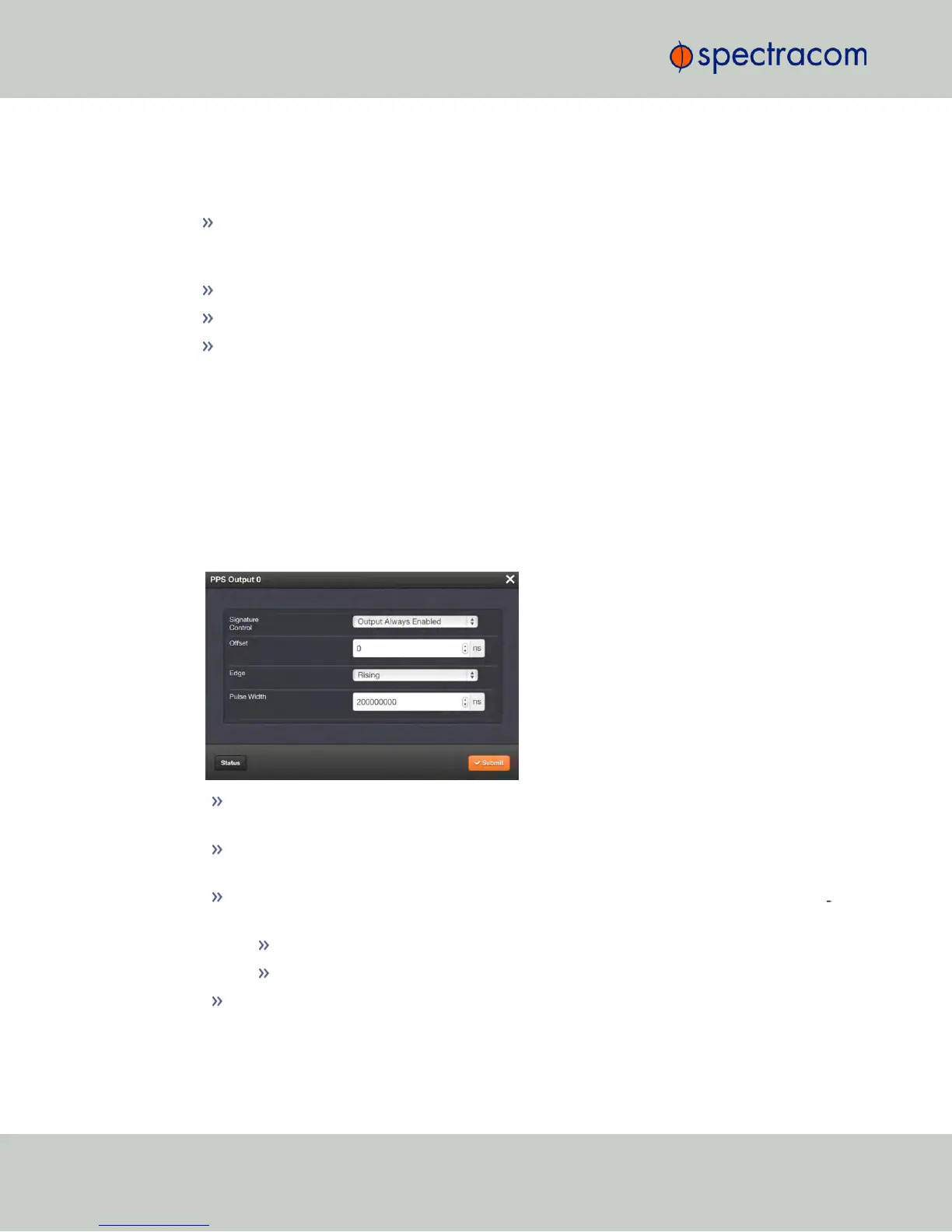
Signature Control allows you to determine under which conditions an output signal shall
be present, i.e. what NetClock will do about a given output when an external reference
is lost. See also "Signature Control" on the facing page.
The on-time point of the 1PPS signal: rising or falling edge
The pulse width
An offset can be entered to account for cable delays or other latencies.
2.17.2.1 Configuring a 1PPS Output
To configure a 1PPS output:
1.
Navigate to INTERFACES: OUTPUTS, or to INTERFACES: OPTION CARDS (white on
orange).
2.
In the panel on the right, click the GEAR button next to the 1PPS Output you want to edit.
3.
The 1PPS Output Edit window will display, allowing the following items to be configured:
Signature Control: Determines when the output is enabled. For more information, see
"Signature Control" on the facing page.
Offset [ns]: Allows to offset the system's 1PPS on-time point, e.g. to compensate for
cable delays and other latencies [range = –500000000 to 500000000ns = ±0.5 s]
Edge: Used to determine if the on-time point of the 1PPS output is the rising or the fall
ing edge of the signal.
Rising
Falling
Pulse Width [ns]: Configures the Pulse Width of the 1PPS output.
[range = 20 to 900000000 ns = 0.0μs to 0.9 s]
[default = 200 ms]
140
CHAPTER 2 • NetClock User Reference Guide Rev. 16
2.17 Configuring Outputs



 To Next Page