3.
The settings window for the chosen output will be displayed. Edit the field(s) as desired.
Editing output settings, method 2:
1.
In the INTERFACES: OUTPUTS drop-down menu, click OUTPUTS, or one of the output
categories (not indented to the right)
2.
In the Status window, click the GEAR button next to the desired output.
3.
The settings window for the chosen output will be displayed. Edit the field(s) as desired.
2.17.1 The Outputs Screen
NetClock outputs deliver a time or frequency signal to a device that consumes this signal.
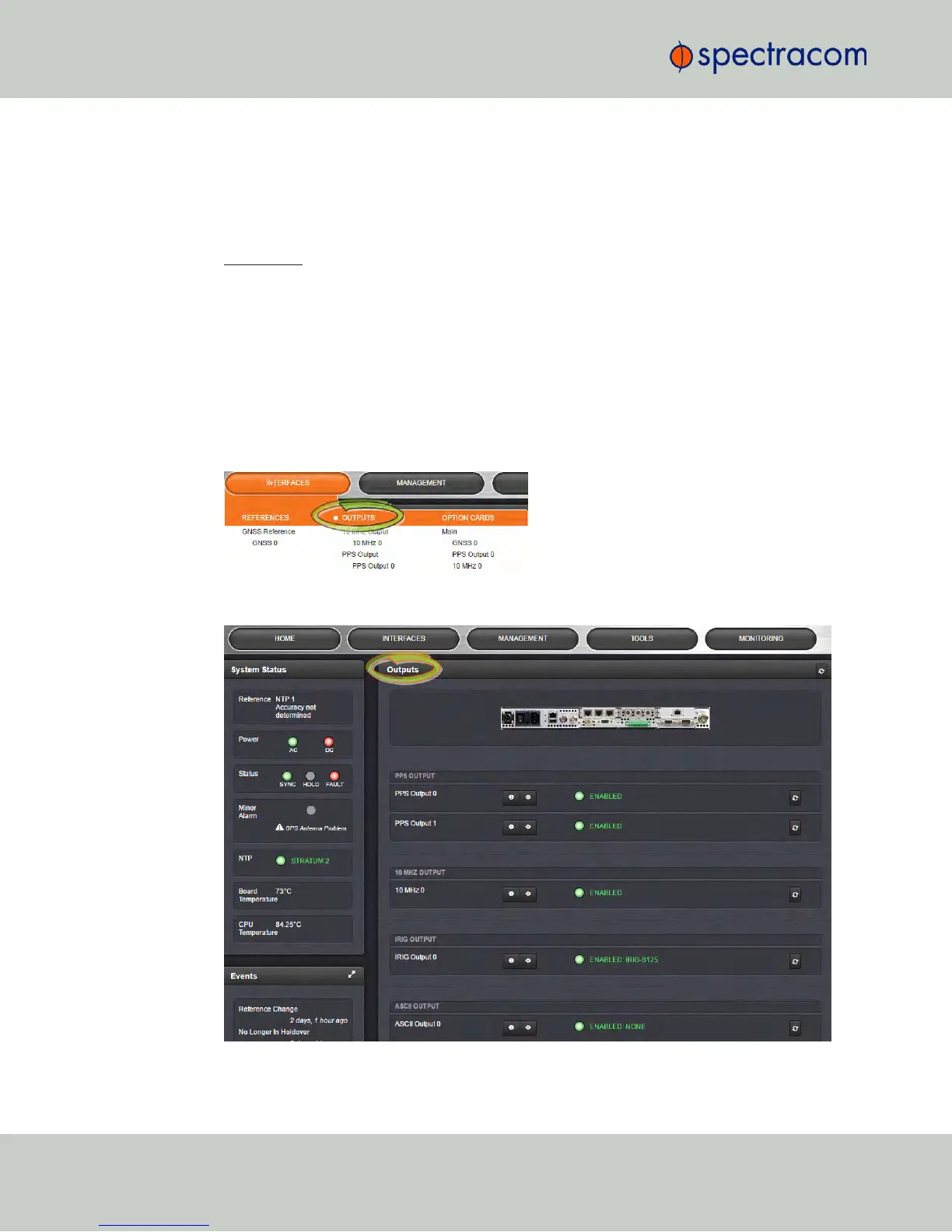
To access the Outputs screen in the Web UI:
1.
Navigate to INTERFACES and click on OUTPUTS (white on orange).
2.
The Outputs screen will display.
138
CHAPTER 2 • NetClock User Reference Guide Rev. 16
2.17 Configuring Outputs



 To Next Page