means of remotely accessing NetClock are available, for example if Ethernet ports are used oth
erwise or have been disabled (e.g., for security reasons).
5.3.1 Setting up a Terminal Emulator
If no other means are available to access NetClock, a terminal emulation program can be used
to carry out certain configuration changes by accessing NetClock's CLI (command-line inter
face) via a serial port connection. An application example for this scenario is to enable a net
work port so that the NetClock Web UI can be used. While it is also possible to retrieve
selected logs, a terminal emulator does not replace the NetClock Web UI.
Spectracom does not distribute or support its own terminal emulator, and newer Microsoft oper
ating systems no longer include HyperTerminal. However, there are several third-party open-
source programs available, such as TeraTerm
®
or PuTTY
®
. The example below illustrates the
use of TeraTerm. The setup procedure is similar when using other terminal emulation programs.
Required tools and parts:
I.
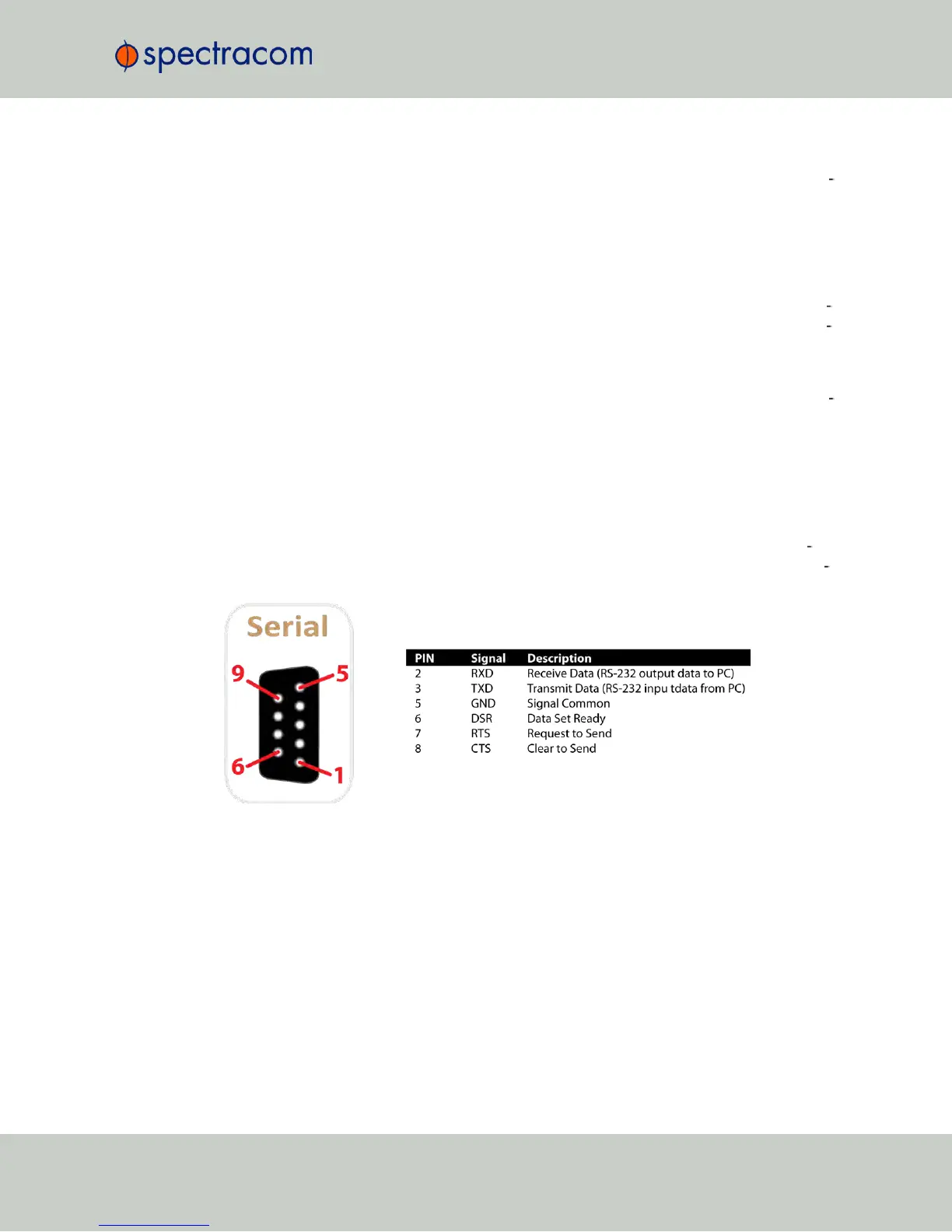
A standard, one-to-one pinned RS-232 serial cable; this cable has one male and one
female DB-9 connector. Do NOT use a NullModem cable. If you do not have a stand
ard RS-232 cable at hand, follow the pin-out configuration described below when build
ing a cable. It is required to wire at least pins number 2, 3, and 5.
Figure 5-9: Serial port pin-out
II.
Personal Computer with terminal emulator program installed.
Procedure:
1.
Connect the personal computer to the front panel serial connectorUSB interface, using
the serial cable.
NetClock User Reference Guide 381
APPENDIX



 To Next Page