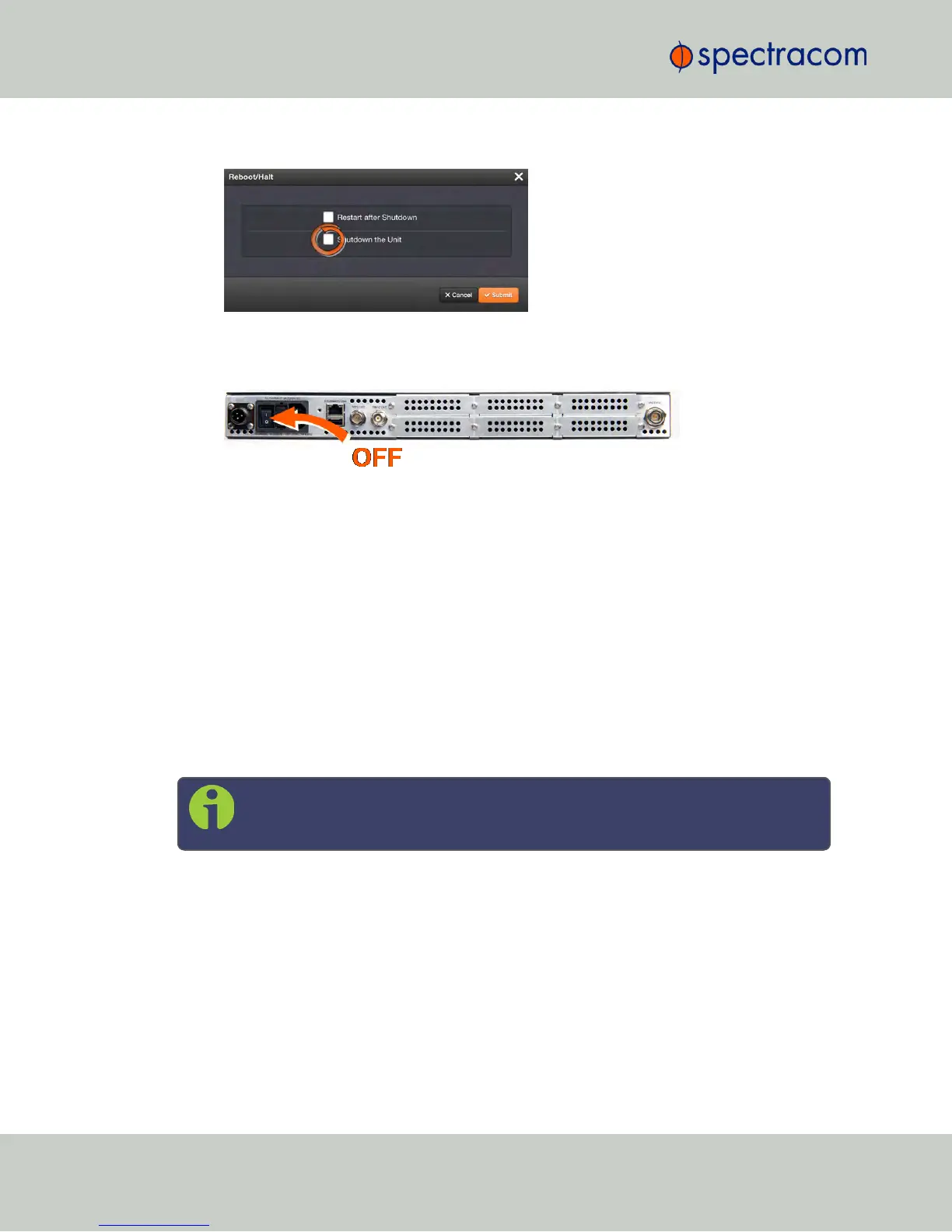
2.
The Reboot/Halt window will display. Select the Shutdown the Unit checkbox.
3.
Click Submit.
4.
Wait 30 seconds after entering the HALT command before switching off the unit .
Once the HALT process has been initiated, the front panel LCD will display Power offNetClock,
and the front panel LED time display will stop incrementing.
Issuing a HALT Command via Keypad/SerialPort/Telnet/SSH:
The HALT command can be initiated not only via the NetClock WebUI, but also via the keypad
and LCD display. For more information on the keypad, see "Front Panel Keypad, and Display"
on page6.
With a serial connection to the front panel serial port, telnet connection or SSH connection,
type halt <Enter> to halt the unit for shutdown. For more information on NetClock commands,
see "CLICommands" on page382.
Once the HALT process has been initiated, the front panel LCD will display Power off NetClock,
and the front panel LED time display will stop incrementing.
Note: After issuing the HALT command wait 30 seconds before you remove
power.
4.1.4 Rebooting the System
To reboot NetClock via the Web UI:
1.
Navigate to TOOLS > SYSTEM: Reboot/Halt.
226
CHAPTER 4 • NetClock User Reference Guide Rev. 16
4.1 Powering Up/Shutting Down



 To Next Page