For additional information on the other settings, see "Configuring an ASCII Time Code
Output (RS-232 or RS-485)" on page355.
4.
Click Submit. The RS-485 output has not been setup to supply the correct time and format
for the display clock.
5.
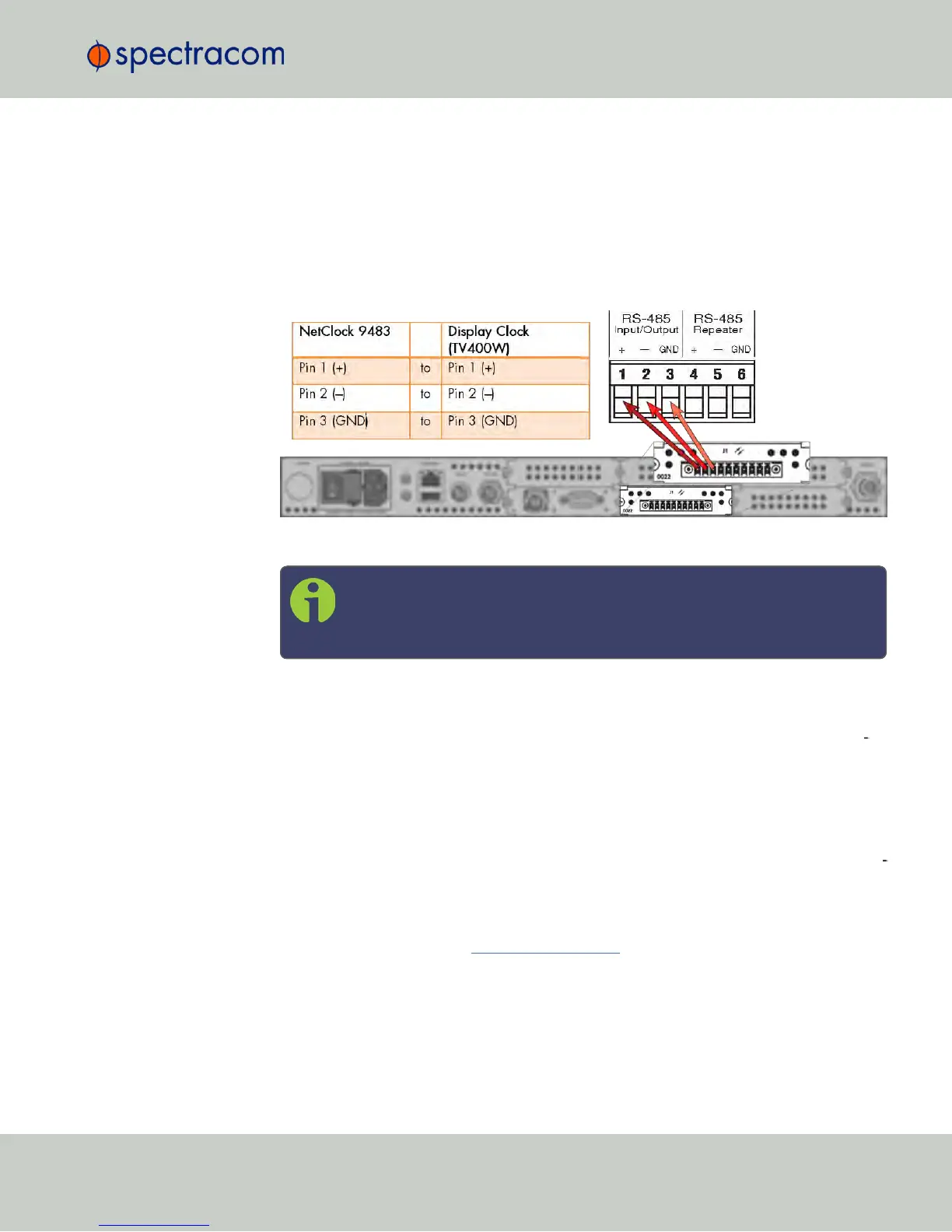
Connect the NetClock RS-485 output to the display clock input.
Do not forget to install the 120Ω terminating resistor (included with the display clock
ancillary kit) between Pin1 and Pin2 of the terminal block of the display clock.
Figure 4-4: Wiring the RS-485 signal
Note: The TV400W series display clock can be daisy chained from Input to
Input, up to a total of 32 devices in a single chain. The terminating resistor
should be installed in only the last clock in the daisy chain.
6.
TESTING: Once the TV400W synchronizes, the seconds will stop flashing and the time
will read the Local Time configured in your NetClock. If this does not happen, check the
configuration, wiring and sync status of the NetClock 9483. The TV400W will not syn
chronize unless the GNSS is connected to your NetClock, and the unit is in sync.
4.4.7 Product Registration
Spectracom recommends that you register your NetClock so as to allow our Customer Service
and Technical Support to notify you of important software updates, or send you service bul
letins, if required.
Upon initial start of the NetClock Web UI (see "Accessing the WebUI" on page53), you will
be prompted to register your new product. It is also possible to register at a later time via the
HELP menu item, or directly on the Spectracom website.
4.4 Miscellanous Typical Configuration Tasks
CHAPTER 4 • NetClock User Reference Guide Rev. 16
265



 To Next Page