2.
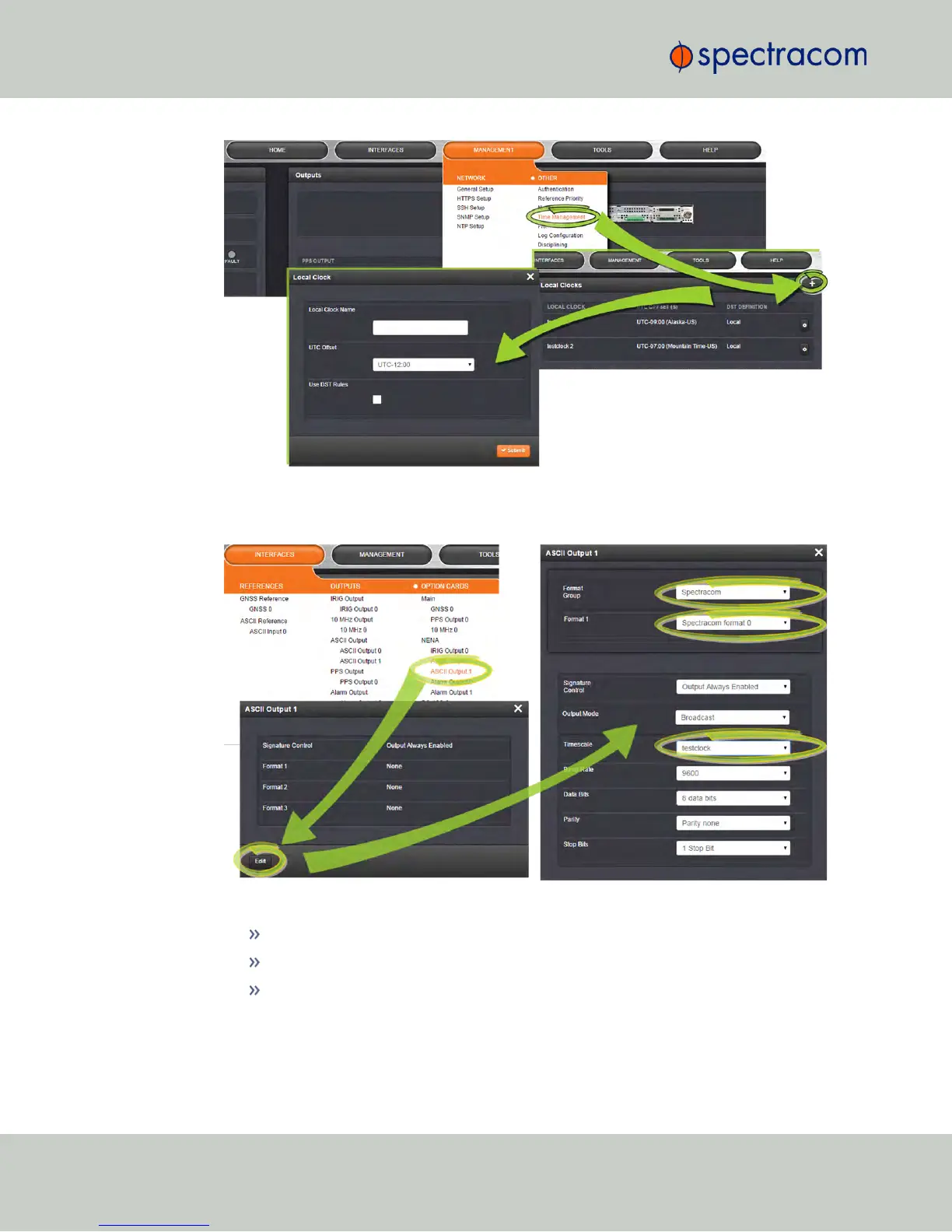
Navigate to the INTERFACES menu, and select ASCII Output1 (the RS-485 Output). In
the window that opens, click the EDIT button:
3.
In ASCII Output 1 configuration window, select:
Under Format Group: Spectracom
Under Format1: Spectracom Format 0, and
Under Timescale: the Local Clock that you created in Step1.
264
CHAPTER 4 • NetClock User Reference Guide Rev. 16
4.4 Miscellanous Typical Configuration Tasks



 To Next Page