IRIG 0 = 1
st
IRIG input instance
Frequency 1 = 2nd frequency input instance
NTP 2 = 3rd NTP input instance
The columns of the Reference Priority table are defined as follows:
Priority—Defines the order or priority for each index (row). The range is 1 to 16, with 1
being the highest priority and 16 being the lowest priority. The highest priority ref
erence that is available and valid is the reference that is selected.
Time—The reference selected to provide the necessary “Time” reference.
1PPS—The reference selected to provide the necessary “1PPS” reference.
Enabled—The reference is enabled.
Delete—Removes the Index (row) from the Reference Priority table.
3.3.1.1 Configuring Input Reference Priorities
NetClock can use numerous external time sources, referred to as "references". As external time
sources may be subject to different degrees of accuracy and reliability, you can determine in
which order (= priority) NetClock calls upon its external time and 1PPS references.
For additional information, see also "Input Reference Priorities" on page161.
Accessing the Reference Priority Screen
To access the Reference Priority Setup screen:
1.
Navigate to MANAGEMENT > OTHER: Reference Priority.
OR:
1.
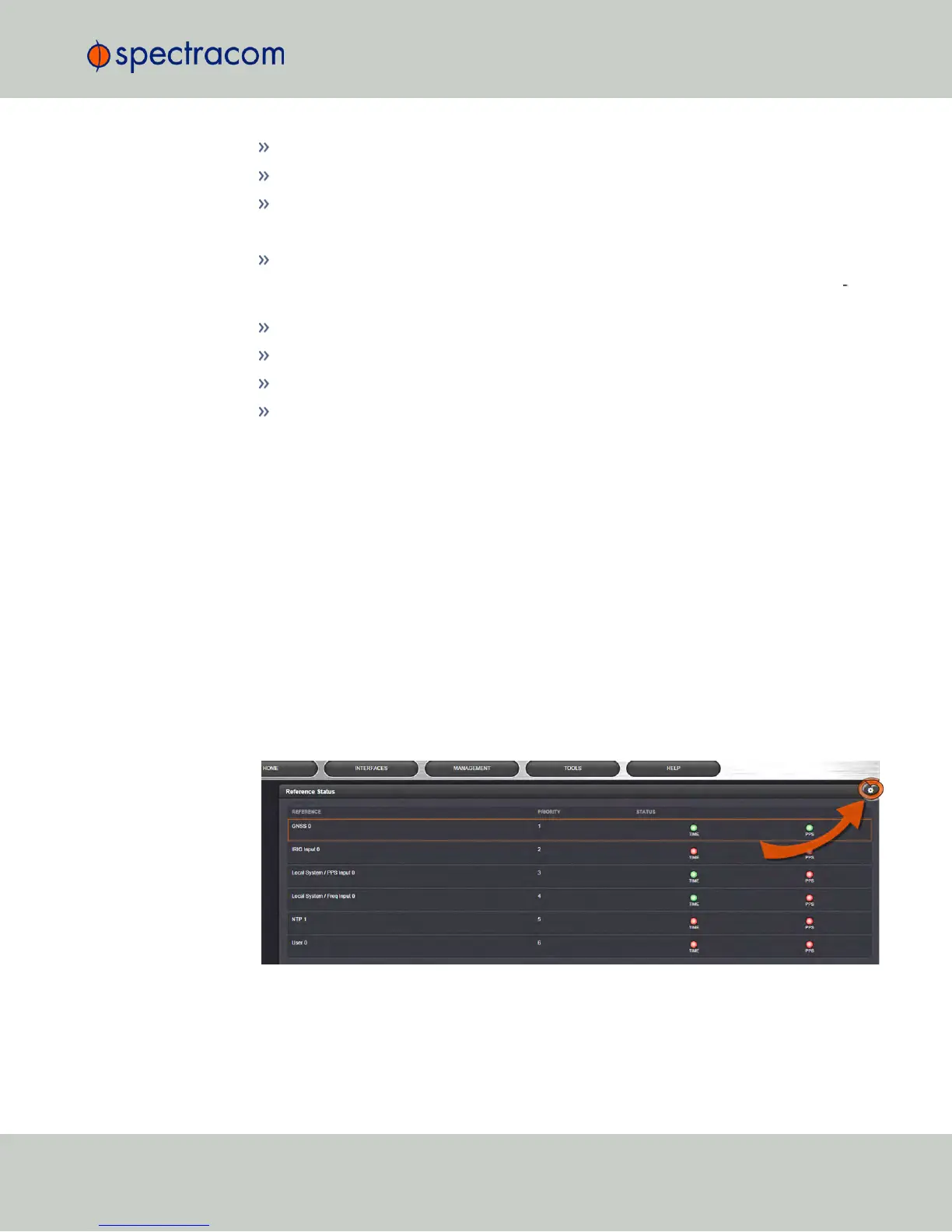
On the HOME screen, click the GEAR icon in the Reference Status panel:
2.
The Configure Reference Priorities screen will display.
3.3 Managing Input References
CHAPTER 3 • NetClock User Reference Guide Rev. 16
163



 To Next Page