Stationary (No Resurvey): In Standard Mode, the receiver is set to a non-dynamic value
for stationary applications.
There will be no automatic resurvey after a reboot. Should a unit be relocated, you
need to delete its position, thus initiating a new survey.
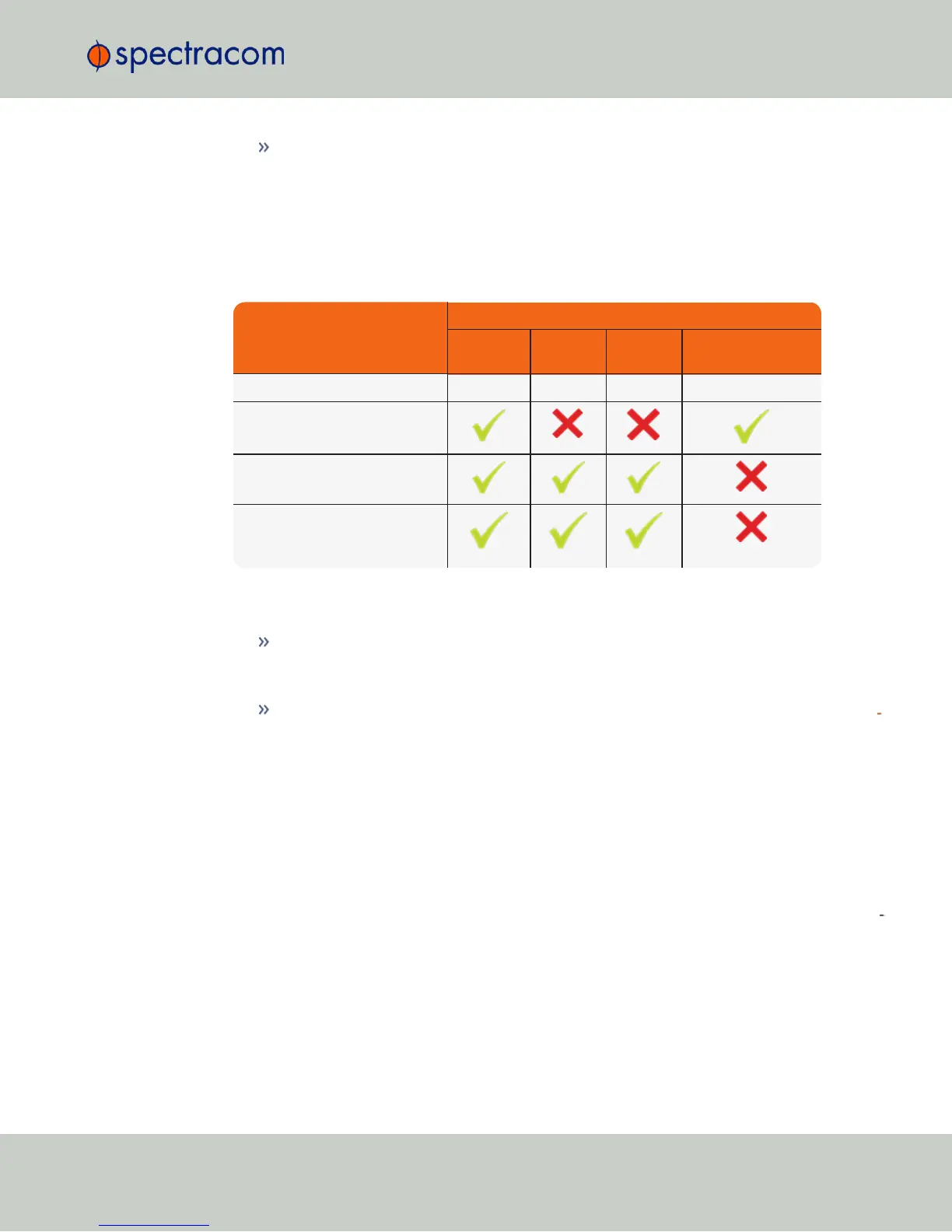
The following table illustrates the interdependence between Receiver Dynamics, Receiver Mode
(see "Selecting a GNSS Receiver Mode" on page189) and receiver type:
Table 3-2:
Receiver dynamics, ~modes, ~ dynamics, ~ types
Receiver Mode
Receiver Dynamics
Land
(Resurvey)
Sea Air
Stationary
(No Resurvey)
Single Satellite irrelevant irrelevant irrelevant irrelevant
Standard
Mobile (with u-blox receivers)
Mobile (with Trimble receivers)
(not recommended)
Notes:
Trimble Res-T and Res-SMT-GG receivers will report Land dynamics during a survey until
the survey is complete. Then the dynamics becomes Stationary. This also indicates that the
receiver has completed the survey.
The u-blox M8T receiver now uses Land to indicate it will RESURVEY on reboot, and Sta
tionary to indicate it will not resurvey after reboot.
To change/review the GNSS Receiver Dynamics:
1.
Navigate to INTERFACES > REFERENCES: GNSS 0.
2.
Under the Main tab of the GNSS 0 status window, the line item Receiver Dynamics will
indicate the current setting.
3.
To change the setting, click Edit in the bottom-left corner. The GNSS 0 configuration win
dow will display:
3.3 Managing Input References
CHAPTER 3 • NetClock User Reference Guide Rev. 16
193



 To Next Page