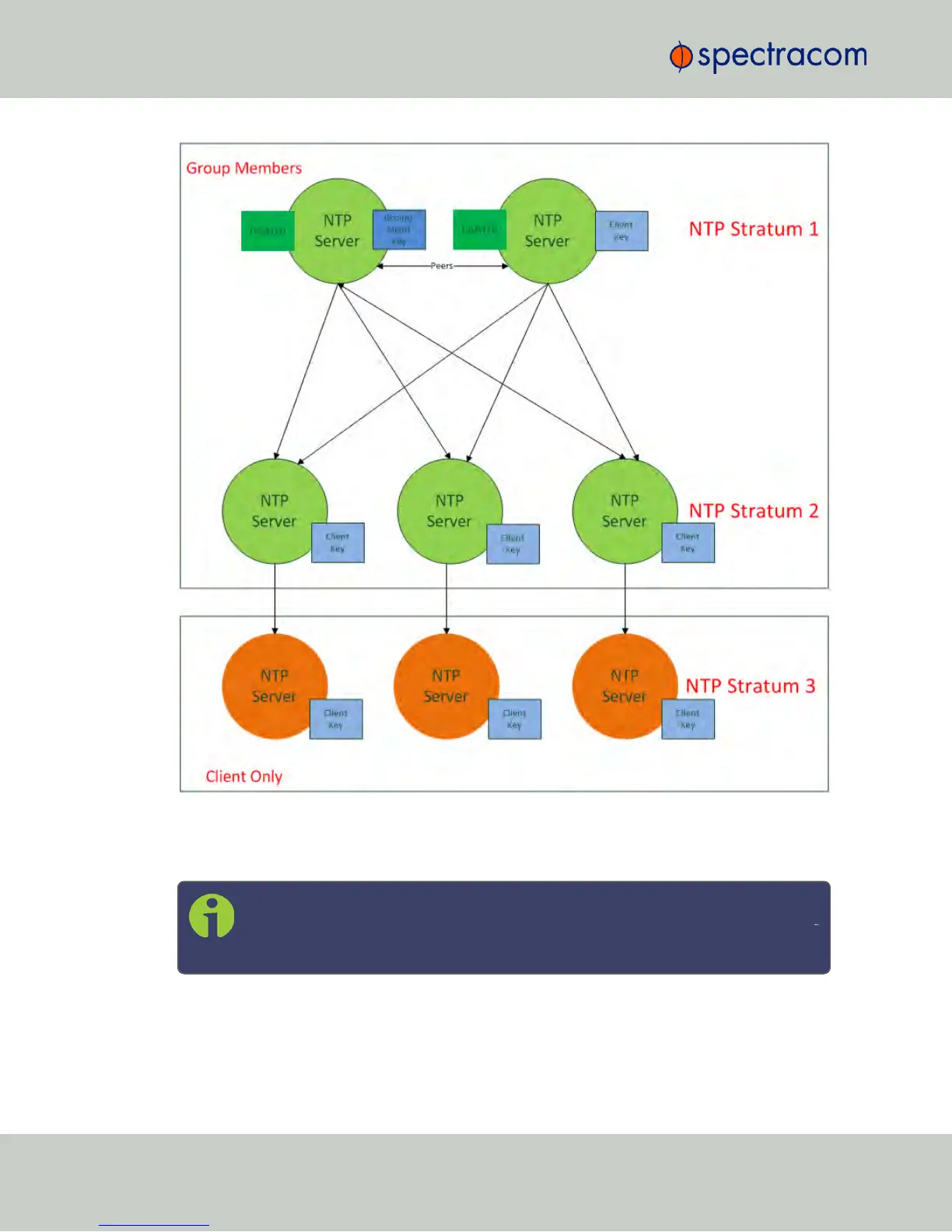
Figure 2-2: IFF Autokey configuration example
Configuring NTP Autokey
Note: When you configure NTP Autokey, you must disable the NTP Service first,
and then re-enable it after Autokey configuration is completed. See "Dis-/En
abling NTP" on page99.
To configure NTP Autokey:
114
CHAPTER 2 • NetClock User Reference Guide Rev. 16
2.15 Configuring NTP



 To Next Page