Receiver dynamics (supported only by u-blox M8T and Trimble Res-T receivers): to optim
ize performance for land, sea or air operation
The ability to delete the stored GNSS position information (latitude, longitude and
antenna height).
The option to determine when a resurvey is to be performed (supported only by newer
GNSS receivers).
To configure the GNSS Receiver Mode for your NetClock unit:
1.
Navigate to INTERFACES > REFERENCES: GNSS0. The GNSS0 Status panel will
open.
2.
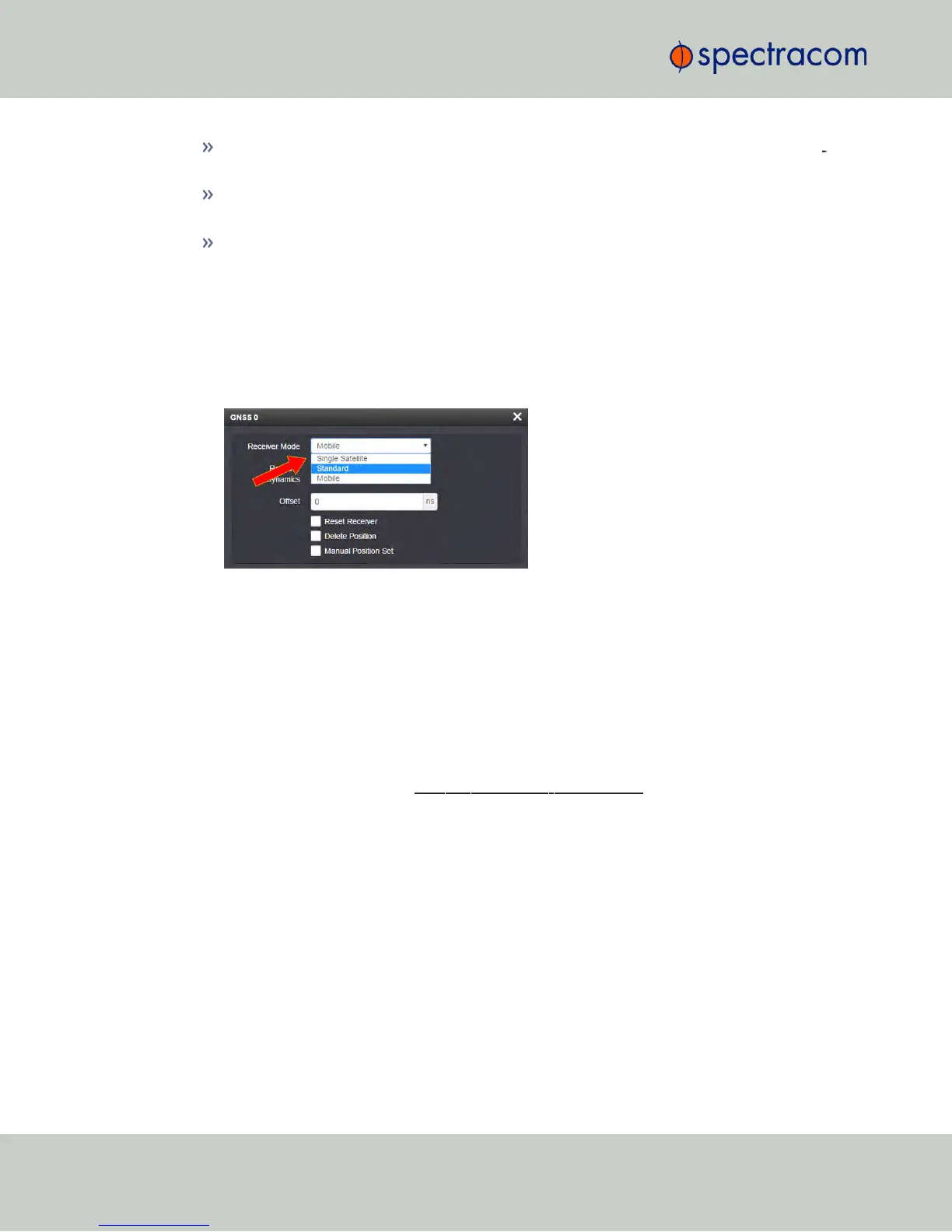
Click Edit in the bottom-left corner. The GNSS 0 configuration window will open:
3.
Select the desired Receiver Mode, and click Submit.
GNSS Receiver Modes
The receiver modes are:
Standard GNSS Receiver Mode
The default GNSS receiver mode is the Standard Mode: It is the most accurate, and hence the
preferred GNSS receiver mode.
The Standard Mode can be used only for stationary applications, i.e. the NetClock unit will
not be moved. Also, it must be able to track initially at last four satellites in order to complete
the survey. (Once the survey is completed, less than four satellites will provide a valid Time and
1PPS.)
About the GNSS Survey
In the Standard Mode the so-called GNSS survey will initially be performed, once at least four
GNSS satellites become available. The GNSS survey is used to determine the exact position
and time; it takes 2000 seconds (33 minutes) to complete a survey. During the survey, the
GNSS receiver must continue to track at least four satellites, otherwise the GNSS survey will not
complete.
190
CHAPTER 3 • NetClock User Reference Guide Rev. 16
3.3 Managing Input References



 To Next Page