Caution: Do NOT use GLONASS when operating NetClock as an A- GNSS
server, since this will likely crash the A-GNSS software.
To determine which GNSS receiver model is installed in your NetClock unit, see "Determining
Your GNSS Receiver Model" on page187.
Configuring A-GPS
To review or configure NetClock's A-GPS settings:
1.
Navigate to INTERFACES: REFERENCES > GNSS Reference. The GNSS screen will be
displayed.
2.
In the GNSS Reference panel on the right, click the GEAR button next to GNSS0.
3.
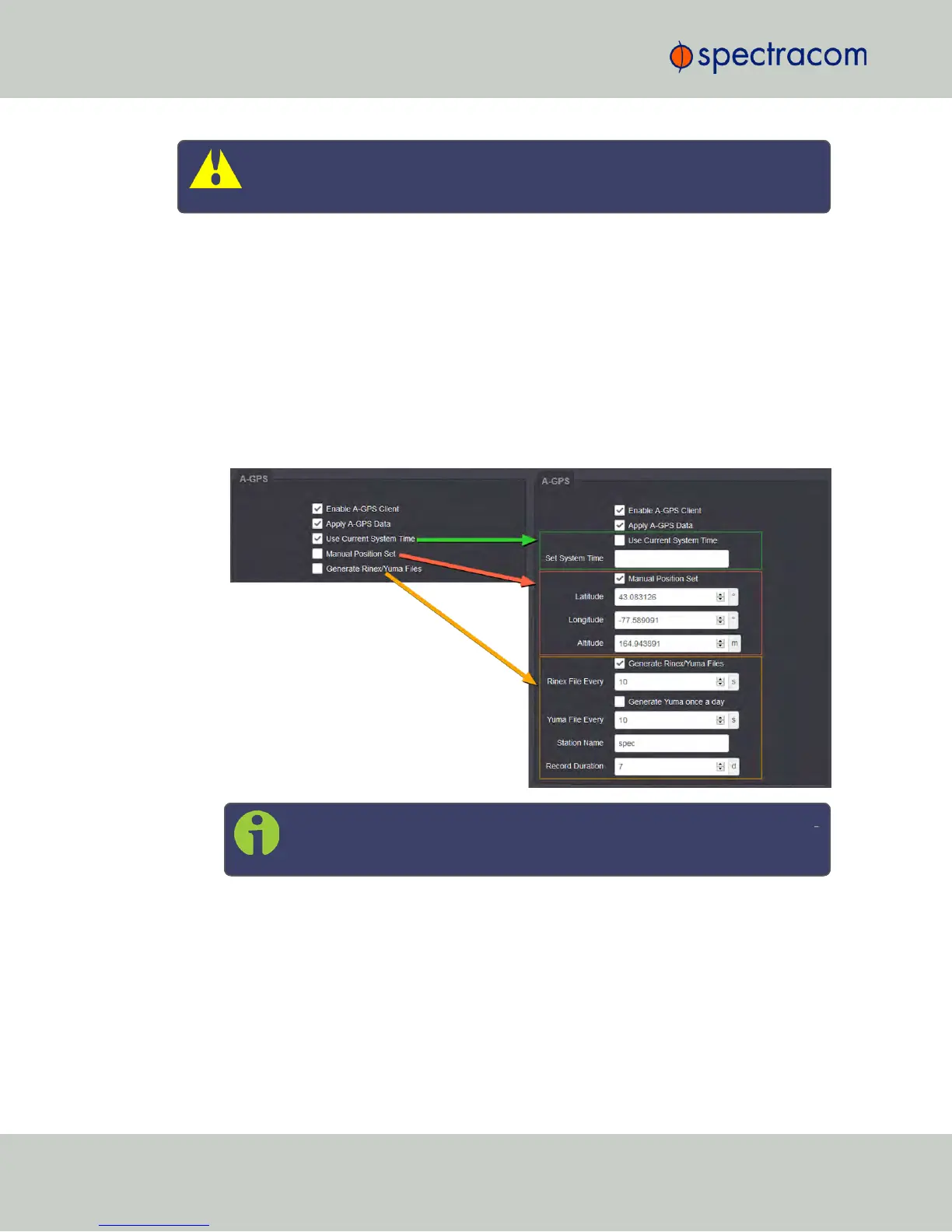
In the GNSS0 window, locate the A-GPS panel at the bottom.
Note: The options displayed on your screen depend on your system con
figuration.
4.
Configure the menu options as required:
Enable A-GPS Client
This feature will schedule assistance data to be collected and updated every hour. On startup, if
data is present, it will be sent to the receiver.
Apply A-GPS Data
206
CHAPTER 3 • NetClock User Reference Guide Rev. 16
3.3 Managing Input References



 To Next Page