1.
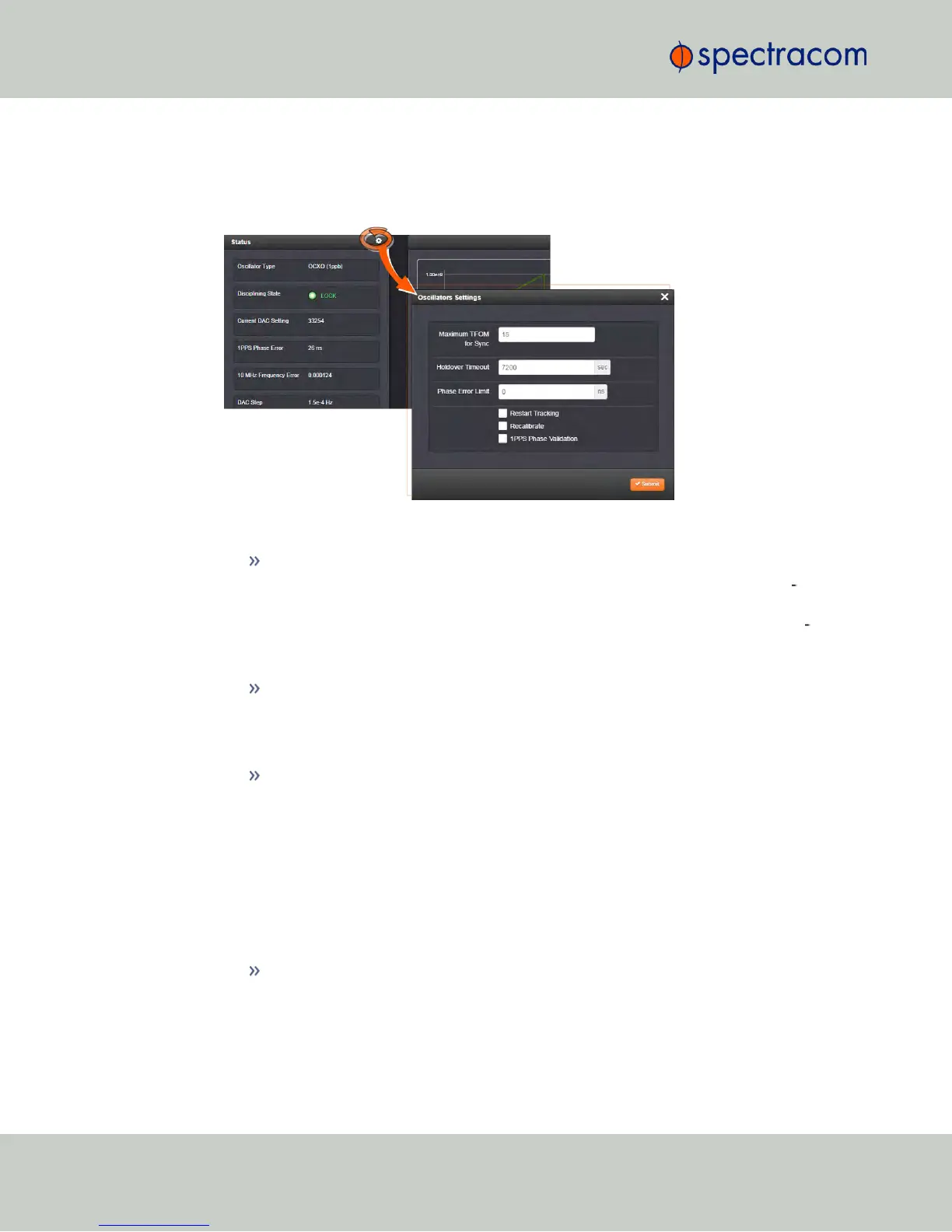
Navigate to MANAGEMENT > OTHER: Disciplining.
2.
Click the GEAR icon at the top of the Status panel. The Oscillators Settings window will
display:
3.
Populate the fields:
Maximum TFOM for Sync: When TFOM (Time Figure of Merit, see also "Time
Figure of Merit (TFOM)" on the facing page) is greater than Max TFOM, dis
ciplining will still be attempted against the selected reference to improve the
TFOM. If the condition persists, the system will transition to holdover, and even
tually out of sync. When disciplining is performed such that TFOM is no longer
greater than max TFOM, the system will transition back into sync.
Holdover Timeout(s): The default is 7200 s (= 2 hours).
For more information on holdover timeouts, see "Typical Holdover lengths in
seconds" on page212. For additional information on holdover, see "What is
"Holdover Timeout"?" on page211.
Phase Error Limit: [Default=0 (disables this feature)]. Setting a Limit (valid for +/-)
for the Phase Error between an external 1PPS reference and the System 1PPS will
cause the disciplining tracking to restart automatically (after a few minutes delay)
if that limit is exceeded. This will help to quickly re-align the System 1PPS with a
reference.
When using a Host Reference as a primary or backup reference, for improved
performance it is recommended to set the phase error limit for NTP to a suggested
value of 100000 ns (= 1 second). Adjust this value as needed, based on your
accuracy requirements.
Restart Tracking: Check this box, and click Submit if you want to manually restart
disciplining tracking.
This option causes the disciplining algorithm to stop tracking the input reference
and start over (as if it was just acquired). This can be useful if there is a large
216
CHAPTER 3 • NetClock User Reference Guide Rev. 16
3.5 Managing the Oscillator



 To Next Page