2.
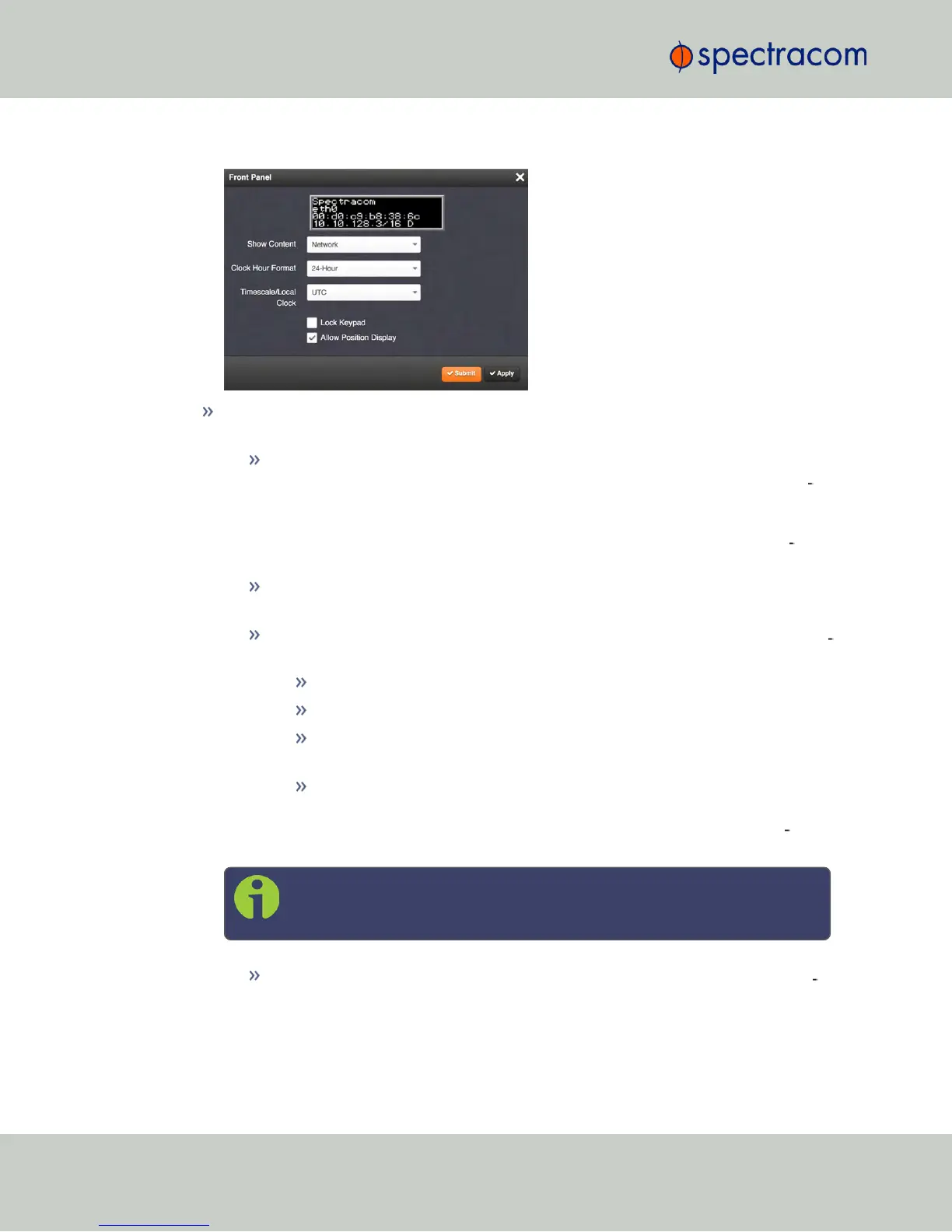
The Front Panel configuration window will display:
Next to the graphical near-real time representation of the 4-line front panel information
display, the following functionality can be accessed in this window:
Show Content—A drop-down of the options that can be shown on the information
display. This field determines what is normally displayed in the information dis
play when the keypad is not in use. The desired screen to display can be selected
with either the keypad or with this drop-down field. While switching from one
screen to another either “Keypad Locked” or “Keypad Unlocked” will be dis
played on the LCD (depending on the setting of the keypad “Lock” field).
Clock Hour Format—This option configures the time display on the front panel as
either in 12-hour or 24-hour format.
Timescale/Local Clock—This option configures the time scale for the LED time dis
play. The available options are:
UTC (temps universel coordonné)
TAI (Temps Atomique International)
GPS: the raw GPS time as transmitted by the GNSS satellites (as of July,
2015, GPS time is 17 seconds ahead of UTC time).
The Local timescale, which allows a Local Clock to apply a time offset for
Time Zone and DST correction. This option is only available, if a Local
Clock has been enabled under MANAGEMENT/OTHER/Time Man
agement.
Note: If GPS or TAI time is used, then the proper timescale offsets must be
set on the MANAGEMENT/OTHER/Time Management page.
Lock Keypad—If desired, the front panel keypad can be locked to prevent inad
vertent operation. Locking and unlocking of the keypad can be performed either
with the keypad itself, or by means of this check box. [DEFAULT = this box is NOT
258
CHAPTER 4 • NetClock User Reference Guide Rev. 16
4.4 Miscellanous Typical Configuration Tasks



 To Next Page