2.
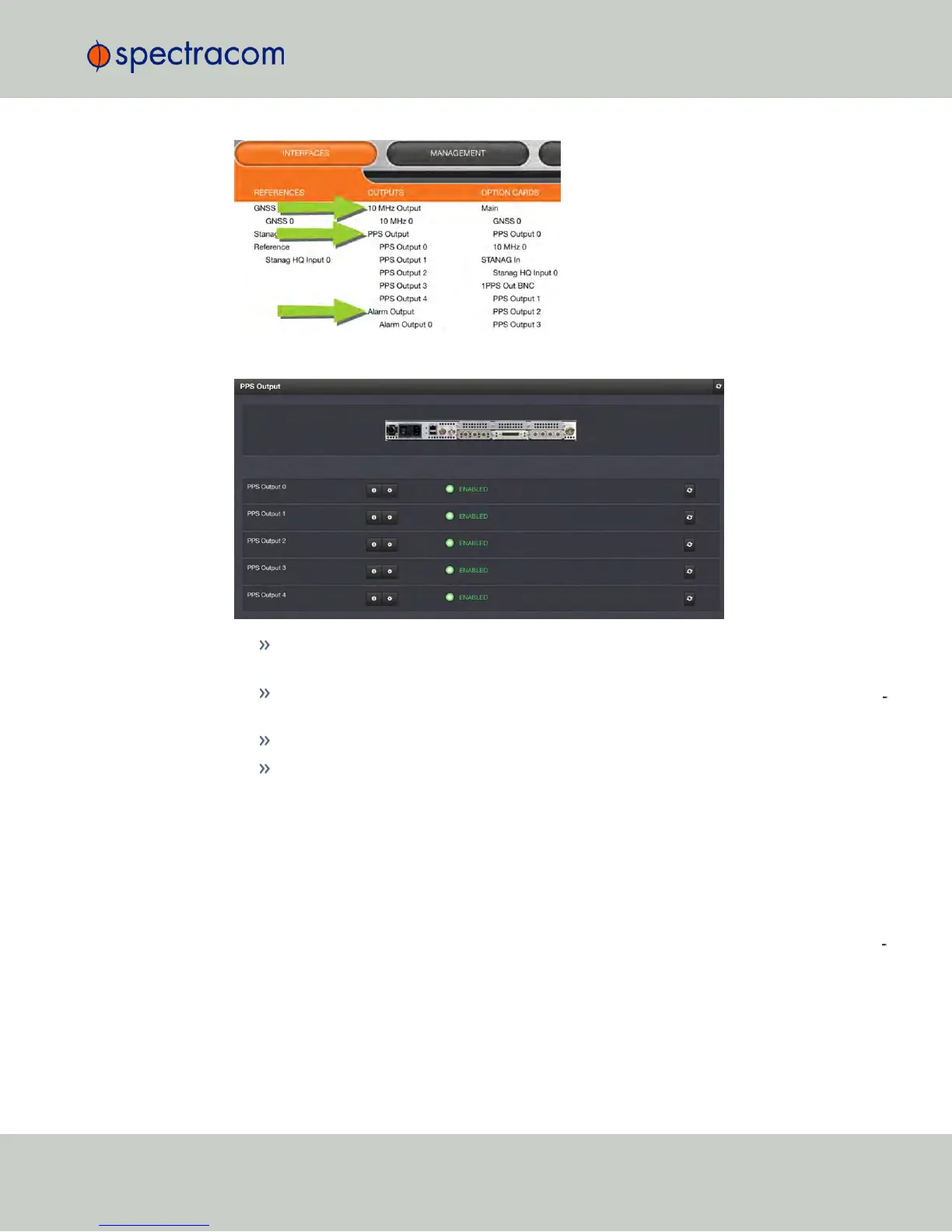
The Status window will display a list of all outputs of the selected category:
To display more detailed information about a particular output, click the corresponding
INFO button.
To edit the settings of a given output, click the GEAR button (see also "Configuring Out
puts" on page137.)
To refresh the information displayed, click the REFRESH button (circling arrows icon).
In the illustration of the rear panel, click on a connector to highlight the corresponding
list entry.
Displaying the settings of a specific output
The outputs installed in your NetClock unit have specific settings that can be reviewed, and—to
some extent—edited.
To display the settings of an output:
1.
Navigate to INTERFACES > OUTPUTS, and click on the desired output (recessed e.g., PPS Out
put 0):
4.5 Quality Management
CHAPTER 4 • NetClock User Reference Guide Rev. 16
277



 To Next Page