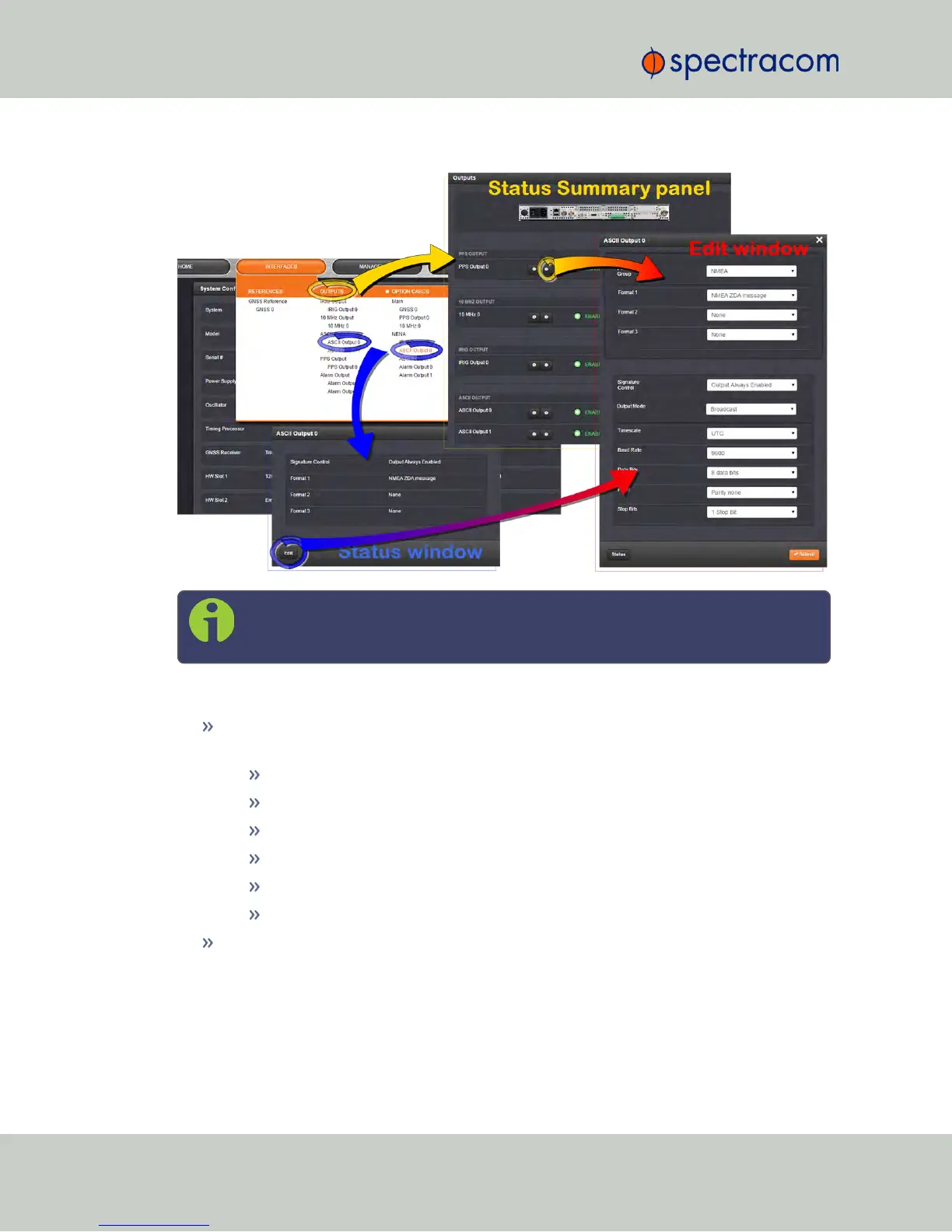
Note: If you have only one input or output of any type, NetClock will number that
input or output 0. Additional inputs or outputs will be numbered 1 or above.
The Edit window offers the following configuration fields:
Format Group: Determines the time code message format category (see also "ASCIITime
Code Data Formats" on page387). Choices are:
None
NENA-Spectracom (Formats 0, 1, 2, 3, 4, 7, 8, 9, 1S)
NMEA (GGA, RMC, ZDA message)
BBC (Formats 1, 2, 3PSTN, 4, 5RMC)
ICD-153 (Buffer Box, Time Transfer, Current Status)
EndRun (EndRun Time Format, Endrun X Format)
Format: Once a Format Group has been selected, one or more Format fields may
appear, allowing you to select one or more time code Formats. For more information
on time code formats, see "ASCIITime Code Data Formats" on page387.
356 NetClock User Reference Guide
APPENDIX



 To Next Page