Note: If you have only one input or output of any type, NetClock will num
ber that input or output 0. Additional inputs or outputs will be numbered 1
or above.
2.
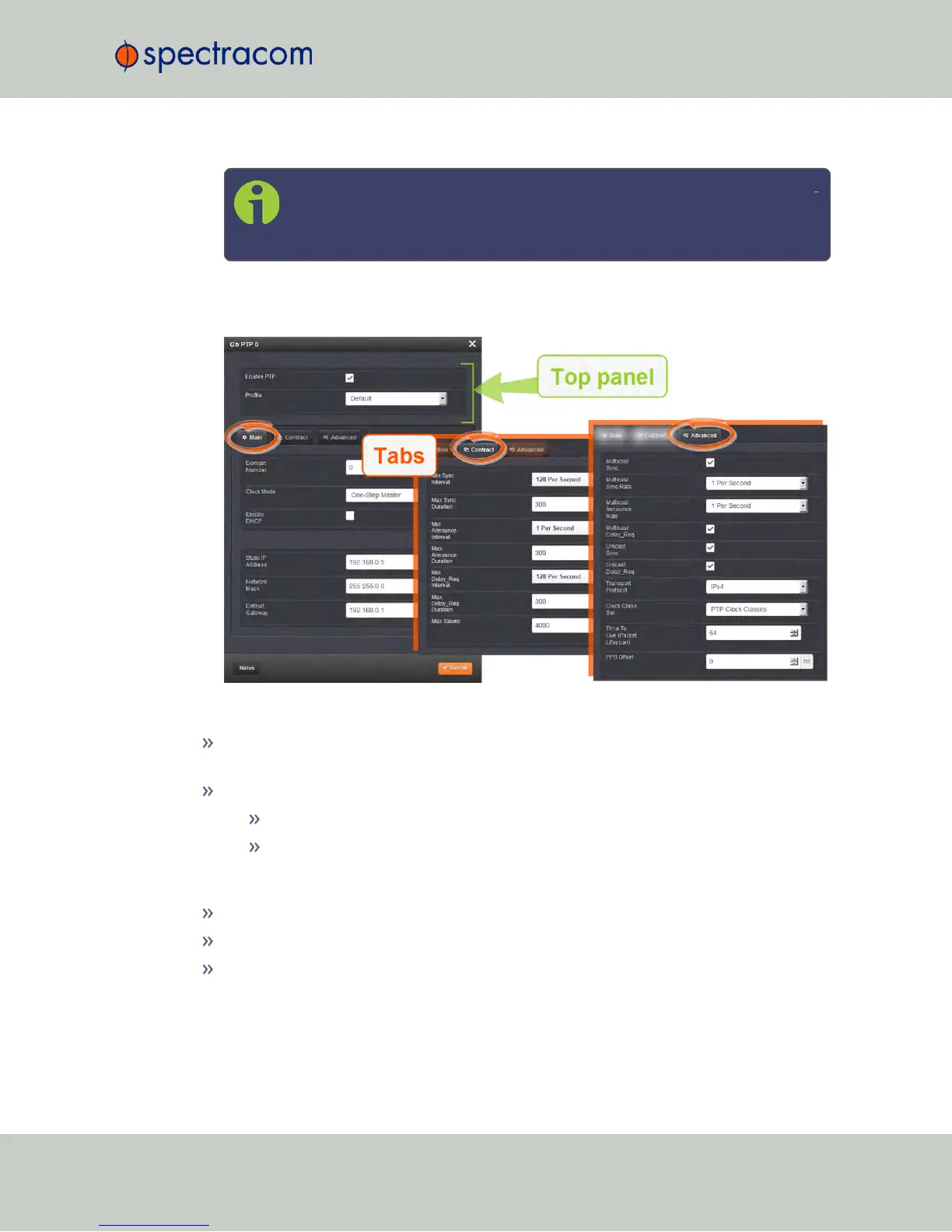
The Gb PTP Edit window will display. It includes the top panel, and offers access to three
different tabs, described below:
Top panel settings
Enable PTP: Enables/Disables PTP. Check the box to enable PTP. Uncheck it to disable
PTP.
Profile: offers a choice of:
Default (incl. Enterprise)
Telecom
Bottom panel: tabs
Main: These settings pertain to network connectivity.
Contract: These settings pertain to the unicast contract.
Advanced: These setting pertain to time Sync information.
NetClock User Reference Guide 367
APPENDIX



 To Next Page