Note: Changing the values and submitting them in this manner DOES NOT gen
erate new host public/private key pairs. See "Creating Host Public/Private Key
Pairs" below for information on how to create new host public/private key pairs.
Deleting Host Keys
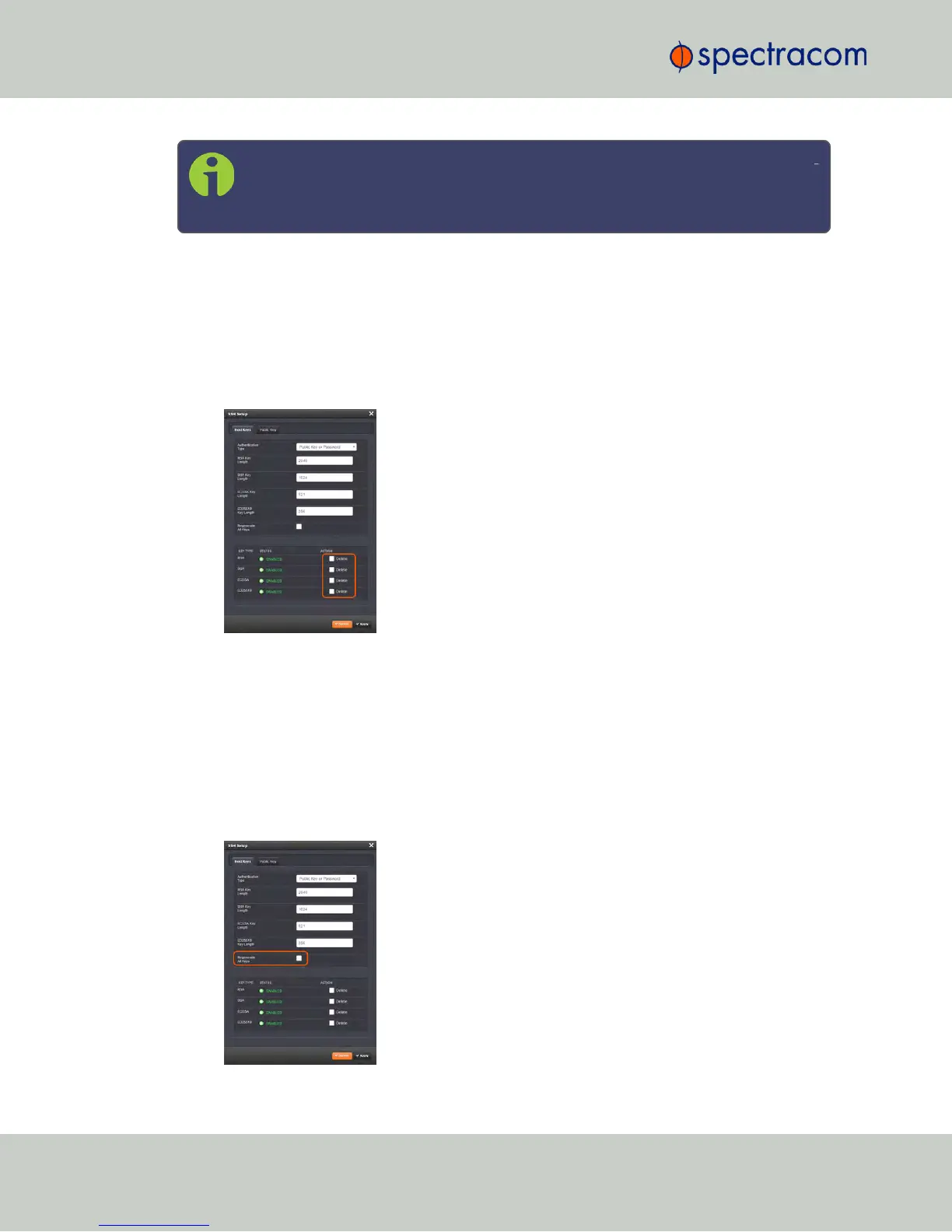
You can delete individual host keys. To delete a key:
1.
Navigate to MANAGEMENT > NETWORK: SSH Setup. The window will open to the
Host Keys tab by default.
2.
Select Delete in the field for the key you wish to delete, and click Submit.
Creating Host Public/Private Key Pairs
You may create individualHost Public/Private Key pairs. Host keys must first be deleted before
new Host Keys can be created. To create a new set of host keys:
1.
To access the SSH setup screen, navigate to MANAGEMENT > NETWORK: SSH Setup.
The window will open to the Host Keys tab by default.
2.
Should you want to change the key length of any host key, enter the desired length in the
text field corresponding to the length you wish to change.
80
CHAPTER 2 • NetClock User Reference Guide Rev. 16
2.14 Configuring Network Settings



 To Next Page