Vista 1 Digital Mixing System
Parameters 3-11
Document generated: 18.04.17
SW V5.3
3.3.4 Mono AUX Parameters
Press one of the GLOBAL VIEW: AUX MONO keys.
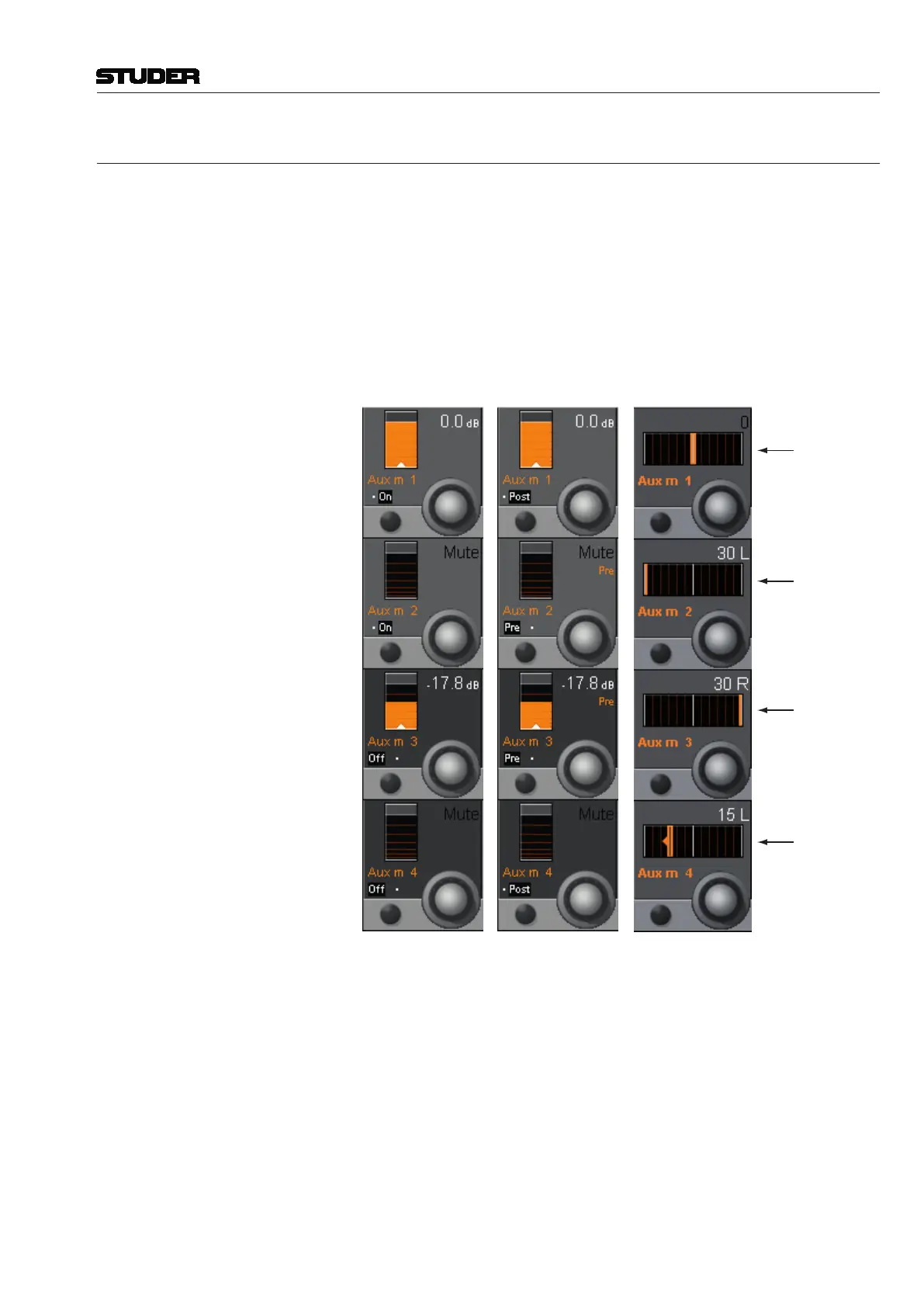
The mono AUX view provides selection of the AUX bus (ON/OFF), send
level adjustment, and pre-/after-fader switching. From 5.1 surround channels,
mono AUX sends are fed with an ITU-compatible mono down-mix. From
stereo channels, mono AUX sends are also fed with a mono mix - but there is
an additional PAN control on each mono AUX send on stereo channels, which
allows the user also to send only the left stereo leg to the mono AUX or only
the right stereo leg, or everything in between the two extreme settings. The
PAN control can be viewn by pressing the GLOBAL VIEW: AUX MONO key a
second time (on Vista 1).
Mono Mix
Left leg only
Right leg only
Individual mix
AUX m x On/Off Mono AUX bus selection. Other mono AUX bus views can be selected as
well, if provided by the currently loaded configuration (5...8, 9...12, etc.).
AUX m x Rotary The send levels for mono AUX 1 through the maximum number configured
can be adjusted using this rotary encoder; adjustment range is from Mute (–∞)
through +10 dB.
AUX m x Pre/Post When the PRE / POST key in the fader bay’s GLOBAL VIEW area is active,
the Vistonics view changes as shown above at the right. The signal sent to
the mono AUX bus can be selected PRE (pre-fader, i.e. before the fader) or
POST (post-fader, i.e. after the fader).



 To Next Page