Vista 1 Digital Mixing System
DAW Control 7-5
Document generated: 18.04.17
SW V5.3
7.2 Vista Settings
Machine Control Window In case the Timecode/Generator/Machine Control icon should not be shown
in the GC, proceed as follows:
• Openthe C:\D950System\D950system.ini file.
• Under[options], edit the two lines shown in bold print below:
[options]
TC2=No
TC3=No
InternalTC=Yes
MeterOverNet=No
DynamicAutomation=No
StaticAutomation=Yes
MidiActive=Yes
TheatreMode=No
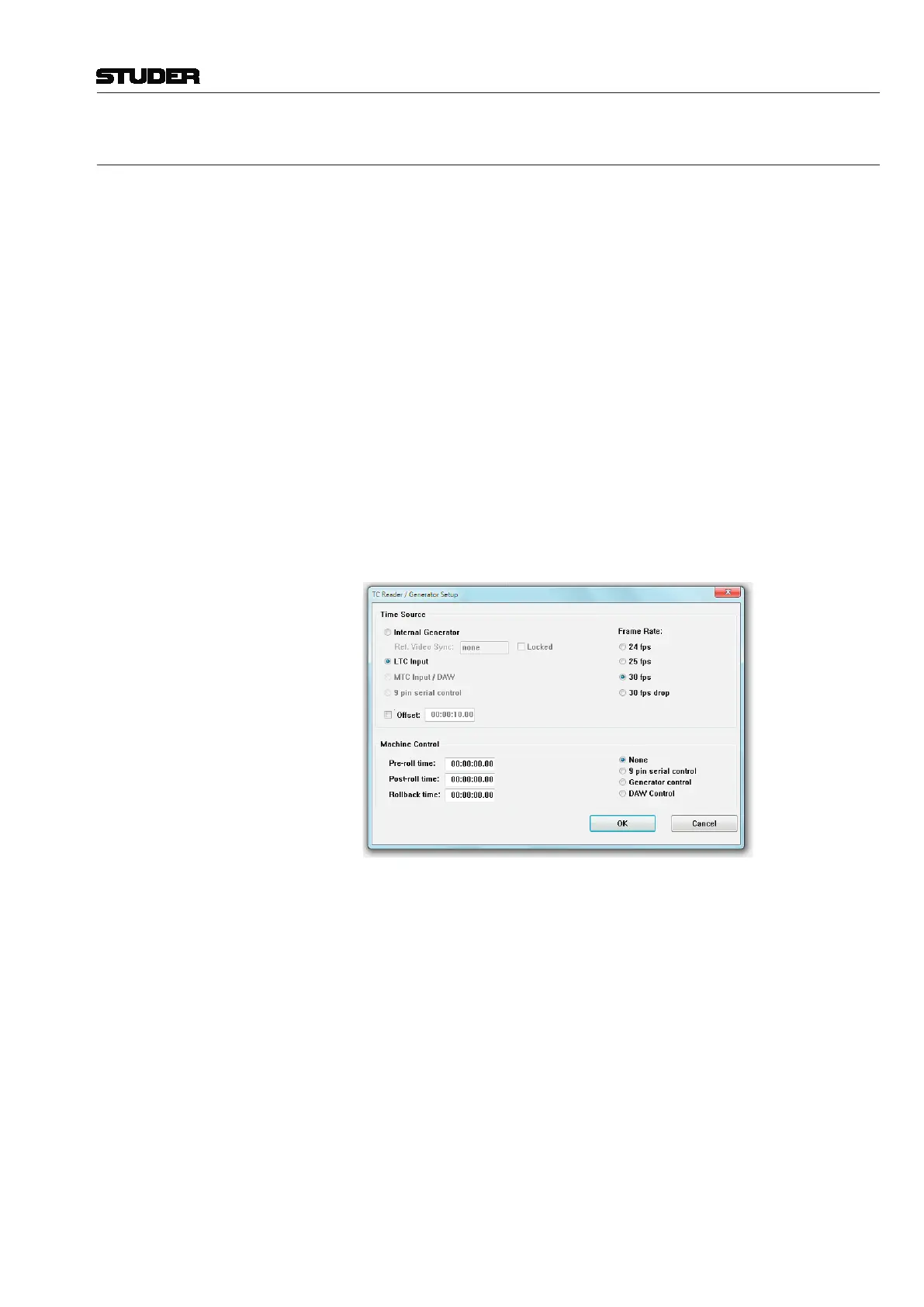
Transport Control Enable To enable transport control specifically for the connected DAW, there is a
menu option in the TC Reader / Generator setup dialog. Please note that
the 9-pin serial control is disabled as soon as the DAW Control setting is
selected:
MIDI-Over-Ethernet: Instead of the MIDI connection normally used as the physical layer for the
Mackieprotocols,aMIDI-over-Ethernetsolutionisusedthatallowsusing
onesingleEthernetCat5cableinsteadofseveralMIDIcables.Thereforethe
‘ipMIDI’ driver needs to be installed on both the Vista desk PC and on the
DAW.



 To Next Page