Vista 1 Digital Mixing System
DAW Control 7-9
Document generated: 18.04.17
SW V5.3
7.4 Connect the Sessions
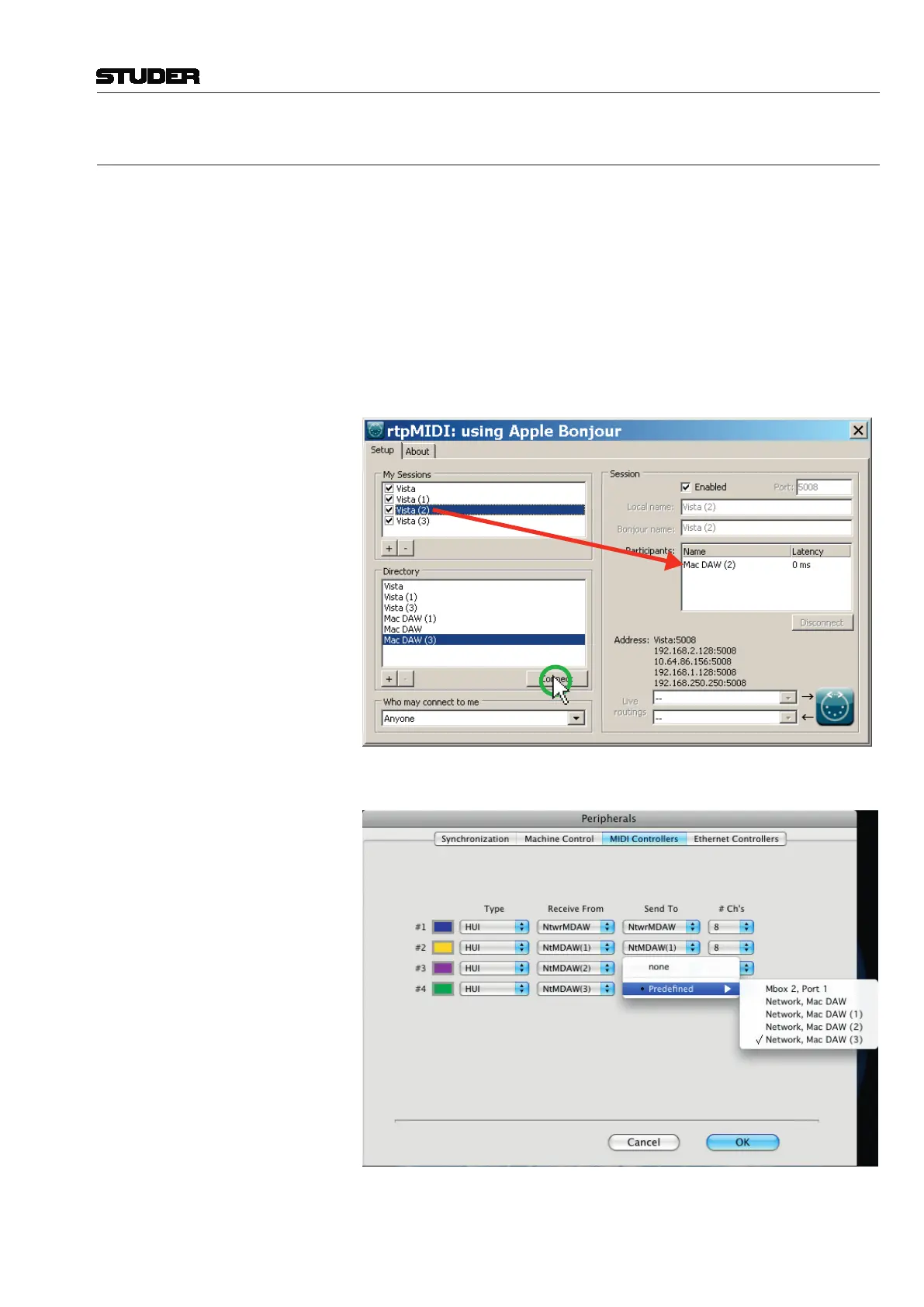
Vista Assign each session in the My Sessions window on the Vista installation
to the corresponding one on the DAW computer, which is also listed in the
Directory window. In the example below it is :
•VistatoMacDAW
•Vista(1)toMacDAW(1)
•Vista(2)toMacDAW(2)
•Vista(3)toMacDAW(3)
Select the corresponding sessions in My Sessions and Directory and press
“Connect”
D AW In ProTools, set the according session in Perpherals - MIDI Controllers menu



 To Next Page