Vista 1 Digital Mixing System
3-20 Parameters
Document generated: 18.04.17
SW V5.3
3.3.9 Parametric EQ Parameters
Select a bay showing channels that have the parametric EQ configured. Press
Press GLOBAL VIEW: EQ.
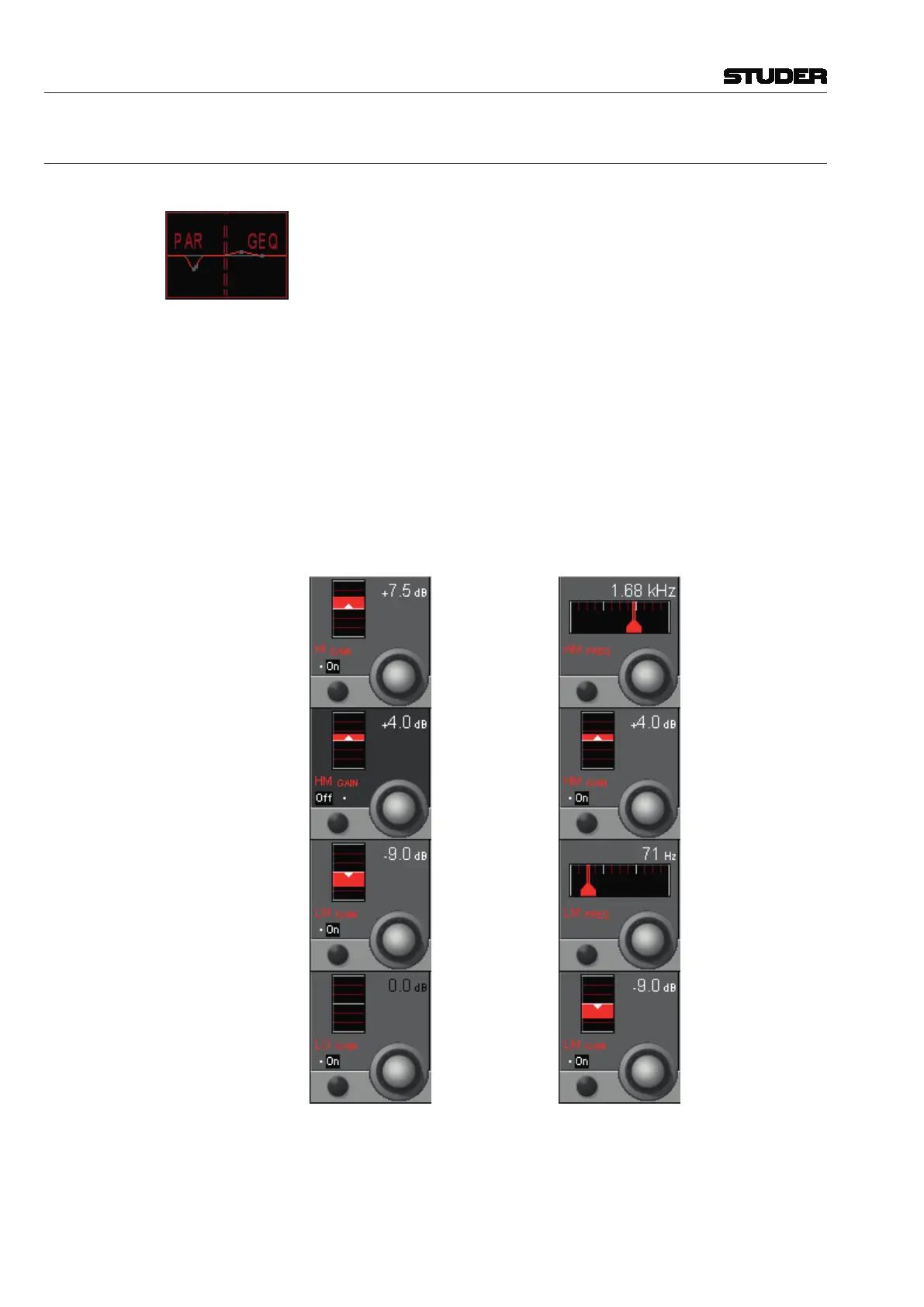
If a channel has configured both the parametric and graphic EQs, its Vistonics
icon indicates additional PAR and GEQ labels; its touch surface is split into a
left (PAR) and a right (GEQ) part, as shown at the left. Upon pressing GLOBAL
VIEW: EQ, the parametric EQ parameters are shown on the Vistonics screen.
This view enables the user to control the most important parameters of the
EQ section. The complete parameter set is available on the channel-related
EQ view, refer to chapter 3.4.1. There you will also find all parameter details.
For 5.1 surround channels the equalizer settings are valid for all surround
signal legs except the LFE. For further information on this subject, please
refer to chapter 3.4.1.
All four bands of the EQ section can be activated simultaneously with the EQ
hardware key above the Vistonics section, in addition to the individual on/off
keys described below.
There are two options for the EQ view; one of them (below left) is displayed
when pressing the EQ hardware key only, and the other one (below right)
when pressing (Shift) followed by EQ.
Standard View: ‘Shift’ View:
HI / HM / LM / LO On/Off On/off function for the selected EQ band.
HI / HM / LM / LO GAIN Rotary Boost/cut adjustment; ±18 dB in steps of 0.5 dB.
HM / LM FREQ Rotary Center frequency adjustment for the high-mid and low-mid bands. For both
bands, the center frequency can be adjusted from 20 Hz through 20 kHz, in
120 steps. These controls are visible in the ‘shift’ view only.



 To Next Page