Vista 1 Digital Mixing System
2-14 Desk Operation
Document generated: 18.04.17
SW V5.3
2.2 Desk Operation
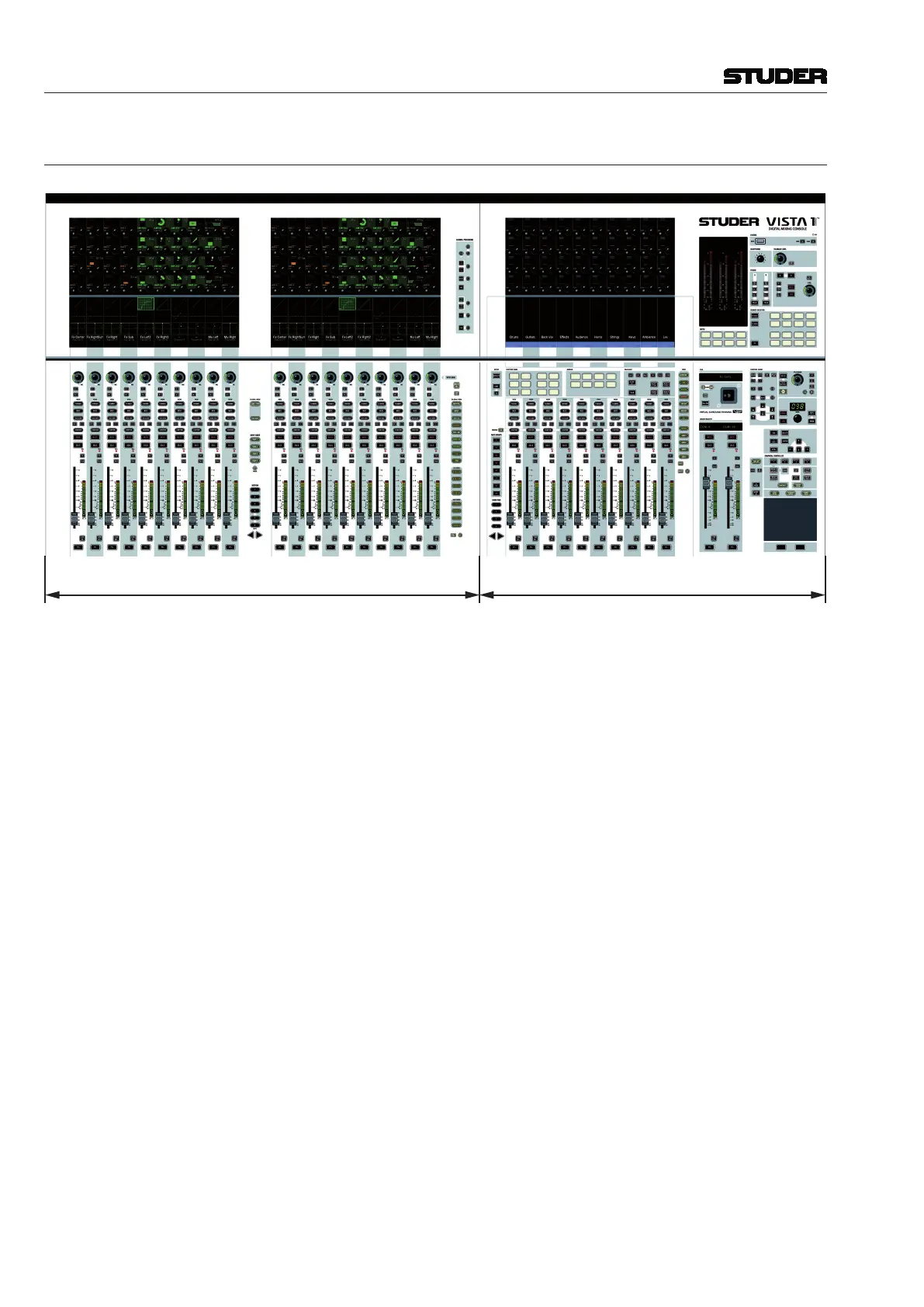
Fader Bay Control Bay
The desk consists of two types of bays: From one to two fader bays (ten faders
each), and one control bay (ten faders plus two ‘grand master’ faders). For
compactness, two fader bays are combined in a single fader bay module, as
shown above. This is the layout of a 32-fader console. The 22-fader version
just has one 10-fader bay. Every bay features a Vistonics screen with 40 rotary
encoders in its upper part and a touch screen surface below them.
The fader bays contain the console channel strips with rotary controls, faders,
keys, and meters. Ten strips are located next to each other in one bay. They
may be assigned to any DSP channel.
The control bay hosts the global desk operation controls, such as monitoring,
talkback, joystick and touchpad. It can also be used as fader bay in order to
control any DSP channel.
The complete electronics – control system, power supplies, I/O and digital
signal processing – are contained in the desk. An additional TFT screen is
mounted on the rear of the desk in order to display the ‘Graphical Controller’
windows (described in chapter 4). The screen is attached to the desk at the
right of the console.
Each key marked with this symbol can be activated either momentarily or
latching. Pressing this key for a short time will make it latching. Holding it
down for a longer period of time will reverse its function automatically upon
key release.



 To Next Page