Vista 1 Digital Mixing System
2-44 Desk Operation
Document generated: 18.04.17
SW V5.3
2.2.5.16 Output Views / FOLLOW
Besides the monitoring and housekeeping functions the control bay hosts
twelve faders and a Vistonics screen. The faders are independent from the
rest of the console in terms of changing fader pages.
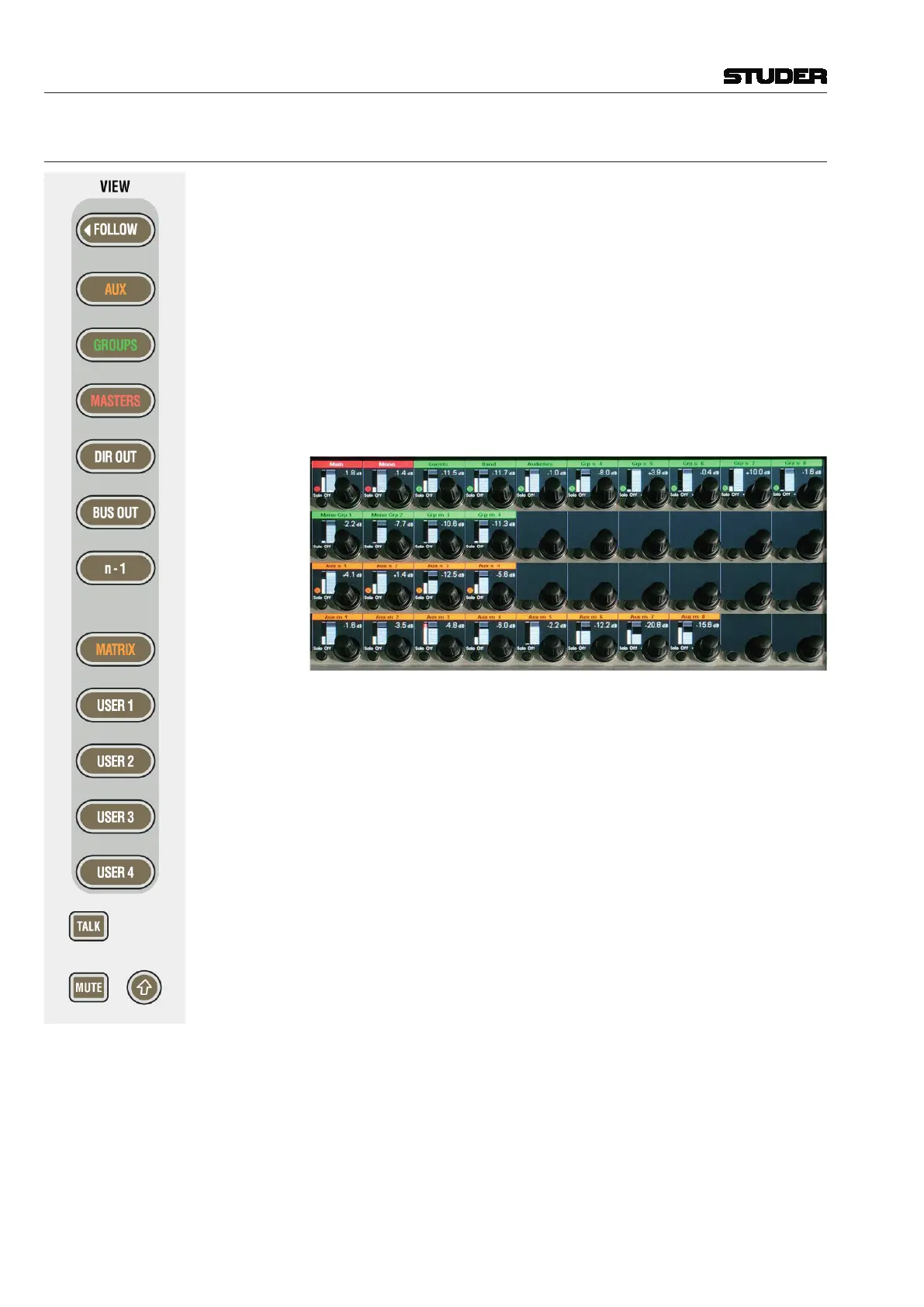
Unless the FOLLOW view is active, the Vistonics screen is used as a collec-
tion of 40 level controls, usually representing a duplicate view of the fader
bays’ channel faders. The Vistonics controls will then not only give access to
the channel faders and graphically indicate their settings, but is also indicate
a real-time level meter on the screen right next to the corresponding rotary
control. This allows viewing up to 40 meters at a glance while having direct
access to all of their corresponding faders by using the rotary control next to
it. Tweaking any of the console’s output levels is therefore extremely easy
and fast.
The VIEW keys on the right-hand side of the control bay allow access to some
predefined channel types (AUX, GROUPS, MASTERS, DIRECT OUT, BUS OUT,
n-1) as well as to five user-definable views. By using the third page (Viston-
ics Views tab) of the strip setup window (next page), it is possible to define
the user setups in a way very similar to the strip setup. In order to make a
user view, simply select the Vistonics elements on the screen and fill them
up using the right touchpad button (as shown in chapter 4.4.6.1). Although
primarily intended for outputs, also input faders can be visible and controlled
with these USER views.
The top user-definable view is labeled MATRIX. This page is also fully user-
definable and covers the same functionality as the other four USER1-4 keys.
As a standard the user may want to use the MATRIX key to see the console’s
matrix outputs.
The function of the Vistonics
keys next to each rotary knob on the Vistonics
screen may be modified by pressing the TALK or MUTE keys, changing the
Vistonics key from a SOLO/PFL/SIP key (depending on the current mode)
to a TALK or MUTE key.
Note: These functions may not be available on certain channel types.
Apart from displaying meters and set levels, the Vistonics screen also indicates
the label of the displayed channel with the color coding applied accordingly.
Temporary activation of these keys is possible.
The (shift) key is reserved for future use and has no function currently.



 To Next Page