Vista 1 Digital Mixing System
Desk Operation 2-29
Document generated: 18.04.17
SW V5.3
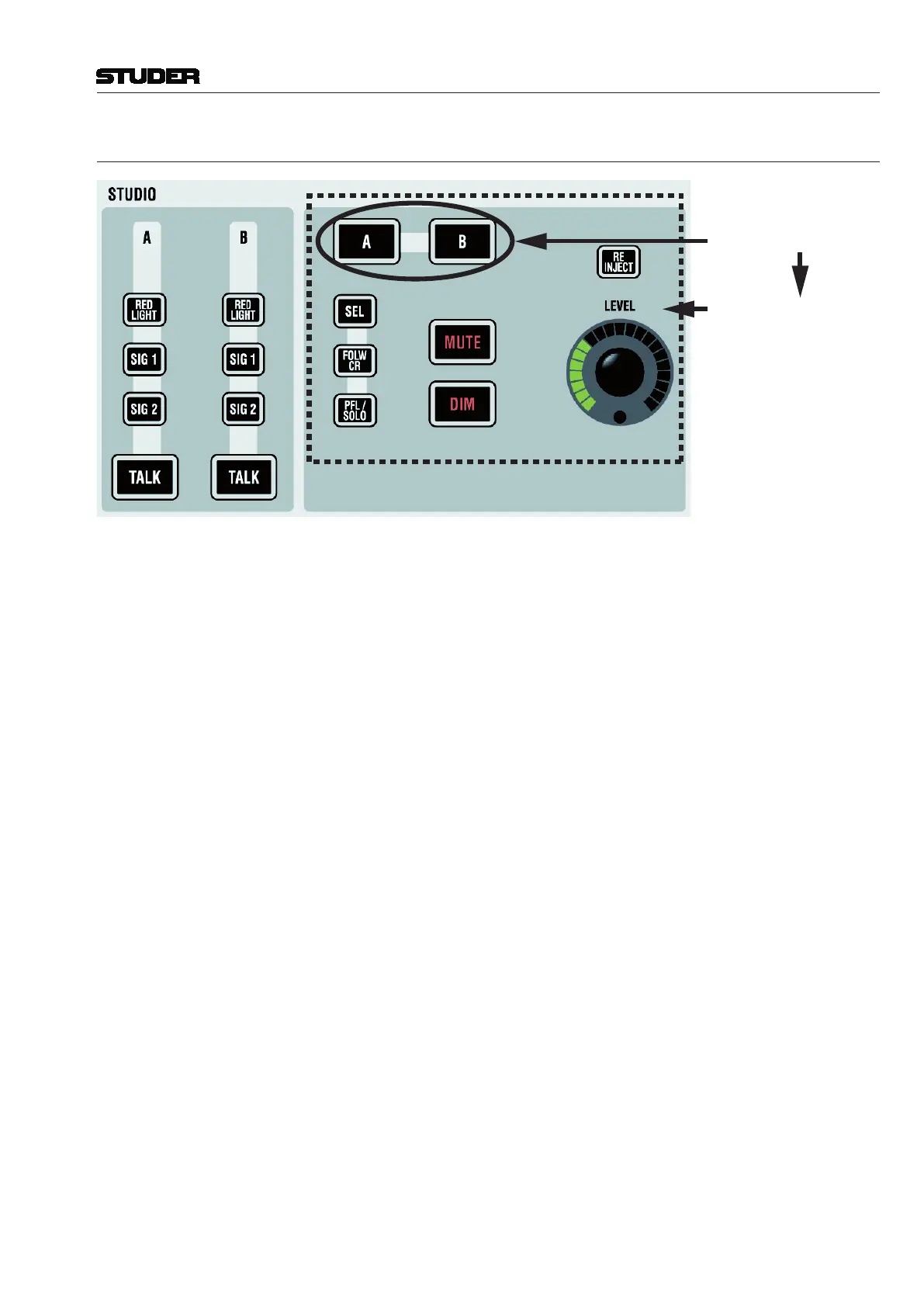
2.2.5.4 Studio Monitoring
Select (STUDIO) A/B...
...to access this Area
A / B RED LIGHT, SIG 1 (Ready), SIG 2 (Call), TALK
These functions can directly be activated for two different studios. The keys
may light automatically if the function has been activated by using GPI (gen-
eral purpose inputs).
A, B, SEL etc. The right part of the studio monitoring panel is used to control the audio level
of the two studios. First select the studio (A or B), then adjust the level and
select from ‘Selected Source on Source Selectors’ (SEL), feed studio with
same source as control room (FOLW CR), or send PFL/SOLO signals to the
studio (PFL/SOLO). It is also possible to disengage the mute mechanism nor-
mally activated by the red-light logic. This is done by activating RE-INJECT.
MUTE, DIM For muting or dimming the level of the studio speakers.
DIM level may be adjusted by pressing this button several seconds. The corre-
sponding DIM level is displayed with the LED ring around the LEVEL control.



 To Next Page