Vista 1 Digital Mixing System
GC Operation 4-19
Document generated: 18.04.17
SW V5.3
4.4.2.4 Making and Clearing the Cross-Points
The creation and updating of cross-points is simple. First, select the source
and target; the selection bars have to be crossed to form an X-Y pair.
There are two ways of making or breaking a cross-point connection:
• Bydouble-clickingthelefttouchpadbutton,whilethecursorispositioned
over the crossed Selection bars, or
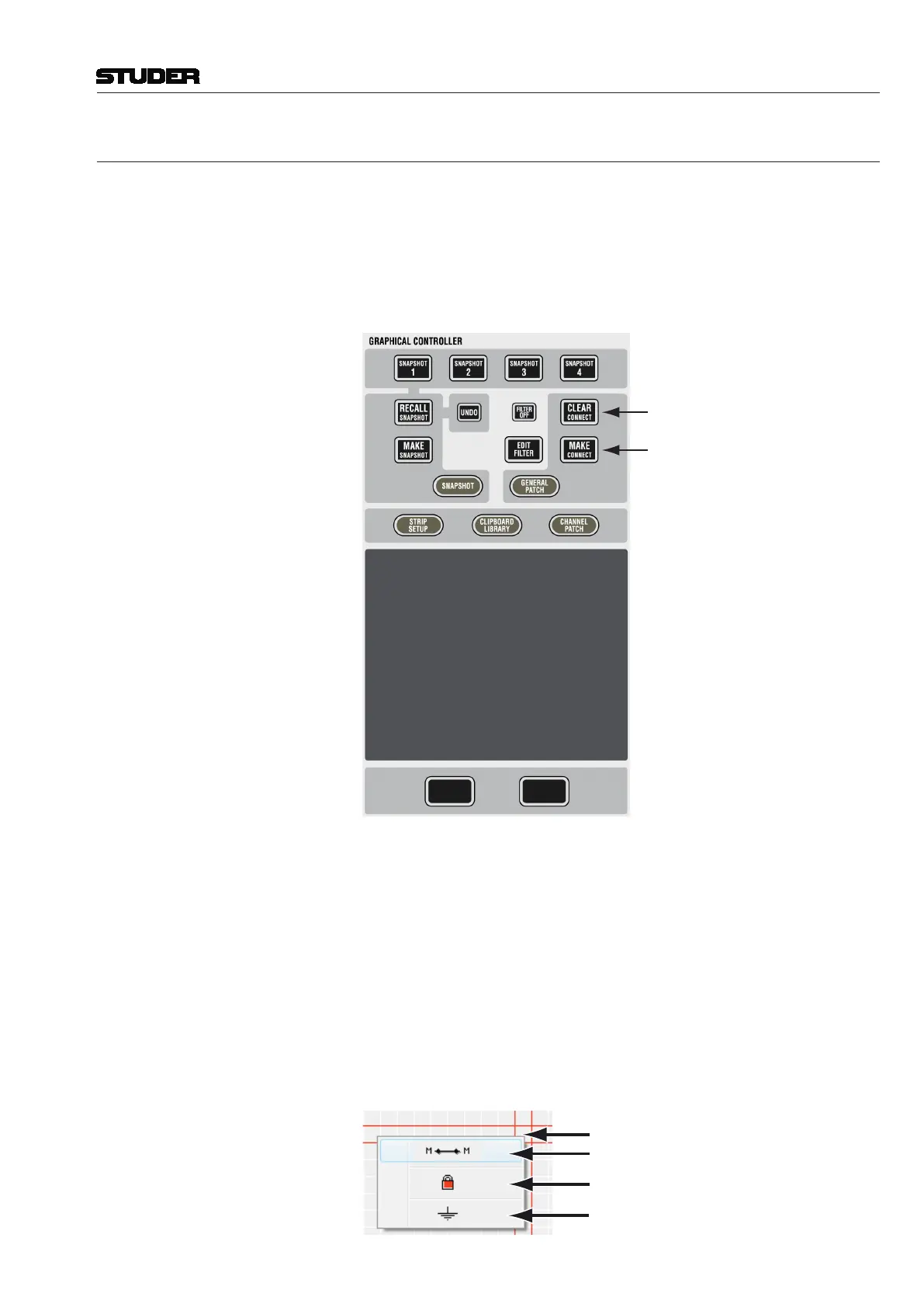
• UsingtheCLEAR and MAKE function keys in the desks control bay:
Using the MAKE CONNECT (make connection) function key will always make
a default connection, depending on the Source- and Target-type combin ation.
Using the CLEAR CONNECT (clear connection) function key will always clear
any cross-point connection. (This is the fastest method to make or clear a
connection.)
Double-clicking the left touch pad button: This method is more sophisticated,
because it allows you to select from a number of connection options displayed
in a pop-up menu box. The menu display depends upon the combination of
Source (mono or stereo) and Target (mono or stereo). The uppermost con-
nection type in the menu is the default connection type, which is applied if
you use the function keys, as shown above.
Mono Source – Mono Target
Empty Box: No Connection
Mono-Mono Connection
Protected Connection
Clear Connection



 To Next Page