Vista 1 Digital Mixing System
GC Operation 4-101
Document generated: 18.04.17
SW V5.3
If you move production data between different consoles, it is advisable not to
restore certain files onto the destination console, since it may have different
hardware. This is valid in particular for the monitoring.ini files. You will
be asked whether you want to restore these files as well; in this case answer
negative if the two consoles are not identical in terms of monitoring.
4.5.4 Import
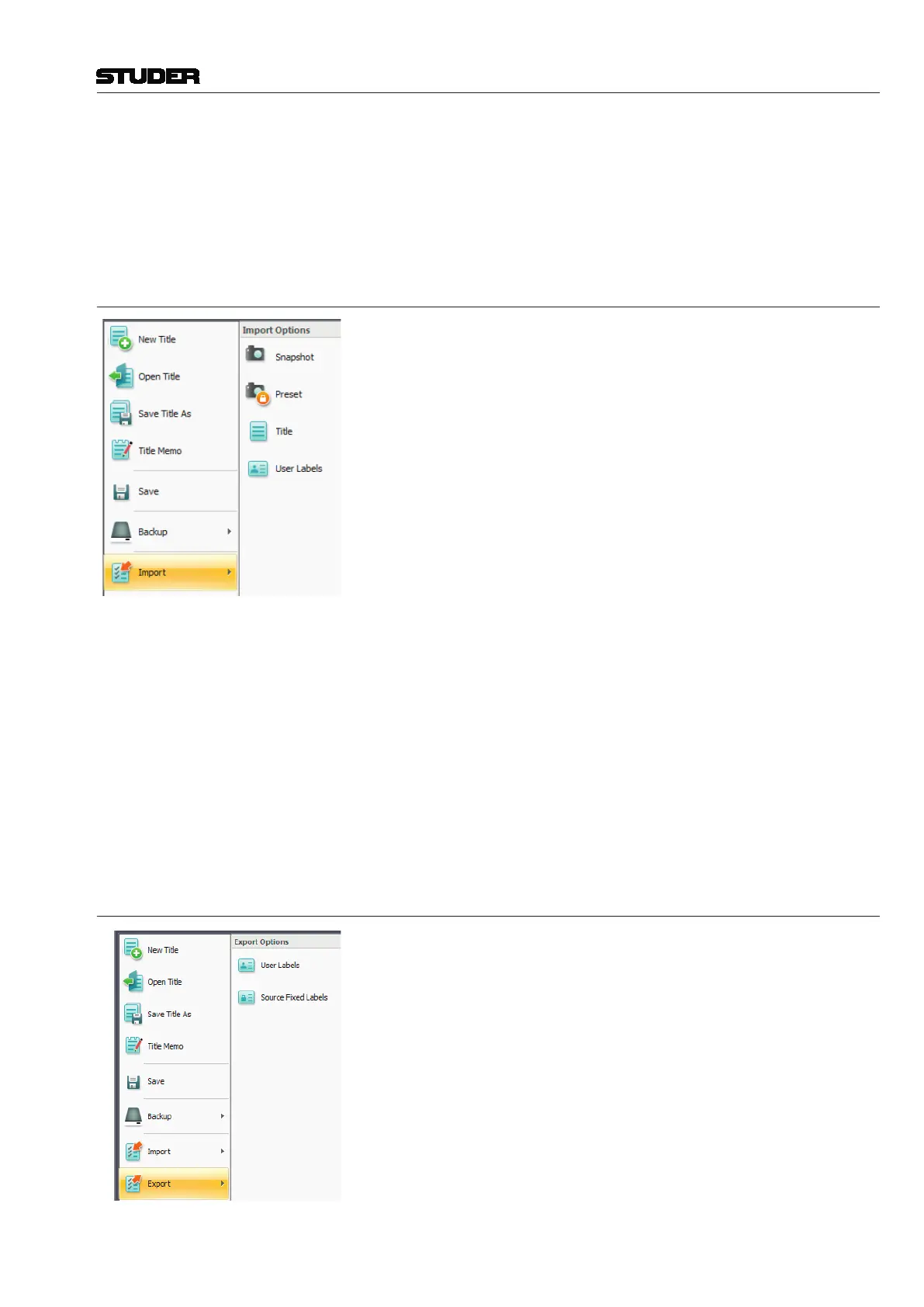
Using the Import utility in the Application menu, snapshots, presets, mixes,
titles and user labels can be imported.
Import This action is used to select the type of data you wish to import. Once the
type of data is selected, an open window appears allowing to select the data
source. The following rules apply when using the Import utility:
• Snapshotsandmixescanonlybeimportedintoanopentitle
• ImportedpresetswillbesavedwiththecurrentDSPconfiguration
• Itemscanberenamedastheareimported
• AtitlewillneedconversionifitisimportedforusewithadifferentDSP
configuration
Note Importing a snapshot, preset, mix, and/or title will not autmatically make it
the current one. For example, a snapshot will not be applied to the console
upon being imported. It must be recalled, in addition, using the snapshot page.
4.5.5 Export
Using the Export utility in the Application menu, user labels as well as the
fixed labels of sources can be exported.
To export fixed labels of sources can be useful when creating ProBel confi-
guration files.



 To Next Page