Vista 1 Digital Mixing System
7-8 DAW Control
Document generated: 18.04.17
SW V5.3
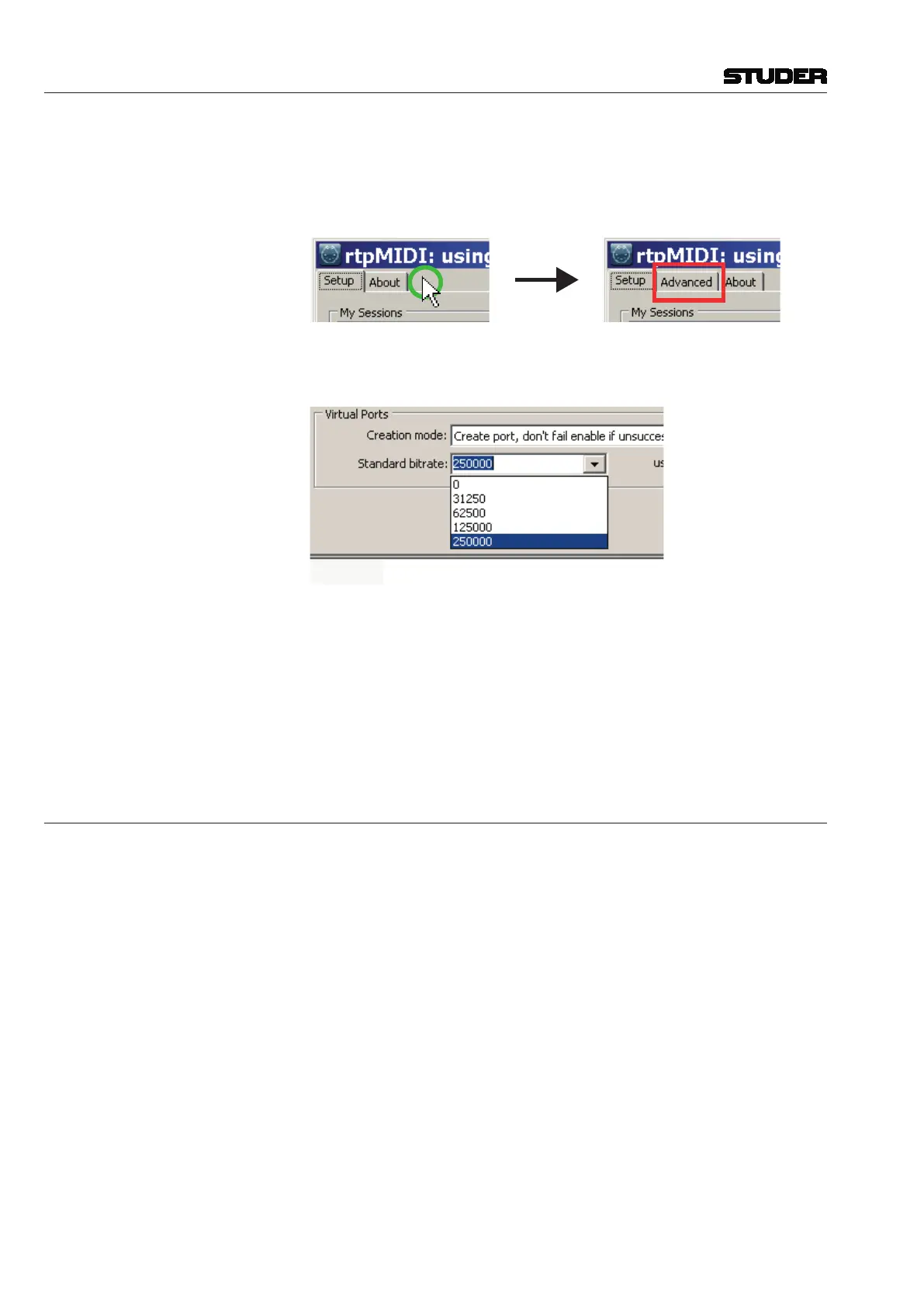
• OpenrtpMIDI,pressandholdCTRL,anddouble-clickwiththeleft
button into the empty field to the right of the About tab. An
advance tab will appear.
• Opentheadvancedtabandchangethebitratefromthestandard
31250tomaximum:
Specify MIDI Ports (i.e., MIDI ports used for DAW Control)
• WhileusingrtpMIDI,addthefollowingtwolinesintoD950system.ini as
shown below. (Please note: the entry is case sensitive).
[Midi]
DawPorts=”Vista”
7.3 DAW Settings
rtpMIDI (to be installed on the DAW system running on Windows platform)
• InstallrtpMIDIv1.1.4.235(requiresBonjourV2.0.2.0 orlater)-for
installationdetails,pleaserefertotheVistaInstallationNote“VistaDAW
Comtrol with rtpMIDI”
Note Mac workstations running on OS X do already provide the rtpMIDI- func-
tionality.



 To Next Page