Vista 1 Digital Mixing System
DAW Control 7-7
Document generated: 18.04.17
SW V5.3
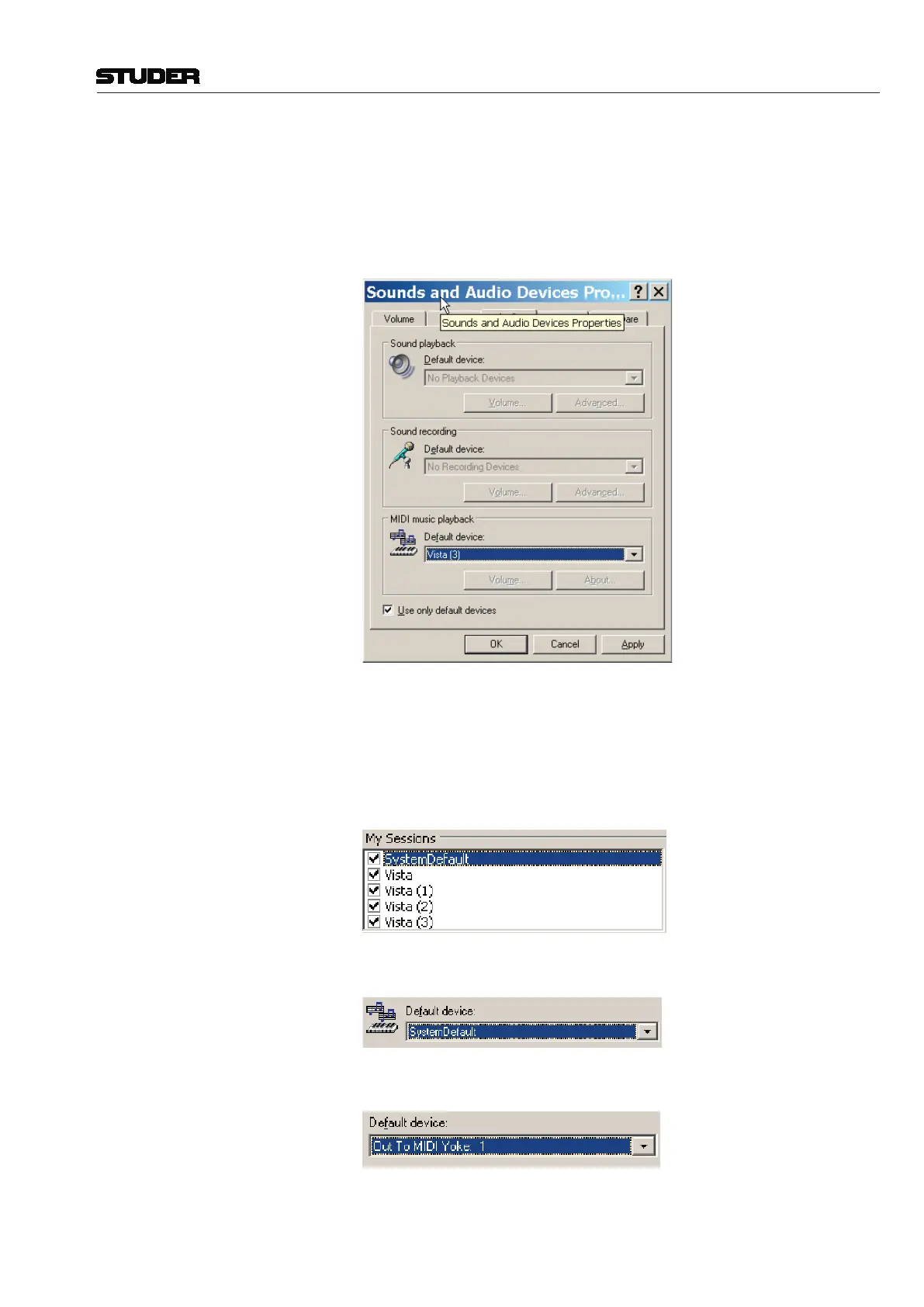
Open the Windows Control Panels after the above installation steps, open the
SoundsandAudioDevicesPanelandselectthe“Audio”tab.
In the example below, the MIDI playback default device is showing Vista (3),
which is one of the rtp sessions. This is a faulty configuration.
Choose another device if available, depending on the operating system and
hardware, there can be a free onboard device. If there is no available alterna-
tive device, there are 2 alternatives :
1. choose a 5th session in the rtpMIDI setup and give it a different name, e.g.
“SystemDefault”
and choose it as default device
2. install a dummy output device, like MIDI Yoke and assign it as default
device.
MIDI communication speed rtpMIDI allows to increase the communication speed. In order to change this
parameter proceed as follows :



 To Next Page