Vista 1 Digital Mixing System
7-6 DAW Control
Document generated: 18.04.17
SW V5.3
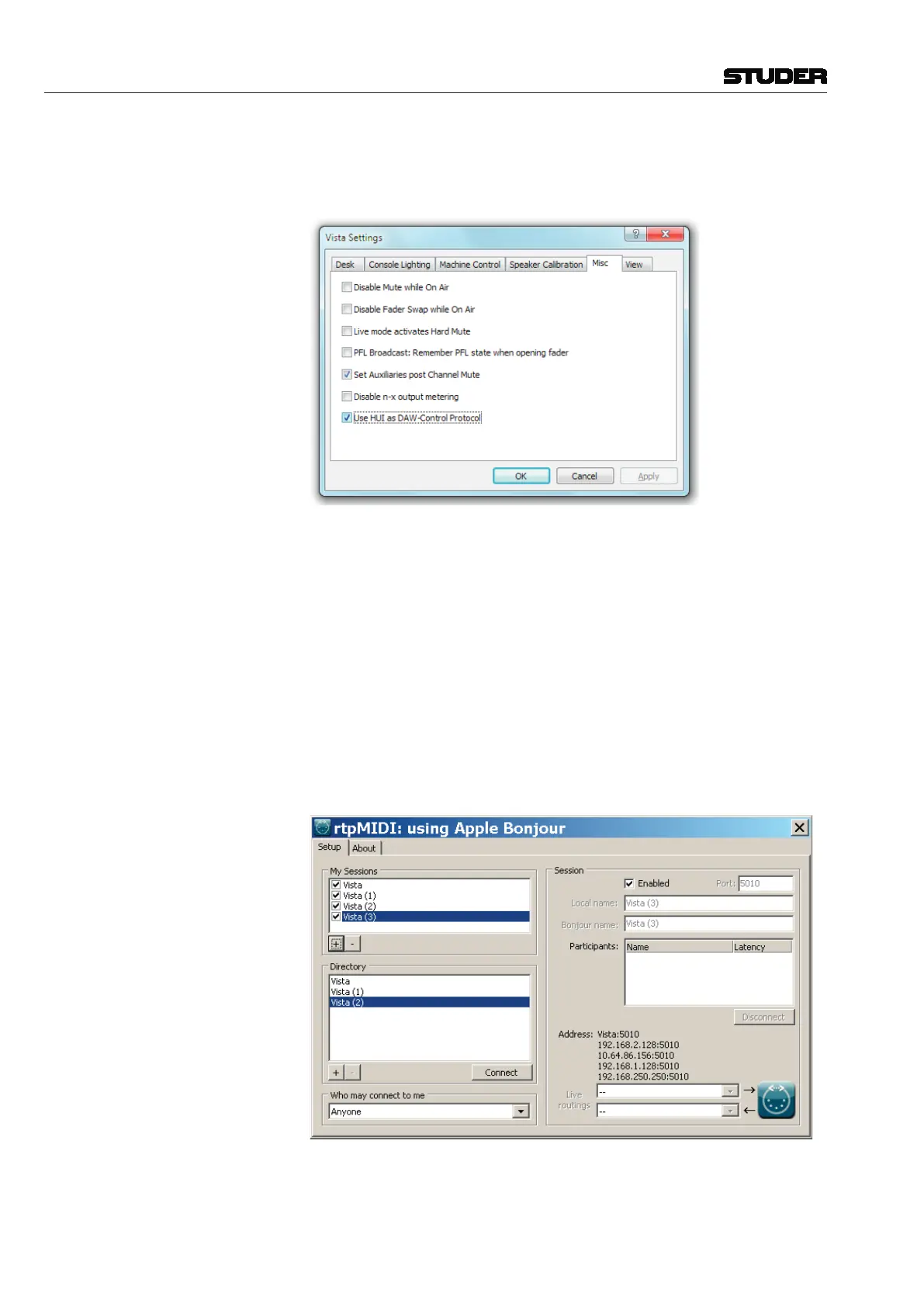
Protocol Selection Protocol selection (Mackie Control or Mackie HUI) is done in the Vista
Settings dialog. This is not done automatically but has to be decided by the
user with the help to the information given in chapter 7.4:
rtpMIDI (rtpMIDIisthecurrentMIDI-over-Ethernetdriver,thatneedstobeinstalled
on the Vista console PC)
• InstallrtpMIDIv1.1.4.235(requiresBonjourV2.0.2.0 orlater)-for
installationdetails,pleaserefertotheVistaInstallationNote“VistaDAW
Comtrol with rtpMIDI”
Setup of rtpMIDI on Vista Run rtpMIDI and create 4 Sessions using the [+]-Button. The sessions will
automatically get the name of the computer and will appear in the directory
window. Rename the sessions to Vista, Vista (1), Vista (2), Vista(3)
as shown below.
Enablethesessionswiththecheckmarkintheorderbelow-startwith“Vista”,
then“Vista(1)”....
System MIDI Port Make sure that the Windows operating system does not assign one of the
above MIDI sessions to the Windows default output device. A channel shift
might be the result of this faulty assignment.



 To Next Page