Vista 1 Digital Mixing System
GC Operation 4-109
Document generated: 18.04.17
SW V5.3
4.6.1.2 Setups
4.6.1.2.1 FX Engine
If there are optional Vista FX units connected to the system, this button allows
to configure the FX structure to be used within the current title. For details
please see chapter 9.
4.6.1.2.2 Meter/Generator
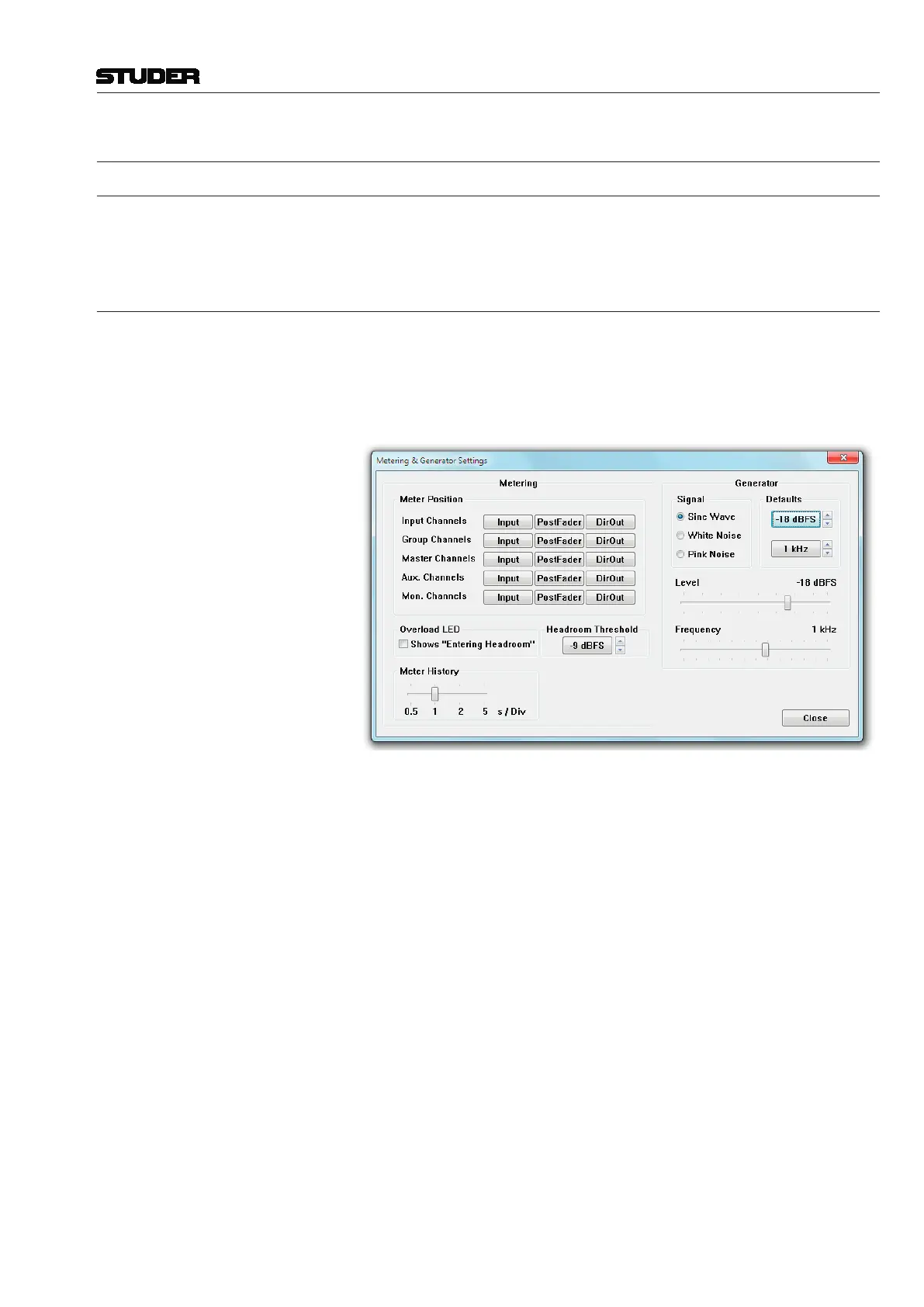
The Meter/Generator Settings page is used for adjusting various settings of
the desk channel strip metering and test generator. Generator defaults are
automatically saved in the
D950system\shutdown.pfc file when quitting the
system, so that the last used defaults are available after the next start of your
system.
Metering / Meter Position This action globally sets the metering signal source for all the channels of
the same type to the same point within the signal path. It is usual to set the
Input Channel and Monitor Channel meter sources to Input and those of the
Group, AUX and Master Channels to the Post-Fader position. However,
meter positions may be changed on a channel-by-channel basis and saved
with snapshots and presets.
Metering / Overload LED If ‘Shows Entering Headroom’ is ticked, the Overload LEDs on the channel
strips as well as the red overload sign on the TFT screens illuminates when
the signal level enters the headroom set with ‘Headroom Threshold’ instead
of an overload condition.
Metering / Headroom Threshold The desired headroom can be set here; this setting doesn’t make any level
changes but just sets the threshold level of the bargraph meters. Default set-
ting: –9 dB
FS
, i.e. 9 dB below clipping occurs.
Metering / Meter History This slider allows setting the speed of the meter history view in four steps
from 0.5 s/div (fastest) to 5 s/div (slowest). Default: 1 s/div.
Generator / Level Sets the test signal generator’s level to the desired value. Levels can be set
to off and, in 1 dB steps, from –90 to +10 dB
FS
. The Generator Level can be
turned off by moving the Level slider all the way to the left.
Generator / Frequency Sets the test signal generator’s frequency (sine wave only) to the desired value.
The generator frequency can be set in 1/12
th
octave steps from 19.95 Hz to



 To Next Page