Vista 1 Digital Mixing System
Parameters 3-21
Document generated: 18.04.17
SW V5.3
3.3.10 Graphic EQ Parameters
There is no global view of the graphic EQ available, since the graphic EQ of
one channel always uses up the complete Vistonics screen. For graphic EQ
operation please refer to chapter 3.4.2.
3.3.11 Panning Parameters
Press GLOBAL VIEW: PAN.
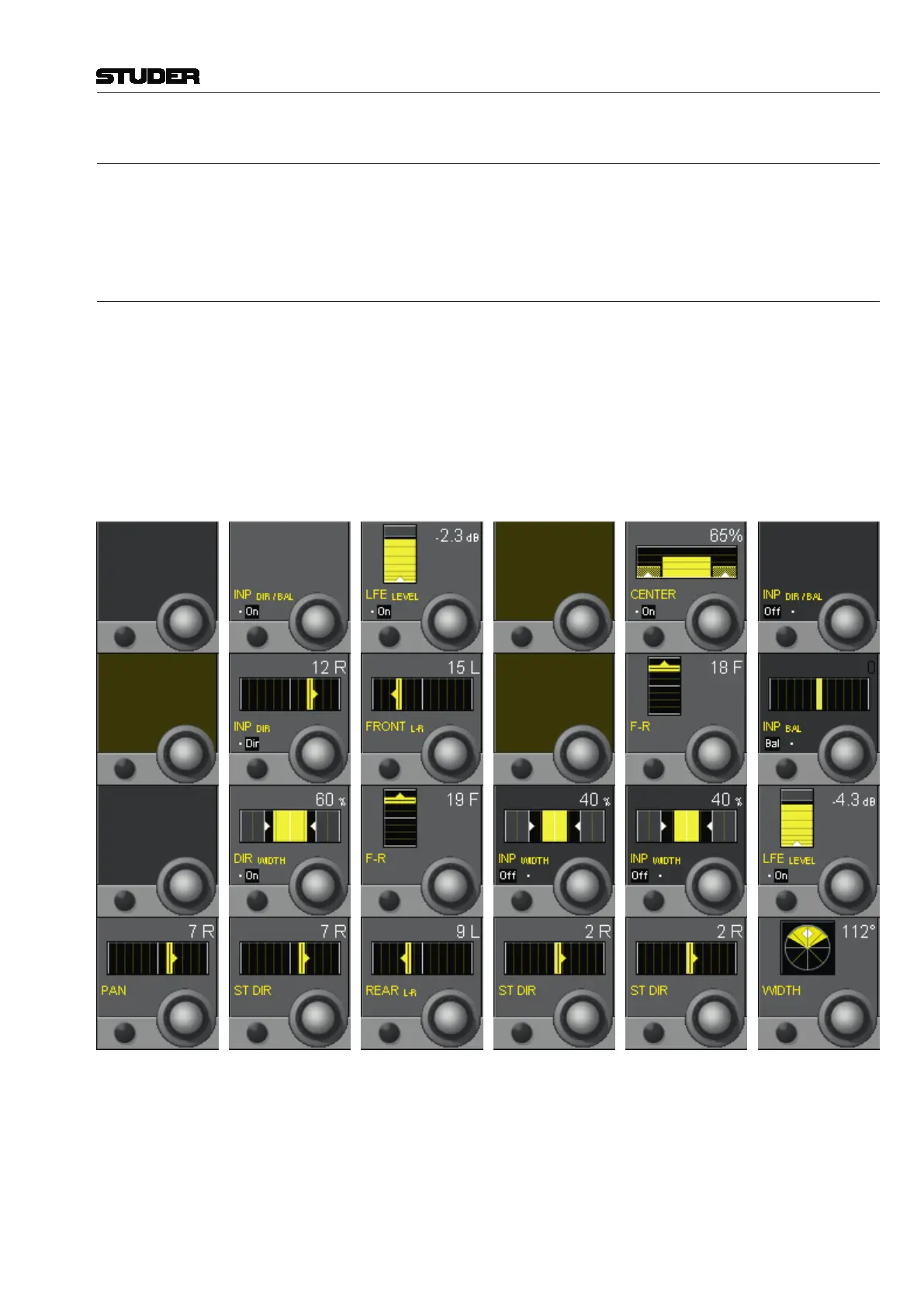
This view enables the user to control the most important parameters of the pan-
ning section. Representation is different depending on channel type (mono/
stereo/5.1/stereo upmix), and on the selected panning format. The complete
parameter set is available on the channel-related pan view, refer to chapter
3.4.4. There you will also find all parameter details.
The panning section can be activated with the PAN hardware key above the
Vistonics section, in addition to the different, individual on/off keys.
Mono Channel:
Stereo Channel:
5.1 Channel:
St.Ch.Upmix LR:
St.Upmix 5.1:
St.Upmix 5.1 W.:
The DIR WIDTH display on stereo channels only appears if this feature has
been configured for the corresponding channel.
If a channel is configured with the ‘Input Dir/Bal’ function, this view also
displays the input balance function placed within the input section of the
channel.



 To Next Page