Vista 1 Digital Mixing System
4-88 GC Operation
Document generated: 18.04.17
SW V5.3
4.4.6.1.6 Metering (the TFT Meterbridge is optional for the 32 fader Vista 1)
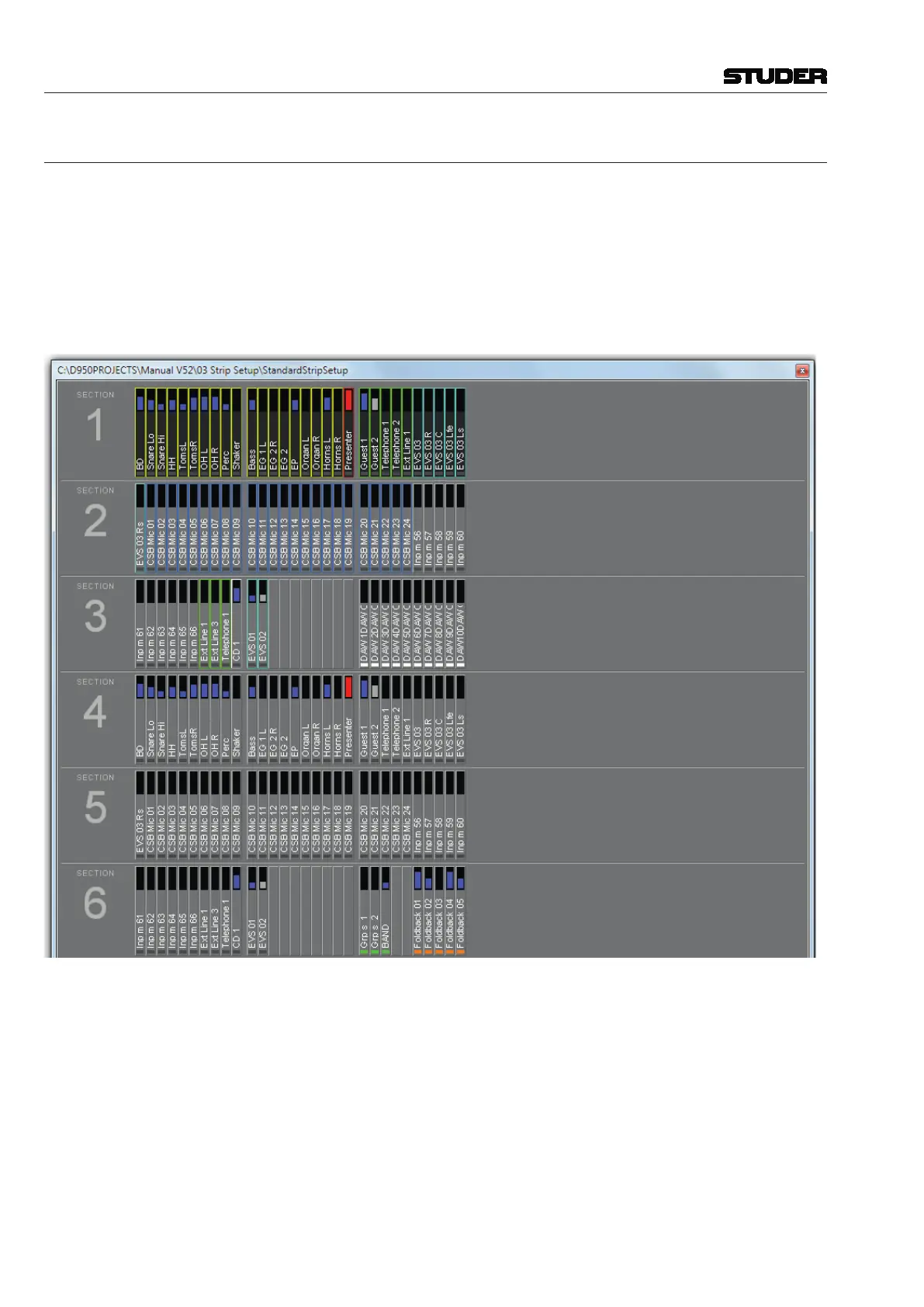
Strip Setup Window If the ‘Fader Bays’ or ‘Control Bay’ tab is active, every channel displayed
on the console surface also has a slow meter in the strip setup window that
is a slow indication of signal activity at this channel’s input. Color is used to
identify the channel’s status. A blue meter bar means that the channel has its
fader open and is switched on. If the meter bar is gray, then the channel has a
signal associated with it, but either the channel fader is closed or the channel
is muted (off). If the meter bar is red, the channel currently is in overload
status.



 To Next Page