Vista 1 Digital Mixing System
4-38 GC Operation
Document generated: 18.04.17
SW V5.3
A snapshot or preset will save:
• Allaudiosettings:Faderlevels,auxiliarysettings,dynamics,delays,input
selectors, etc.
• Orderofchannelprocessingblocks;
• Directoutputandmetersourcepoints;
• Busassignments;
• Alllabels;
• Allpatchcross-pointconnections;
• Channelandotherlinks;
• N–1/mix-minusassignments.
Tip Snapshots and presets always save every control and switch setting for the
entire console. The choice of recalling every setting to every control is up
to the operator. A sophisticated filtering system is available in order to keep
certain settings even when recalling a snapshot.
4.4.4.1 Snapshots
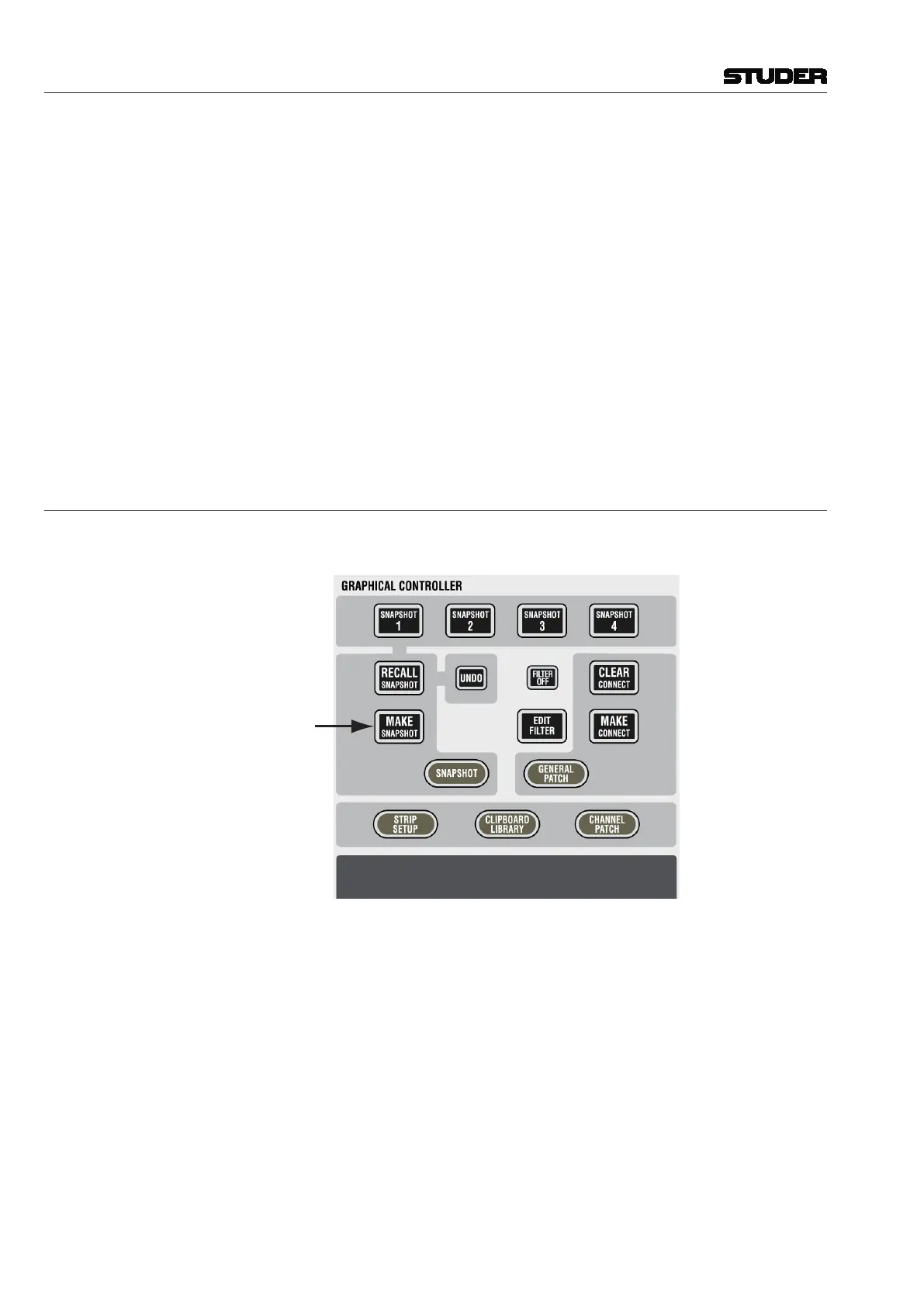
To capture a new snapshot of the various user controls, press the MAKE
SNAPSHOT key on the console:
The new snapshot will automatically be numbered like SNAPSHOT #1,
SNAPSHOT #2, etc.



 To Next Page