Vista 1 Digital Mixing System
4-8 GC Operation
Document generated: 18.04.17
SW V5.3
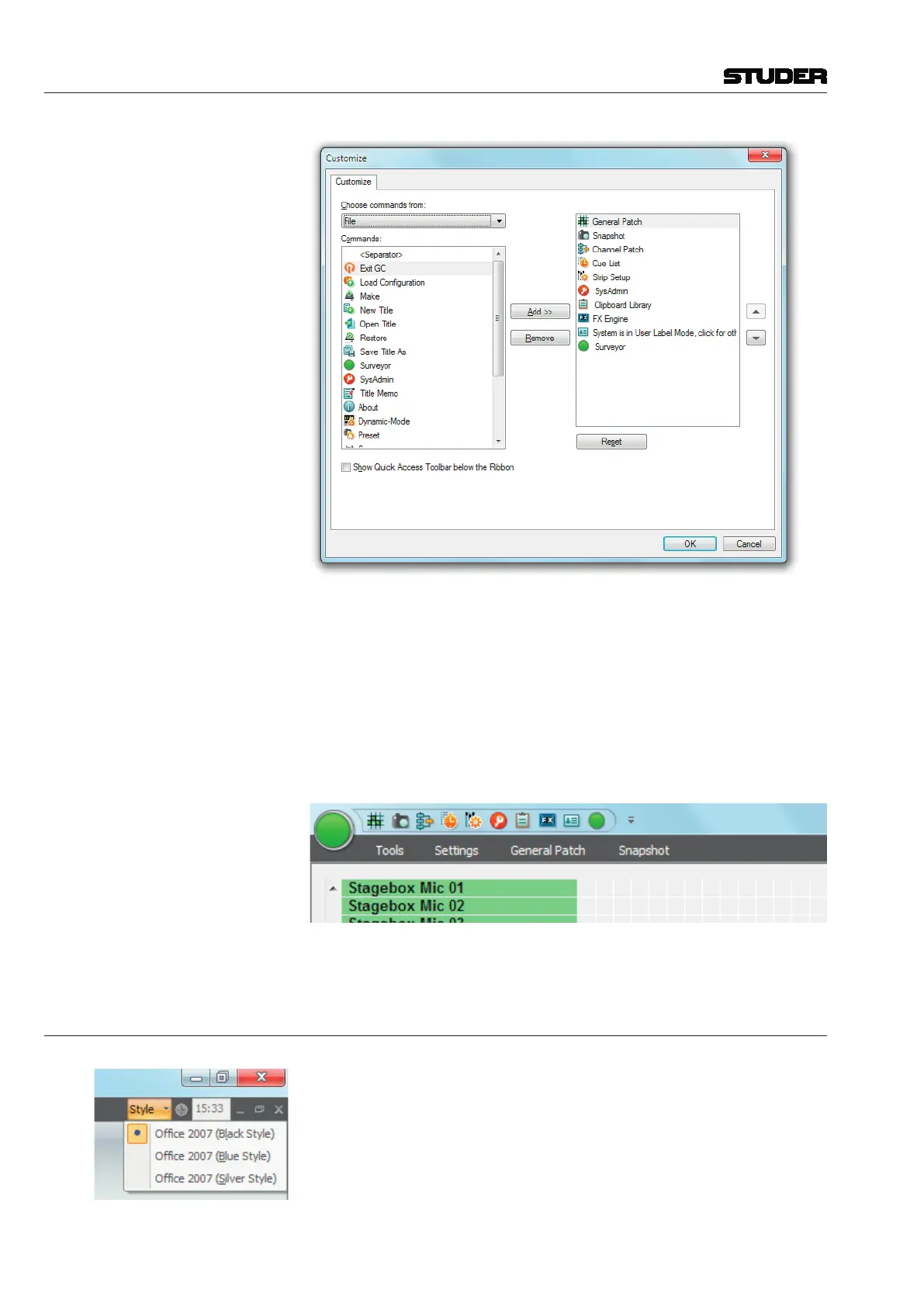
By choosing the desired menu item (also called ‹Commands›) and clicking on
the Add button will add that specific menu item to the Quick Access Toolbar.
The Reset button will bring you back to the state that the Quick Access
Toolbar had before you started to modify it.
Show Below the Ribbon: Selecting this function allows to place the Quick Access Toolbar underneath
the Ribbon menu instead of above the Ribbon menu. Please note that this
takes away some of the space which used to display the selected View Page.
Minimize The Ribbon: This basically hides all menu items and only shows the Ribbon Category
Tabs. More space is provided for the View Page :
Please note that also doubleclicking on the Category Tabs toggles between
minimized Ribbon and normal Ribbon View.
4.2.3 The Ribbon Style Selector
Here, the choice from three different window color-styles is possible. Please
choose to suit your personal taste.



 To Next Page